Org.io
Display your customer's organization data directly in the ticket sidebar
安裝
5+
相容於
Support
開發者
vaide.app
About this app

Your agents are answering tickets blind to the account behind them
Every ticket comes from an organization your team already knows something about — size, tags, open ticket count, notes from the last agent. Today none of that shows until someone clicks away to find it, slowing first responses and letting VIP accounts get treated like anyone else.
Org.io puts that context directly in the Zendesk ticket sidebar, on new and existing tickets alike. No code, no separate lookup.
The problem
First responses go out blind to VIP status or repeat contacts
Agents re-ask questions already answered in notes they never saw
Custom fields for one team clutter the view for every other team
New agents ramp slower since account context isn't part of the ticket
How Org.io solves it
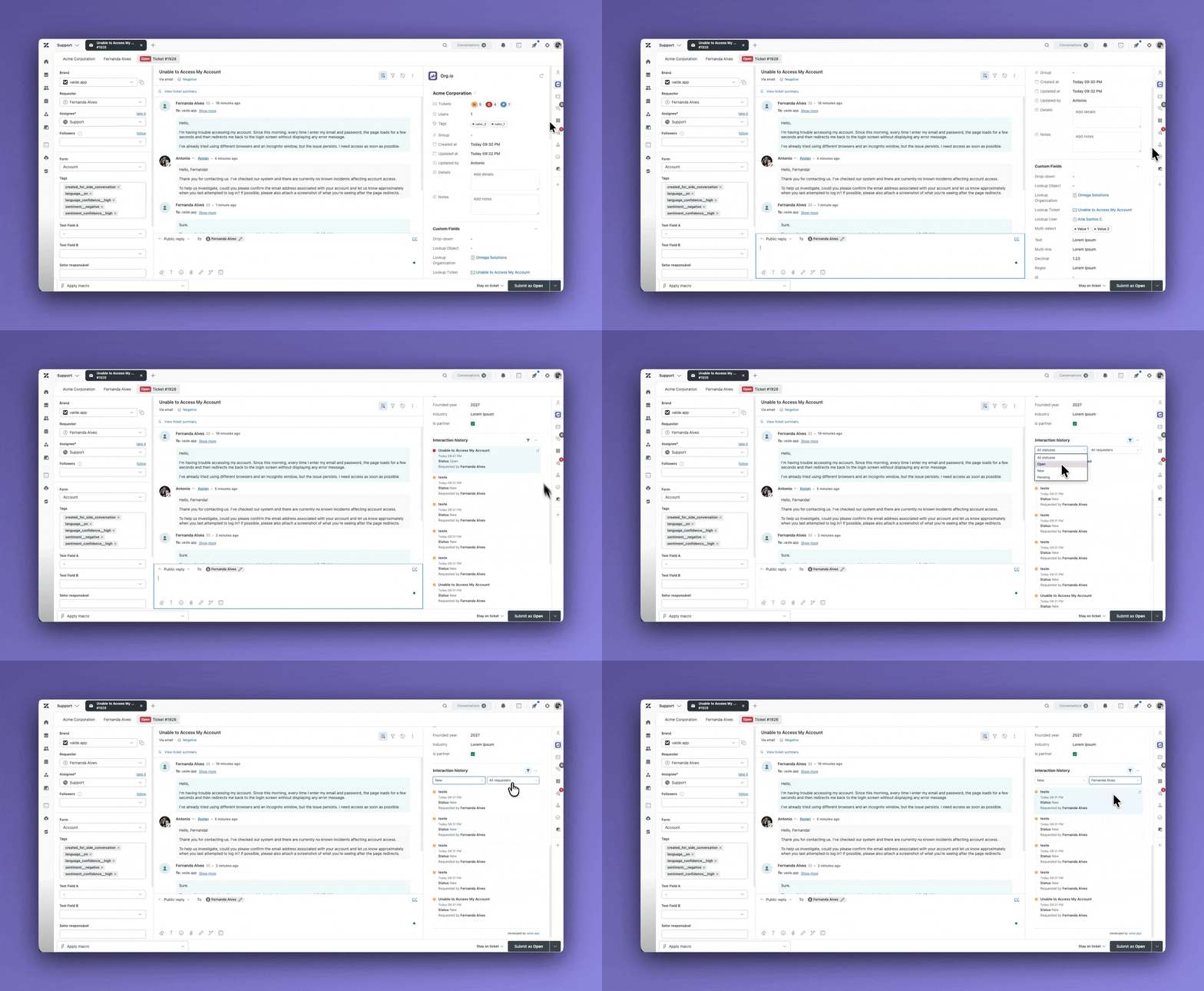
Org.io reads the organization tied to each ticket and renders it live in the sidebar, scoped to what your admin enables:
- Organization identity — name, domains, tags, group
- Volume at a glance — ticket totals by status, total users
- Custom fields — any active organization field, admin-selected
- Editable context — Details and Notes, autosaved in place
- Interaction history — the account's recent tickets
- Hidden fields — exclude specific custom field keys for every agent
What your team gains
Faster first response — agents see who they're talking to before they finish reading the ticket.Fewer repeat questions — notes and history are on-screen by default.Better VIP treatment — tags and ticket volume are visible automatically.Cleaner onboarding — new agents share the same context view from day one.Less admin overhead — one settings screen controls the whole team's sidebar.
Key features
Zero-code settings — every field is a checkbox in Admin Center
Real-time — changes apply on save, no reinstall or reload
Works on new and existing ticket sidebars
30+ languages, auto-detected from the agent's profile
Light and dark theme, matched to Zendesk
Inline editing for Details & Notes with debounced autosave
Common configurations
| Goal | How Org.io handles it ||---|---|| Instant account health at a glance | Enable ticket totals + tags || Keep internal fields out of the sidebar | List their keys in hidden fields || Update notes without leaving the ticket | Enable Details + Notes || Show repeat-customer history | Enable interaction history || Support a multilingual team | No setup — locale auto-detected |
Data handling
Org.io is privacy-first: it runs inside Zendesk's app sandbox and talks only to Zendesk's own APIs — data is never sent to or stored on external servers. Only Details and Notes are ever written back; everything else is read-only.
Built by vaide.app
Org.io is developed by vaide.app, specialists in Zendesk customization and support tooling.
Questions or a setup walkthrough? support@vaide.app
應用程式詳情
如何安裝
- Search for Org.io in the Zendesk Marketplace and click Install
- In Zendesk Admin Center, go to Apps and Integrations > Zendesk Support Apps and open Org.io's settings
Check the boxes for the data blocks you want agents to see (organization name, tags, domains, group, ticket counts, custom fields, details, notes, interaction history, etc.) — all are enabled by default
- Optionally list custom field keys to exclude in Hide Certain Custom Fields, comma-separated
Save — it's live on every ticket sidebar immediately, no reinstall or reload needed
Requires admin access. Questions? support@vaide.app
留下評論
與其他Zendesk社群分享你的經驗