Read Receipts for Zendesk Pro
Add Read Receipts and Email Tracking to Zendesk in Seconds.
安裝
200+
相容於
Support
開發者
Infigos LLC
About this app

Supercharge Zendesk with Email Tracking & Read Receipts
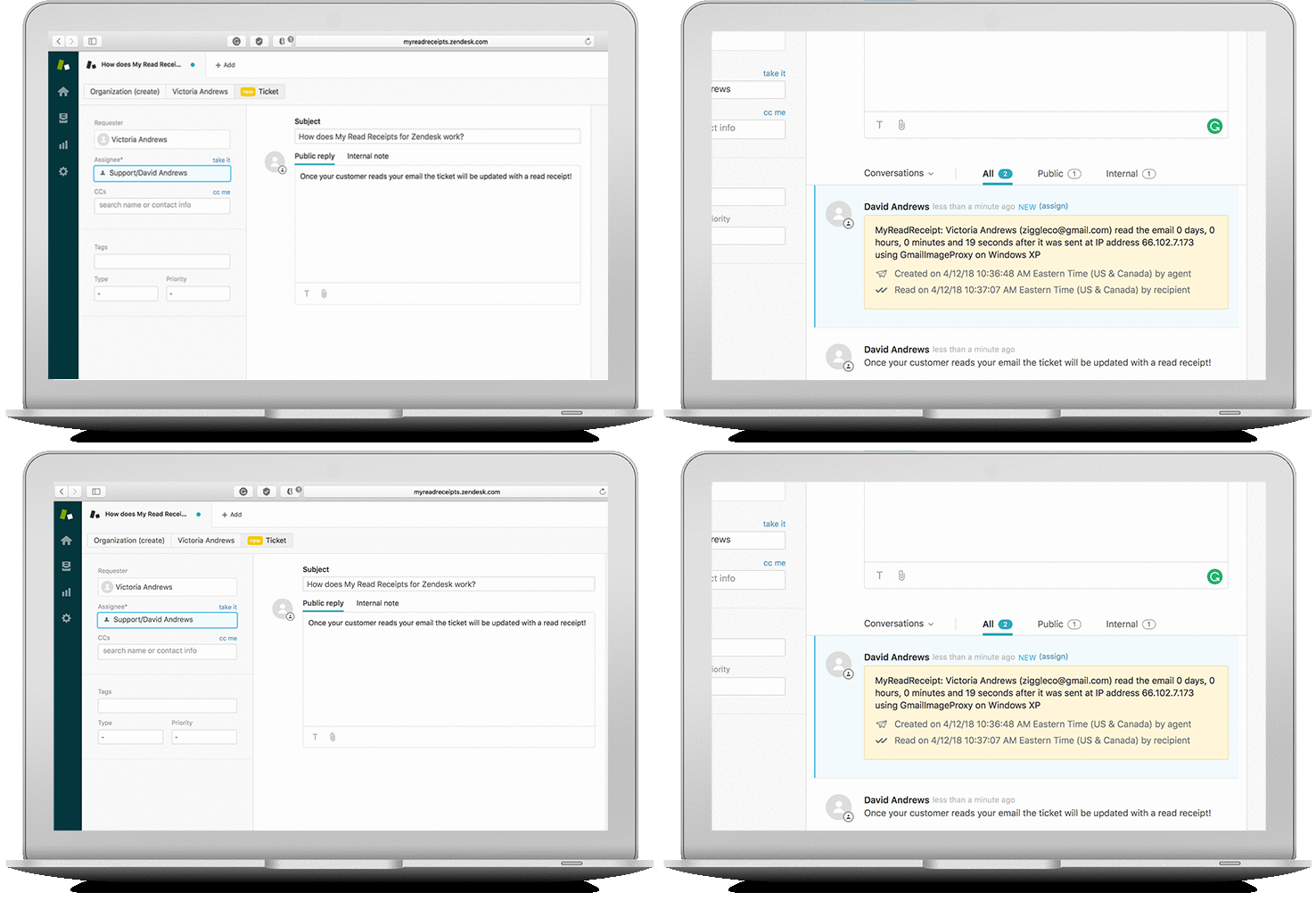
Read Receipts for Zendesk brings seamless email tracking and read receipt functionality to Zendesk, empowering support teams with real-time visibility into customer engagement. Instantly know when your message was opened, which comment was read, and what actions your customers took — all from inside Zendesk.
Why Choose Read Receipts for Zendesk?
- Faster Resolutions, Higher CSAT: Reduce resolution time and improve follow-up timing by tracking engagement.
- Real-Time Analytics: Analyze engagement by agent, group, or automation to make smarter staffing and workflow decisions.
- Automated Follow-Ups: Trigger follow-ups or reminders for unread tickets to improve response efficiency.
- Flexible Billing: Pay only for agents who need it, or for every agent in your organization — ideal for teams like VIP Support, Sales, or Renewals.
Powerful Features
- Enhanced Visibility: Know when customers read your messages — improve accountability and follow-up timing.
- Link Tracking: Track link opens and timestamps to refine outreach and support workflows.
- Metadata: See helpful diagnostic context such as browser and operating system information (when available).
- IP Blacklisting: Avoid false positives by excluding known internal or partner IP ranges.
- Regulatory Support: Built to support GDPR/CCPA compliance efforts with a data-minimization approach.
- Flexible Configuration: Customize the read receipt sender (e.g., readreceipt@yourcompany.com). Choose how receipts appear in Zendesk — as private comments or stored via ticket fields.
Data & Privacy (Disclosure)
Read Receipts only accesses the minimum Zendesk data required to provide read receipt and link tracking functionality. Data is not sold or shared with third parties and is used solely to operate the service. OAuth is used for authorization and credentials are stored securely.
For full details, please review our Privacy Policy:
Privacy Policy
Join our trusted community
Read Receipts & Email Tracking was crafted to extend Zendesk’s capabilities and is trusted by teams globally.
Get Started Today!
Ready to upgrade your customer support workflow? Install now and enable Read Receipts inside Zendesk.
應用程式詳情
如何安裝
- Click Install to begin setup
You’ll be redirected to your Zendesk Admin Center (ensure you have admin rights).
- During installation, you’ll be asked to configure access (you can apply role or group restrictions to limit usage to specific agents).
Once the app is installed in your account, click on the "Read Receipts" app icon in the left-hand navigation panel.
In the app, scroll down to the configuration section and click "Authorize Zendesk" to securely connect your Zendesk account via OAuth.
If you have any questions or suggestions, reach out to us at support@myreadreceipts.com or visit our Help Center for guides and FAQs.
To help us assist you faster, please include the app name (Read Receipts for Zendesk Pro) and your Zendesk subdomain name in your message.
留下評論
與其他Zendesk社群分享你的經驗