LeadDesk Talk
Combine high-quality VoIP calling and answering with Support
About this app
Available to all customers on a Zendesk Suite plan or Customers with Support + Talk Partner Edition - Learn more at https://www.zendesk.com/pricing
"Our agents have been very satisfied with LeadDesk. It’s easy to learn, use and customize, which significantly improves the efficiency of our operation."
Satu Sekki, Customer Care Team Lead at Edenred
Make and receive support calls directly in Zendesk with LeadDesk Talk.
Send SMS follow-ups with additional support messages. Choose from pre-made templates or write a custom message to customers.
Seamlessly integrated with Zendesk. Calls open new tickets and messages are recorded as notes in that ticket.
Give customers faster, more personalised service by bringing powerful contact center features into your Zendesk account.
LeadDesk Talk helps your agents manage calls and SMS directly in Zendesk. Call and SMS activity is matched to tickets under a customer profile so you can track the entire ticket history in Zendesk.
How It Works
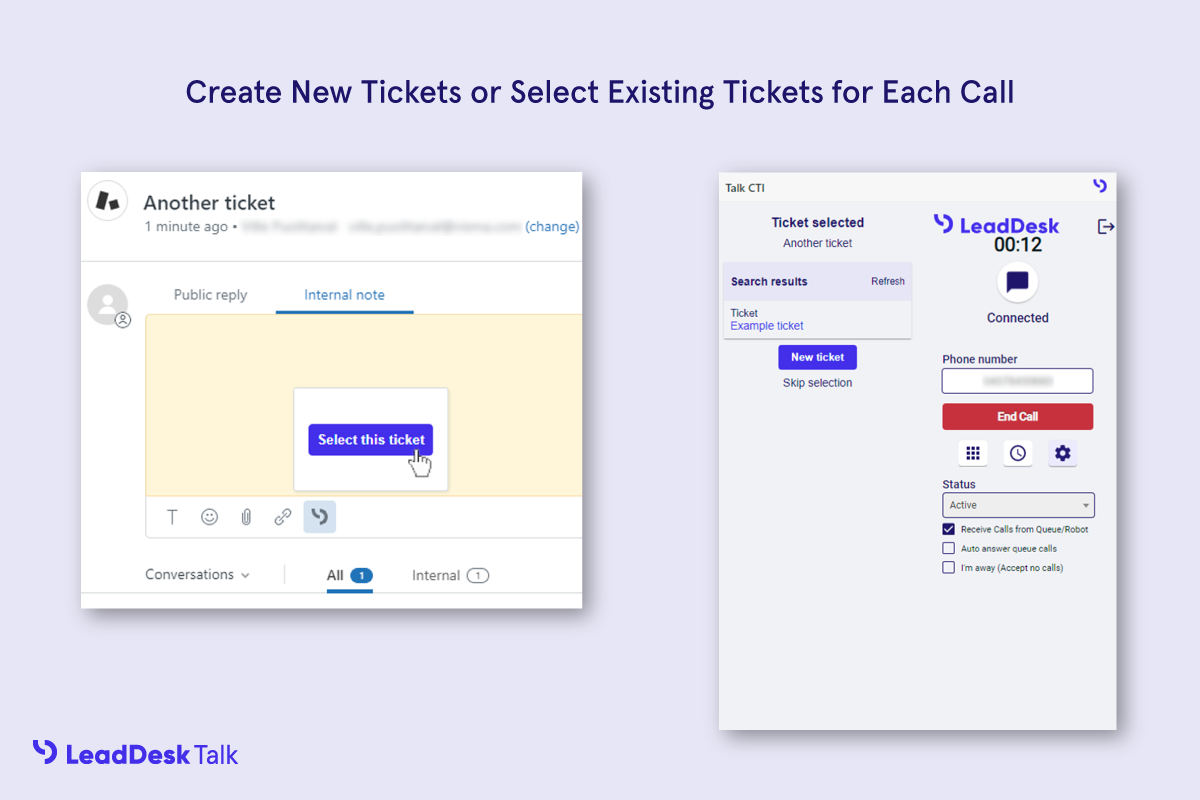
Make and Receive Calls: LeadDesk Talk pops up for agents when there are incoming calls from customers and opens a new associated ticket. Agents can review communication history instantly and provide meaningful support from the beginning of each call.
Send Text Messages: Follow up with customers to provide additional after-call support. Agents can choose from a set of pre-made templates or write their own message to the customer.
Fully Integrated: All LeadDesk Talk calls and messages are logged in the internal notes of each ticket in Zendesk so your agents can get a clear view of the customer's situation. Call recordings can also be accessed when needed.

Protecting our customers' data is LeadDesk's priority. Learn more at our Security and Compliance Center: https://leaddesk.com/security-and-compliance/ and also our Privacy Policy: https://leaddesk.com/privacy-statement/
應用程式詳情
如何安裝
LeadDesk Talk requires a LeadDesk subscription. Book a Demo with one of our contact center consultants to see how LeadDesk can transform your customer service.
Install LeadDesk Talk in your Zendesk account.
If you don't already have a LeadDesk account, get a free trial here.
Login to the telephone client in the top bar with your LeadDesk account.
Start calling in Zendesk with LeadDesk Talk!
Questions? Reach out to LeadDesk Support in your LeadDesk account. LeadDesk provides fast, effective support in English, German, Dutch, Spanish, French, Portuguese, Danish, Finnish, Swedish, and Norwegian.
留下評論
與其他Zendesk社群分享你的經驗