7 best call routing solutions for customer support in 2026
The right call routing software can dramatically reduce wait times, improve first-call resolution, and boost customer satisfaction. Here’s how to find the best solution for your team.



Paulette Chafe
Senior Director of Product Marketing at Zendesk
最後更新: October 14, 2026
What is call routing software?
Call routing software directs customer calls to the right agent, team, or AI using real-time context. AI-powered routing classifies intent, urgency, and history to determine the best path instantly. It replaces manual triage and static rules with faster, more precise decision-making. The result is faster resolutions, fewer transfers, and consistent service across every interaction.
A complete guide to AI-powered, omnichannel routing
Every customer call carries a degree of urgency—whether it’s a billing issue, service disruption, or high-value opportunity. But when calls are misrouted or delayed, resolution slows, agents get overwhelmed, and customer trust erodes.
That’s why businesses are rethinking how they route conversations. The best call routing solutions for customer support don’t rely on static IVR call routing or manual queues. They use AI-powered routing to classify intent, prioritize requests, and direct each interaction using real-time customer data.
This shift enables true omnichannel support. Voice, messaging, and digital channels work together, and every interaction follows the fastest path to resolution. Agents spend less time triaging and more time helping customers solve issues.
In this guide, we break down how modern call routing software works, which features matter most, and how to evaluate the best solutions for speed, accuracy, and scale.
More in this guide:
- Benefits of call routing solutions for customer support
- Key features of call routing solutions
- Best call routing software comparison chart
- Top 7 call routing solutions for customer support
- How to choose the best call routing solution for your business
- Frequently asked questions
- Route every call to smarter resolutions with Zendesk Contact Center and AI
Benefits of call routing solutions for customer support
With the right solution, call routing can accelerate resolution times. However, opting for manual or rule-based systems runs the risk of creating delays and misroutes. AI-powered routing classifies each interaction and directs it using real-time context, reducing friction across the support experience. The best call routing solutions for customer support improve speed, accuracy, and efficiency at scale.
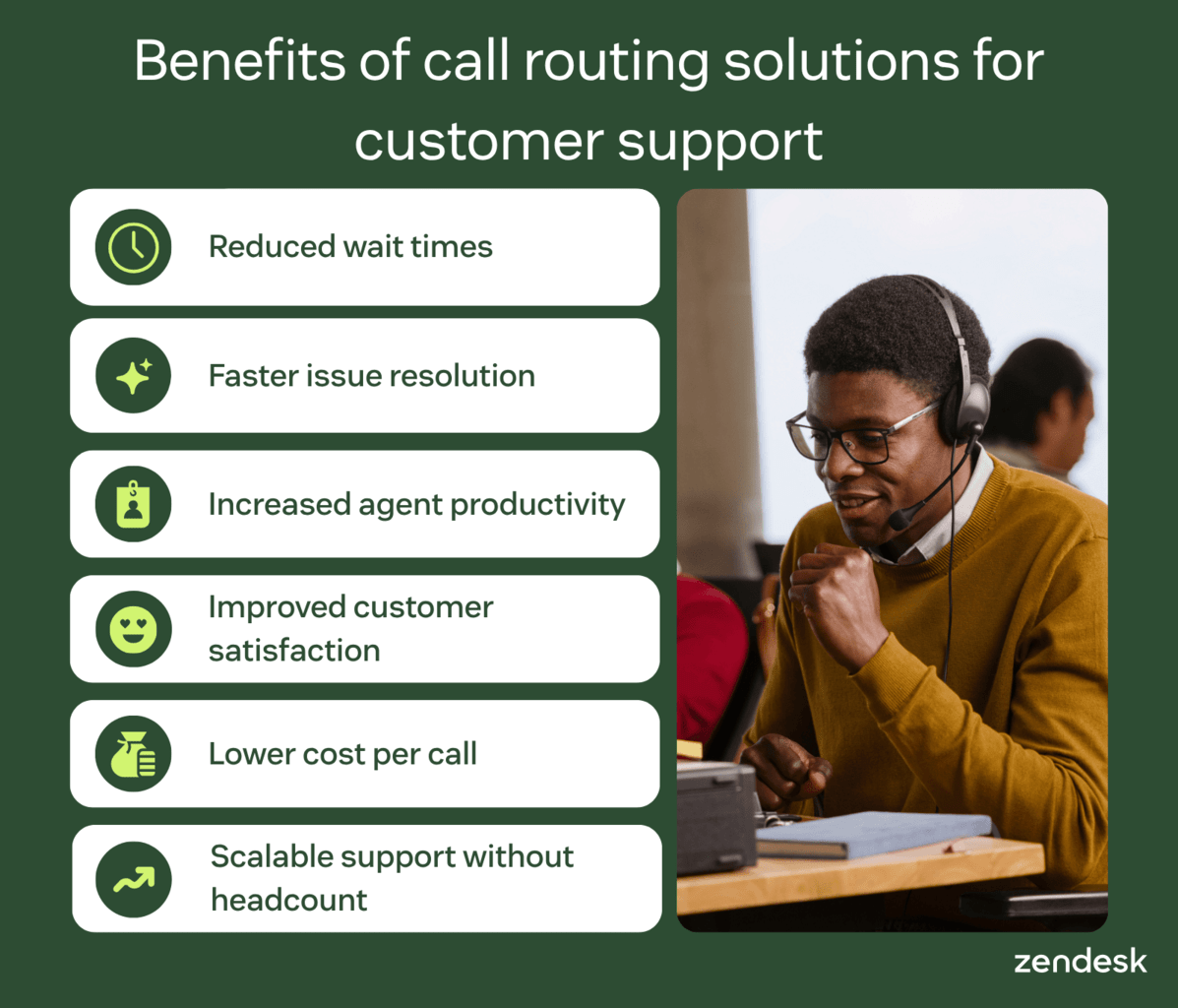
Reduced wait times with intelligent, priority-based routing
AI-powered routing prioritizes calls based on urgency, customer value, and real-time conditions. High-priority issues move to the front of the queue. Available agents receive calls they can resolve immediately, reducing idle time and bottlenecks. This shortens wait times without increasing staffing, which is critical in high-volume inbound call center environments.
Faster issue resolution with skills-based agent matching
Skills-based routing connects customers with agents who have the right expertise from the start. Calls reach someone equipped to resolve the issue immediately. This reduces transfers and increases first contact resolution. Customers get answers faster, and agents handle fewer repeat interactions.
Increased agent productivity by eliminating manual triage
Automated classification removes the need for agents to sort or reroute incoming calls. Once the call is triaged, routing systems capture intent and surface context before the interaction begins. This reduces repetitive admin work and shortens resolution time. Agents focus on solving issues instead of managing queues.
Improved customer satisfaction with faster, more accurate first-call experiences
Faster routing and better matching reduce delays, transfers, and repeated explanations. Customers reach the right agent on the first attempt, lowering frustration and building confidence in the support experience. As resolution speed improves, satisfaction follows.
Lower cost per call with smarter routing and automation
Intelligent routing minimizes transfers, repeat contacts, and average handle time. In turn, calls move efficiently through the system with fewer resources required, improving staffing allocation and reducing operational waste. Over time, support costs decrease while service quality continues to improve.
Scalable support operations without adding headcount
AI-powered routing handles higher interaction volumes without increasing manual workload. Alongside this, overflow rules and intelligent distribution keep queues balanced during demand spikes. As a result, teams maintain service levels without expanding headcount and support operations scale without added complexity.
Key features of call routing solutions
The right features distinguish basic routing tools from platforms that deliver fast, accurate support at scale. Not all solutions offer the same level of flexibility, intelligence, or visibility across interactions. The best call routing solutions combine advanced routing logic, automation, and real-time insights to support efficient, scalable operations.
Intelligent routing logic that matches customers to the right agent
Call routing systems use several methods to distribute interactions, including round-robin, longest-idle, fixed-order, and overflow routing. While these approaches balance workload, they don’t account for customer needs or agent expertise.
Skills-based routing improves accuracy by matching customers with agents who have the right knowledge, language skills, or certifications. AI-enhanced routing goes further by classifying intent and prioritizing interactions in real time. This increases first contact resolution and eliminates unnecessary transfers.
AI-powered IVR and smart self-service
Interactive voice response (IVR) systems guide callers through menus or enable self-service without agent involvement. Traditional IVR relies on rigid options, often forcing customers into long or irrelevant paths.
AI-powered IVR software uses natural language understanding to interpret intent and respond dynamically. Customers can describe their issue in their own words and reach the right outcome faster. This reduces transfers, improves containment, and removes friction from the experience.
Real-time analytics and quality assurance
Call routing platforms generate large volumes of interaction data, but value comes from how that data is used. Basic reporting provides limited visibility into performance and customer behavior.
Advanced systems offer real-time dashboards, call transcription, sentiment analysis, and automated call monitoring to ensure consistent service quality. Instead of sampling a small percentage of calls, AI evaluates every interaction. This surfaces trends, identifies issues early, and ensures consistent service quality at scale.
Context-aware integrations with CRM and helpdesk systems
Routing decisions are only as effective as the data behind them. Systems that operate in isolation lack the context needed to prioritize and route accurately.
Integrations with CRM and support platforms connect routing to customer history, active tickets, SLAs, and previous interactions. This allows each call to be routed with full context, improving accuracy and personalization. Agents receive relevant information upfront, reducing resolution time and repeated questions.
Queue management, callbacks, and scalability features
High call volumes can quickly overwhelm routing systems that lack flexibility. Without the right controls, queues grow, wait times increase, and service levels drop.
Modern platforms use queue management, virtual hold, and callback options to manage demand more effectively. Overflow routing and SLA-based prioritization keep operations stable during peak periods. This ensures consistent performance as support volume grows.
Best call routing software comparison chart
Not all call routing tools deliver the same level of speed, accuracy, or flexibility. This chart compares the best call routing solutions for customer support across pricing, features, and ideal use cases. Use it to quickly identify which platform fits your team’s needs.
|
Software |
Best for |
Starting price |
Free trial |
|
Zendesk |
AI-powered, omnichannel customer support |
$55 per agent/month (billed annually) |
14 days |
|
Five9 |
Enterprise outbound and high-volume voice operations |
$159 per user/month |
14 days |
|
Genesys Cloud |
Complex enterprise routing and orchestration |
$75 per user/month (billed annually) |
14 days |
|
NICE CXone |
Enterprise WFM, QA, and compliance-heavy teams |
$110 per agent/month |
60 days |
|
Talkdesk |
Flexible cloud contact center deployments |
$85 per user/month |
15 days |
|
RingCentral |
Unified communications with basic call routing |
$20 per user/month |
30 days |
|
Aircall |
SMB teams with simple voice support needs |
$30 per agent/month (billed annually) |
7 days |
Top 7 call routing solutions for customer support
The best call routing software determines how quickly and accurately your team resolves customer issues. Each platform takes a different approach to AI, routing logic, and scalability. Here’s a breakdown of the top solutions to help you choose the right fit.
- Zendesk: Best for AI-powered, omnichannel customer support
- Five9: Best for enterprise outbound and high-volume voice operations
- Genesys Cloud: Best for complex enterprise routing and orchestration
- NICE CXone: Best for enterprise WFM, QA, and compliance-heavy teams
- Talkdesk: Best for flexible cloud contact center deployments
- RingCentral: Best for unified communications with basic call routing
- Aircall: Best for SMB teams with simple voice support needs
1. Zendesk
Best for AI-powered, omnichannel customer support
|
Starting price |
Free trial |
Key features |
|
$55 per agent/month billed annually Explore more Zendesk pricing plans. |
14 days |
|
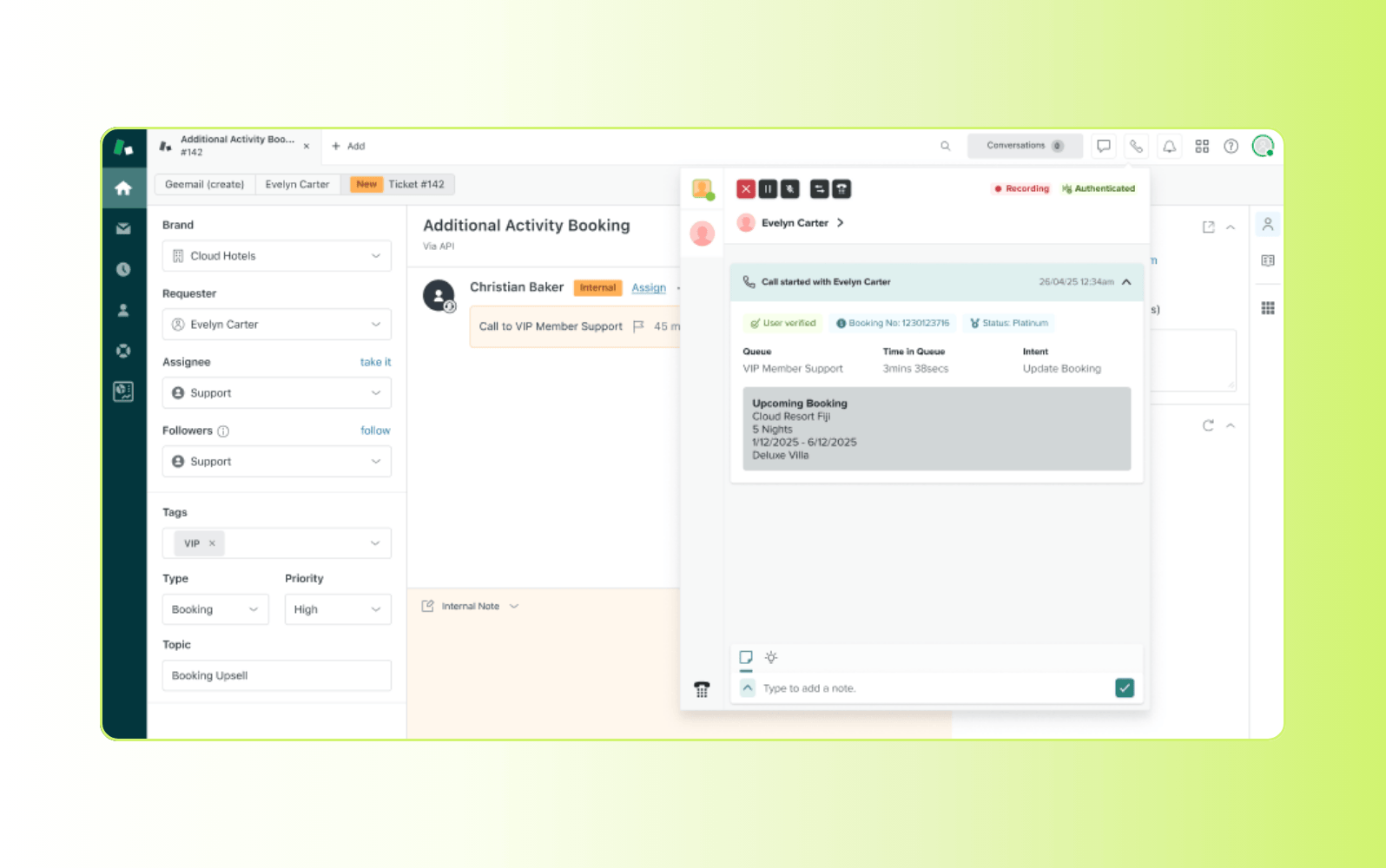
Designed for modern support teams, Zendesk delivers an AI-powered contact center built on a unified customer service platform. It automatically classifies and prioritizes every interaction using real-time context. Customer history, intent, and sentiment guide each request to the right agent or AI assistant immediately.
The platform combines omnichannel advanced routing with AI-powered IVR to route requests across Zendesk voice and digital channels with speed and precision. This makes it well suited for teams evaluating modern call center software. Features like real-time transcription and call summarization reduce manual triage while giving agents full context during and after every interaction. Teams using intelligent triage and routing have reduced manual work by up to 92% and improved response times by up to 73%.
Because routing, AI, and customer data operate in a single system, teams avoid the fragmentation common with add-ons and integrations. This allows businesses to scale support, improve resolution speed, and maintain consistent service quality—without adding operational complexity.
|
Pros |
Cons |
|
|
What people are saying:
- “It was so useful and intuitive to use, AI features are great and also agents have the ability to know for whom they are transferring the calls.” - Verified user, G2 review.
- “Unified Omnichannel Support with Intuitive Design, Strong Analytics, and AI Tools” - Verified user, G2 review.
- “Zendesk Makes CX Work Effortless and Efficient” - Verified user, G2 review.
2. Five9
Best for enterprise outbound and high-volume voice operations
|
Starting price |
Free trial |
Key features |
|
$159 per user/month |
14 days |
|
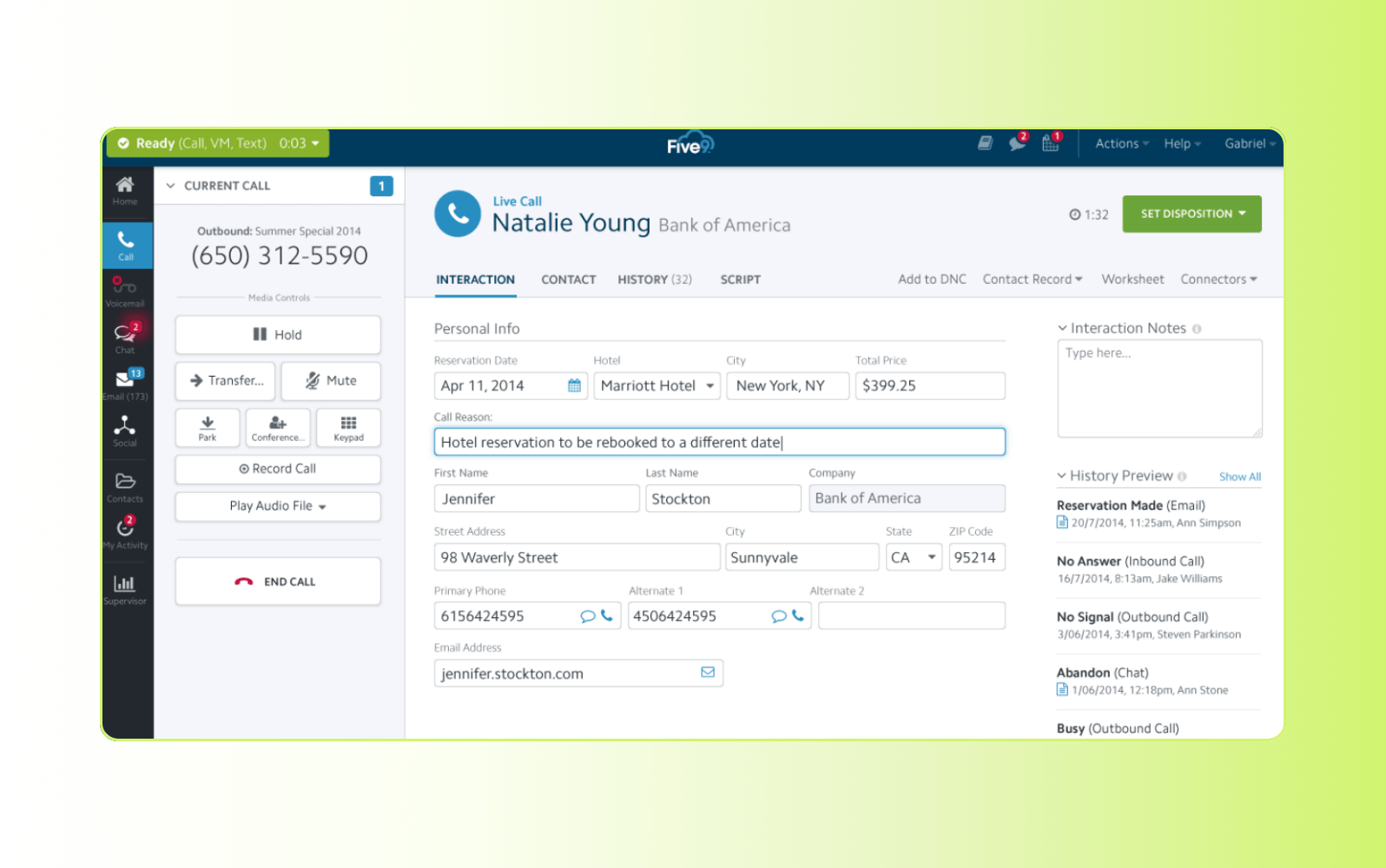
Designed for large-scale contact centers, Five9 provides a cloud-based CCaaS platform with a strong focus on voice operations and outbound engagement. It supports inbound and outbound call routing, IVR, and omnichannel capabilities within a single system.
The platform stands out for its predictive dialing, workforce optimization tools, and advanced customization options. These capabilities support high-volume environments but often require dedicated setup and ongoing management. While Five9 delivers depth and flexibility for enterprise teams, smaller organizations may find the platform complex and resource-intensive to implement and maintain.
|
Pros |
Cons |
|
|
What people are saying:
- “Calls go through and are clear most of the time.” - Verified user, G2 review.
- “The value proposition for the service is good compared to other CCaaS platforms we've used but you get what you pay for.” - Verified user, G2 review.
- “Streamlined Inbound Calls, User-Friendly Setup” - Verified user, G2 review.
3. Genesys Cloud
Best for complex enterprise routing and orchestration
|
Starting price |
Free trial |
Key features |
|
$75 per user/month (billed annually) |
14 days |
|
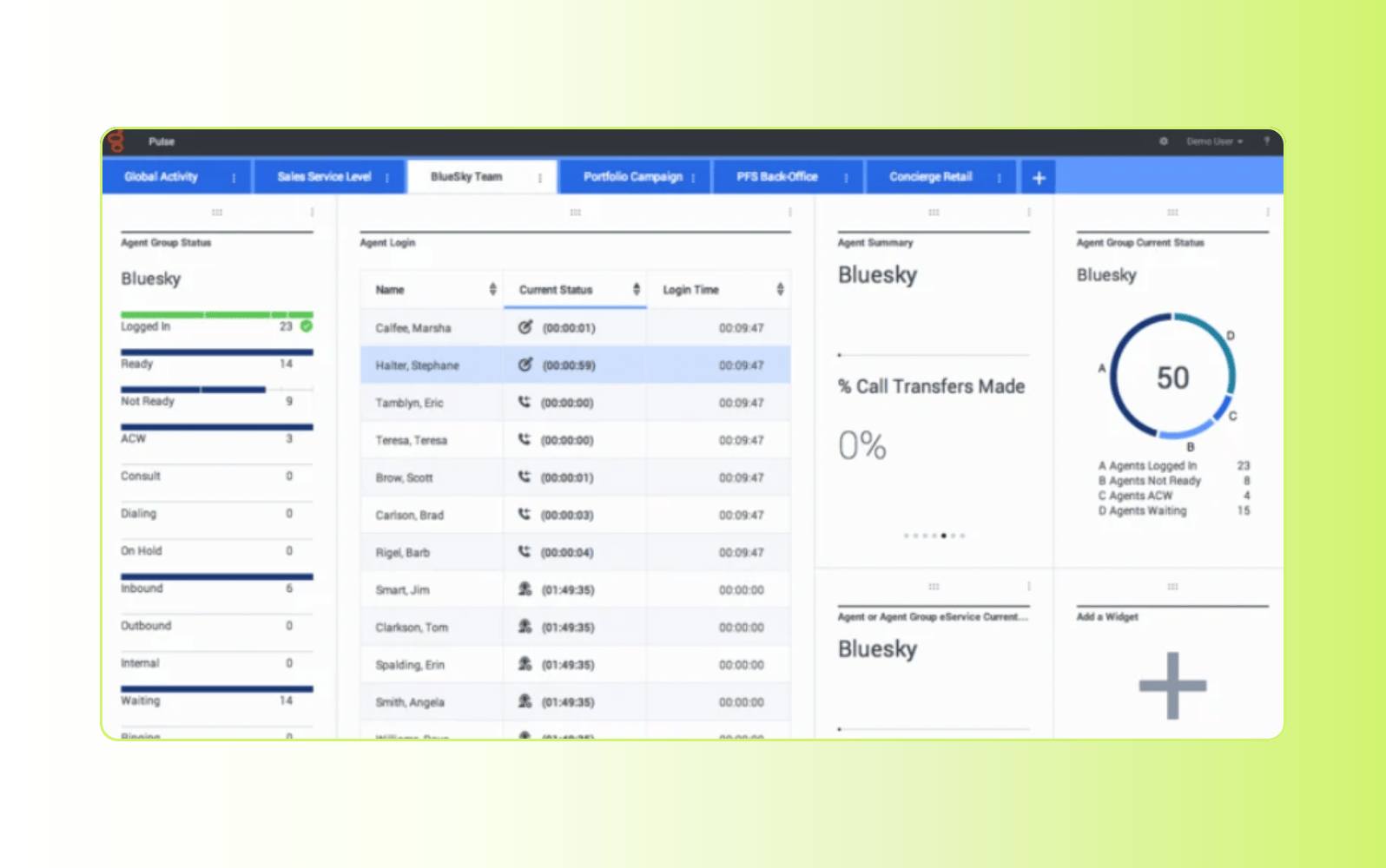
Built for large organizations managing complex customer interactions, Genesys Cloud delivers a CCaaS platform focused on orchestrating end-to-end customer journeys. It supports voice and digital channels, combining routing, IVR, and engagement tools into a single system designed for scale.
The platform offers advanced routing logic, AI-driven insights, and deep customization across workflows and channels. It excels in environments that require granular control over customer journeys and routing paths. However, this flexibility often comes with increased complexity, requiring longer implementation times and dedicated resources to manage effectively.
|
Pros |
Cons |
|
|
What people are saying:
- “Solid Contact Center solution, but still a lot to cover” - Verified user, G2 review.
- “There are still features, even basic ones, that need to be implemented” - Verified user, G2 review.
- “The interface is user-friendly, making it easy for our team to navigate and utilize its features effectively” - Verified user, G2 review.
Learn more: Compare Zendesk vs. Genesys.
4. NICE CXone
Best for enterprise WFM, QA, and compliance-heavy teams
|
Starting price |
Free trial |
Key features |
|
$110 per agent/month |
60 days |
|
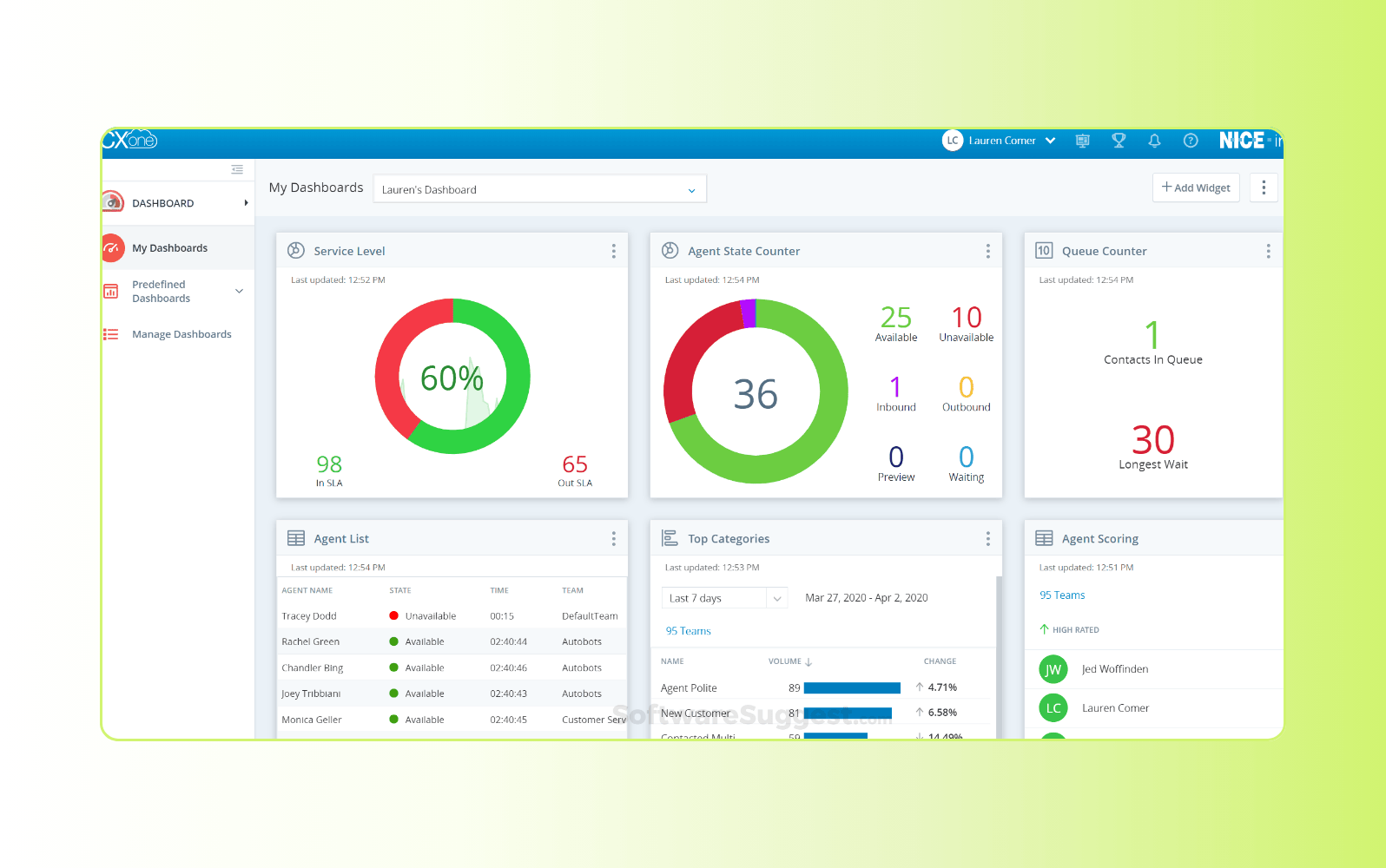
Designed for enterprise contact centers with strict operational requirements, NICE CXone delivers a cloud-based platform that combines routing, analytics, and workforce management. It supports voice and digital channels, with a strong focus on performance monitoring and compliance.
The platform stands out for its workforce optimization, quality assurance, and compliance capabilities, making it well-suited for regulated industries. It provides deep visibility into agent performance and interaction quality, but these advanced features can add complexity. Teams often need dedicated resources to configure, manage, and fully leverage the platform.
|
Pros |
Cons |
|
|
What people are saying:
- “When it works, it works great! When it doesn't it's super frustrating to work with.” - Verified user, G2 review.
- “I like that the phone system can pop out onto a separate window, but apart from that, everything seems outdated.” - Verified user, G2 review.
- “Reporting is a dream, but from an agent standpoint, the site is unstable.” - Verified user, G2 review.
Learn more: Compare Zendesk vs. NICE.
5. Talkdesk
Best for flexible cloud contact center deployments
|
Starting price |
Free trial |
Key features |
|
$85 per user/month |
15 days |
|
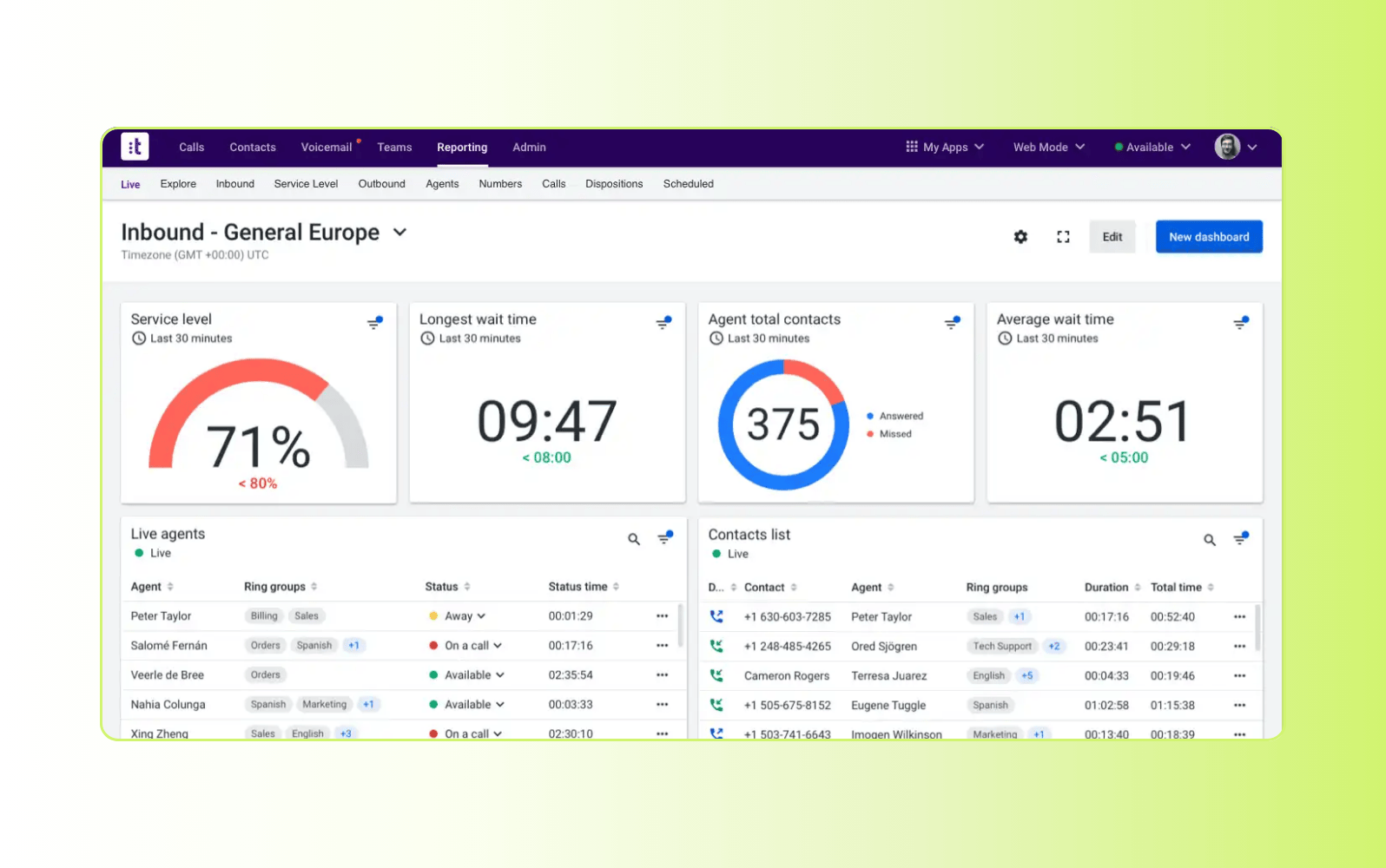
Built as a cloud-native contact center platform, Talkdesk focuses on delivering flexible deployment and fast access to core routing and engagement capabilities. It supports voice and digital channels, with tools for call routing, IVR, and agent workflows designed for modern support teams.
The platform offers AI-powered virtual agents, automation features, and a large integration ecosystem. This makes it adaptable for teams that want to extend functionality across systems. However, relying on integrations and add-ons can create fragmented workflows, and advanced customization often requires additional configuration. Teams may need to manage multiple components to maintain consistency across channels and interactions.
|
Pros |
Cons |
|
|
What people are saying:
- “Good Contact Center Solution, lacks WFM software” - Verified user, G2 review.
- “Great tool for telephony only, not so great for multi-channel” - Verified user, G2 review.
- “Easy to use platform with limited functions.” - Verified user, G2 review.
Learn more: Compare Zendesk vs. Talkdesk.
6. RingCentral
Best for unified communications with basic call routing
|
Starting price |
Free trial |
Key features |
|
$20 per user/month |
30 days |
|
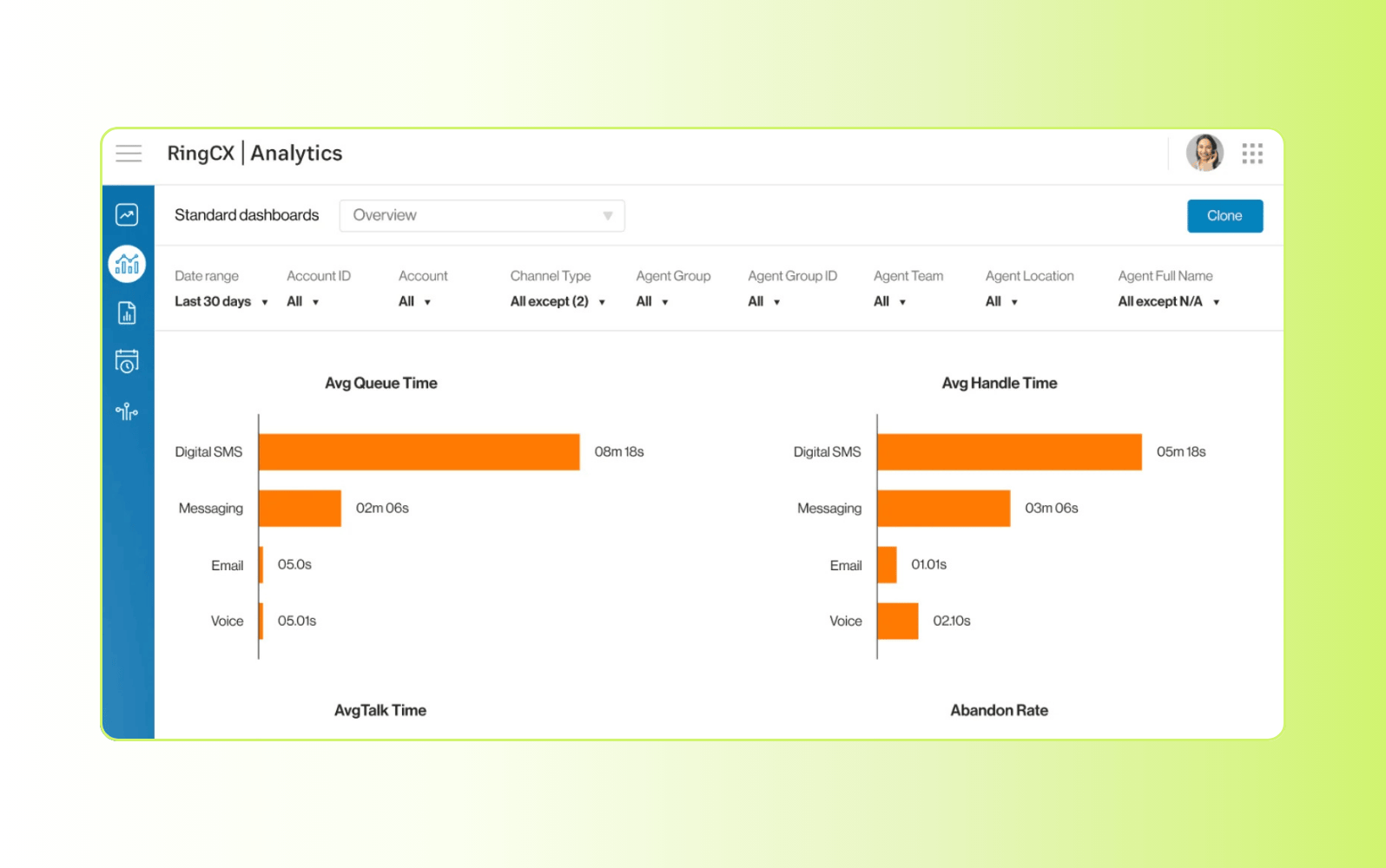
Known primarily for unified communications, RingCentral combines voice, video, and messaging into a single platform. It supports business calling and basic contact center functionality, including call routing and IVR, making it a common choice for teams consolidating internal and external communications.
The platform is reliable and easy to use for general business communications. However, its routing capabilities are more limited compared to dedicated contact center solutions. Advanced features like AI-driven routing, deep analytics, and complex workflows often require additional products or upgrades. This makes it better suited for simpler support environments rather than teams managing high-volume or complex customer service operations.
|
Pros |
Cons |
|
|
What people are saying:
- “It helped our remote team connect with customers. Metrics tracking could have been better” - Verified user, G2 review.
- “RingCentral was fine, but we wanted to expand to something more professional” - Verified user, G2 review.
- “Excellent VOIP Options, But Can Be Overwhelming” - Verified user, G2 review.
7. Aircall
Best for SMB teams with simple voice support needs
|
Starting price |
Free trial |
Key features |
|
$30 per agent/month (billed annually) |
7 days |
|
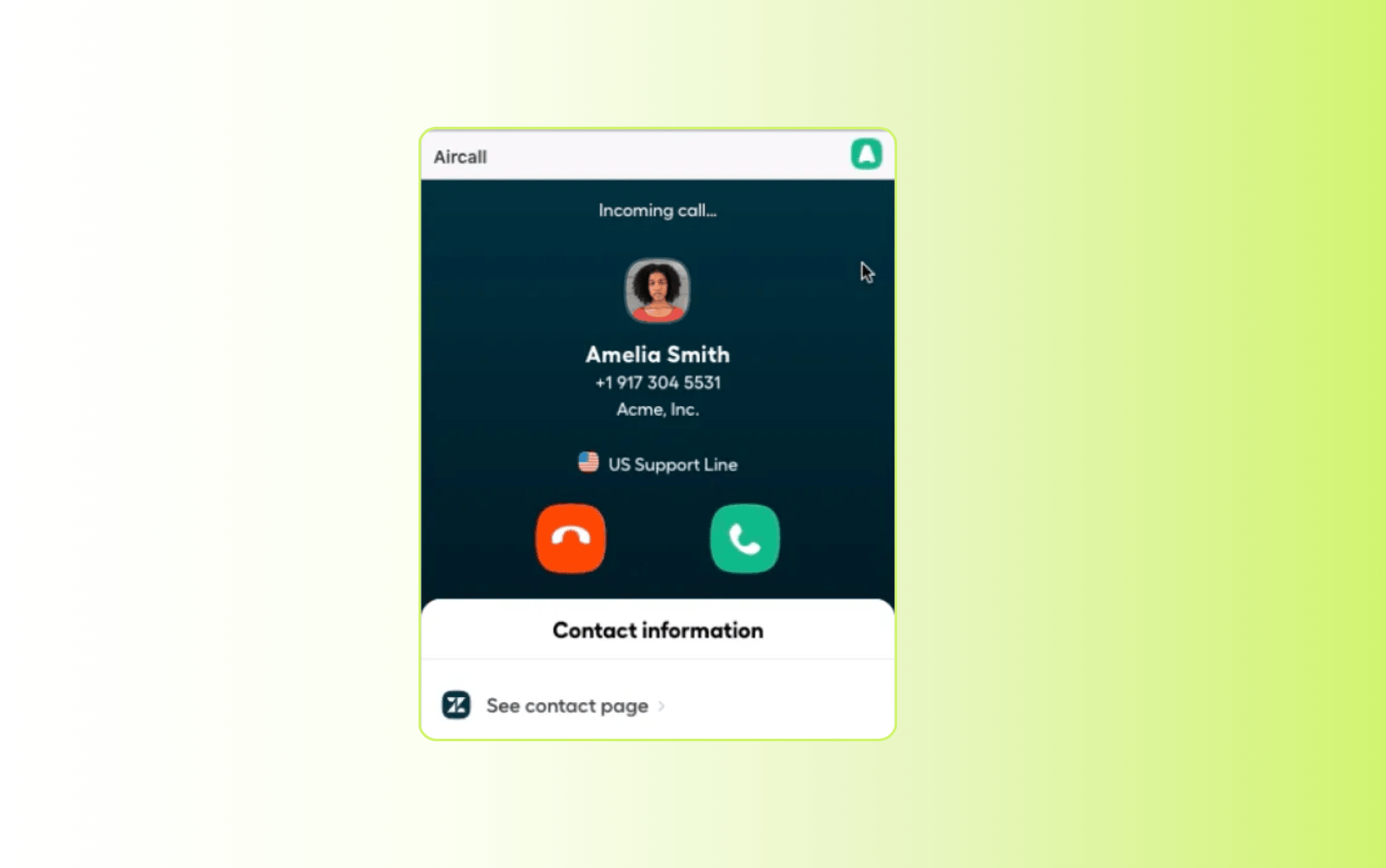
Built for growing teams, Aircall provides a cloud-based phone system designed to support inbound and outbound calling with simple setup. It offers core call routing, IVR, and call monitoring features, making it accessible for teams moving from basic phone systems to more structured support operations.
The platform focuses on ease of use and quick deployment, with integrations that connect voice to CRM and helpdesk tools. This simplicity works well for smaller teams but can limit scalability. More advanced routing logic, AI capabilities, and deeper analytics are less developed, which may create gaps as support volume and complexity increase.
|
Pros |
Cons |
|
|
What people are saying:
- “Aircall is a modern and reliable telephony solution for businesses” - Verified user, G2 review.
- “Simple interface and fairly easy to set up, but feature light” - Verified user, G2 review.
- “User-Friendly with Stellar Communication, but Some Call Quality Issues” - Verified user, G2 review.
Learn more: Discover how Aircall integrates with Zendesk.
How to choose the best call routing solution for your business
Choosing the right call routing solution depends on how well it supports your current operations and future growth. The wrong system creates delays, misroutes, and unnecessary complexity as demand increases.
The best platforms use AI and real-time data to route interactions accurately while staying flexible as your needs evolve. Here’s how to evaluate your options effectively.
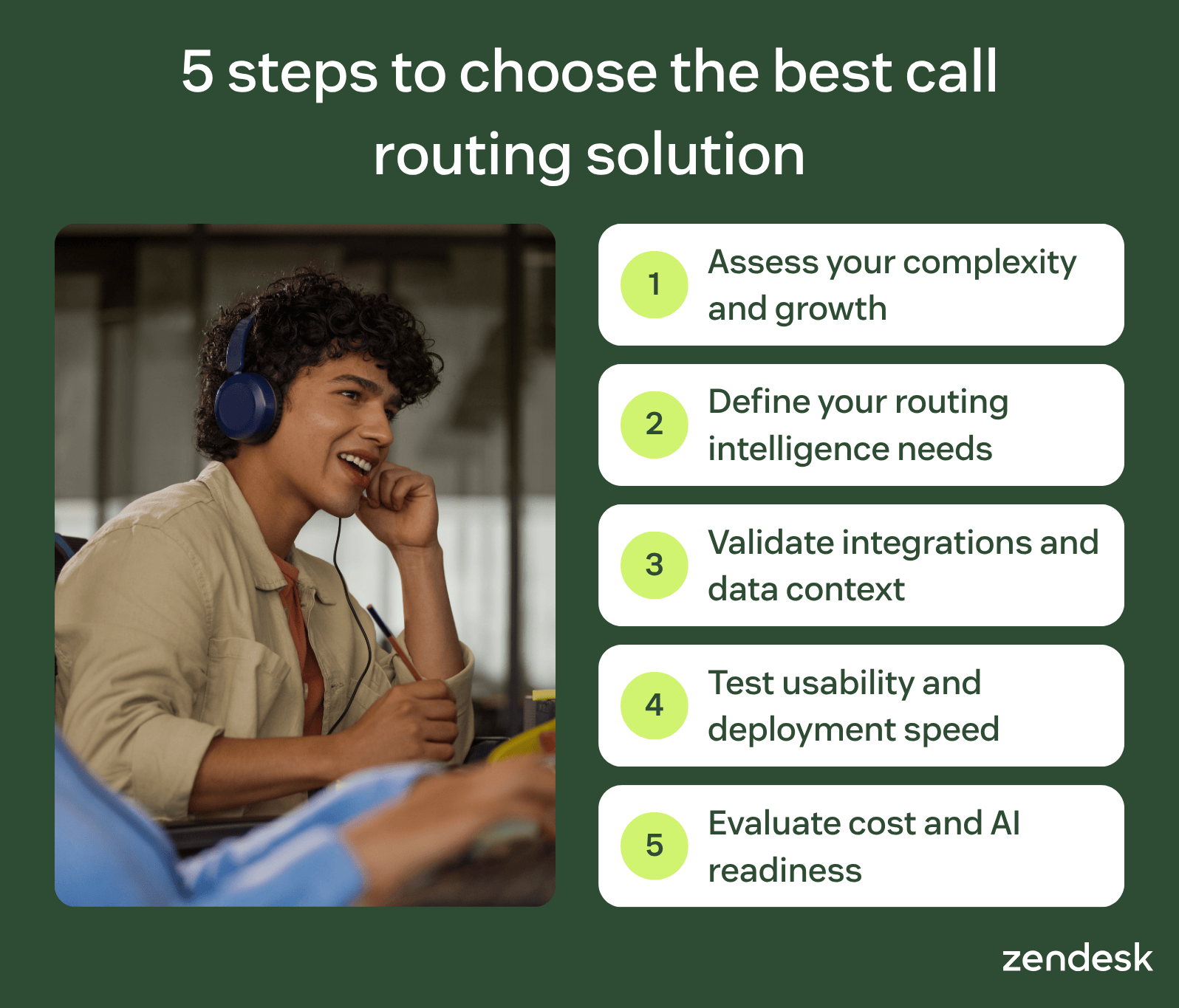
Assess your operational complexity and growth plans
Start by evaluating your team size, support channels, and call volume across peak and average periods. Consider whether you require voice only or omnichannel support across messaging and digital channels.
Factor in how specialized your team is and how quickly demand is expected to grow. The right solution should scale without degrading performance or increasing operational overhead.
Define the routing intelligence your support model requires
Not all routing logic delivers the same outcomes, especially as complexity increases. Skills-based routing ensures customers reach agents with the right expertise, while sticky routing maintains continuity for repeat interactions.
Overflow routing helps teams manage spikes in demand, but AI-driven intent detection provides the biggest impact. It classifies and prioritizes interactions in real time, improving resolution speed and accuracy across the board.
Validate integrations and context-aware capabilities
Effective routing depends on access to complete and accurate customer data. Confirm that the platform integrates seamlessly with your CRM, helpdesk, and analytics systems.
These integrations allow routing decisions to leverage customer history, active tickets, and SLAs. Without this context, even advanced routing logic can lead to inconsistent or inefficient outcomes.
Test usability, deployment speed, and workflow flexibility
Evaluate how quickly your team can implement and adapt the system to real workflows. Look for no-code IVR builders, visual routing editors, and tools that simplify ongoing management.
Test real call scenarios during trials to assess how easily flows can be created and adjusted. Platforms that require heavy configuration or technical support can slow adoption and limit long-term agility.
Evaluate total cost and future AI readiness
Pricing should include more than base licenses—consider add-ons like AI summaries, sentiment analysis, and workforce management tools. Telephony usage and scaling costs can also impact long-term value.
Ensure the platform supports AI-driven routing and omnichannel expansion as your support needs evolve. Choosing a system that adapts to increasing complexity prevents costly migrations later.
How to choose the best call routing solution for your business
Choosing the right call routing solution depends on how well it supports your current operations and future growth. The wrong system creates delays, misroutes, and unnecessary complexity as demand increases.
The best platforms use AI and real-time data to route interactions accurately while staying flexible as your needs evolve. Here’s how to evaluate your options effectively.
Assess your operational complexity and growth plans
Start by evaluating your team size, support channels, and call volume across peak and average periods. Consider whether you require voice only or omnichannel support across messaging and digital channels.
Factor in how specialized your team is and how quickly demand is expected to grow. The right solution should scale without degrading performance or increasing operational overhead.
Define the routing intelligence your support model requires
Not all routing logic delivers the same outcomes, especially as complexity increases. Skills-based routing ensures customers reach agents with the right expertise, while sticky routing maintains continuity for repeat interactions.
Overflow routing helps teams manage spikes in demand, but AI-driven intent detection provides the biggest impact. It classifies and prioritizes interactions in real time, improving resolution speed and accuracy across the board.
Validate integrations and context-aware capabilities
Effective routing depends on access to complete and accurate customer data. Confirm that the platform integrates seamlessly with your CRM, helpdesk, and analytics systems.
These integrations allow routing decisions to leverage customer history, active tickets, and SLAs. Without this context, even advanced routing logic can lead to inconsistent or inefficient outcomes.
Test usability, deployment speed, and workflow flexibility
Evaluate how quickly your team can implement and adapt the system to real workflows. Look for no-code IVR builders, visual routing editors, and tools that simplify ongoing management.
Test real call scenarios during trials to assess how easily flows can be created and adjusted. Platforms that require heavy configuration or technical support can slow adoption and limit long-term agility.
Evaluate total cost and future AI readiness
Pricing should include more than base licenses—consider add-ons like AI summaries, sentiment analysis, and workforce management tools. Telephony usage and scaling costs can also impact long-term value.
Ensure the platform supports AI-driven routing and omnichannel expansion as your support needs evolve. Choosing a system that adapts to increasing complexity prevents costly migrations later.
Frequently asked questions
Route every call to smarter resolutions with Zendesk Voice and AI
Zendesk Contact Center combines AI-powered routing, intelligent triage, and real-time Copilot guidance to connect every customer to the right resolution faster. By unifying voice and digital channels in one platform, Zendesk reduces handle time, improves CSAT, and simplifies operations without adding complexity. Start your free trial to see how AI-driven call routing improves speed, accuracy, and scalability.
Paulette Chafe
Senior Director of Product Marketing at Zendesk
Paulette leads Contact Center Marketing at Zendesk. She is a strategic marketing leader with deep experience in the technology space and a proven track record of delivering results and driving impact. Passionate about technology, especially AI, and applying it to amplify work, sharpen strategies, and increase efficiency, she believes marketing’s role is simple: create value, tell a compelling story, and drive results. Before Zendesk, she led marketing strategy and insights for some of the world’s largest agencies and brands, including Grey Worldwide, J. Walter Thompson, Hearts & Science, and IBM Interactive Experience.
tierThree:share_the_story
Related guides on AI-powered call routing and contact center solutions
Explore expert resources on intelligent routing, AI voice agents, omnichannel support, and workforce optimization to help your team resolve calls faster and deliver seamless customer experiences across every channel.