Best 10 knowledge base software for 2026
Knowledge base software boosts service efficiency and elevates customer satisfaction. Try a user-friendly, scalable, and AI-powered solution today.



Lauren Hakim
Director, Product Marketing
最後更新: March 11, 2026
A guide to the best knowledge base software
Knowledge is the foundation of every great service experience. Yet for many businesses, it remains trapped in silos across multiple systems, and is difficult to manage at scale. The solution is to centralize and develop your company's valuable information with a knowledge management system, making it easily accessible for customers and employees alike.
The best knowledge base software powers every resolution by placing the right answers at customers and employees’ fingertips. These platforms help companies build high-quality content at scale and provide accurate answers instantly, with the help of AI. Let's explore the ten best knowledge base solutions that are designed to provide the right information at the right time for faster resolutions.
More in this guide:
- What is knowledge base software?
- Benefits of knowledge base software
- Knowledge base software comparison chart
- The 10 best knowledge base platforms
- What makes a great knowledge base? Key features that matter
- How to choose the right knowledge base software
- Frequently asked questions
- Upgrade your knowledge base software with Zendesk
What is knowledge base software?Knowledge base software is a tool that helps companies create, organize, and publish a searchable library of information, so customers, employees, and AI assistants can find instant, accurate answers on their own. With the help of knowledge base software, companies can gather, arrange, update, and share their information through a dedicated platform, expanding and improving access to information. |
Benefits of knowledge base software
Knowledge base software helps companies create a system where customers and employees have faster and independent access to information. It also allows agents to work more efficiently and deliver consistent support. By fostering self-service and streamlining internal workflows, these platforms improve collaboration, decision-making, and content accuracy. As a result, a well-implemented knowledge base supports scalable long-term growth. Other benefits include:
- More accurate AI agents and Copilot: Feed your AI agents and Copilot the most relevant articles so they can provide accurate, instant answers to customers and staff.
- Faster access to knowledge: Build and scale knowledge faster than ever by providing a direct route to answers, reducing the time spent hunting through emails or chat logs.
- Higher team efficiency: Surface the right information in every interaction to achieve faster, more accurate resolutions while reducing cognitive load on support staff.
- Smarter business decisions: Insights regarding most asked questions and search trends allow teams to identify information gaps and align strategy accordingly, based on actual users' needs.
- Up-to-date information: Having a knowledge base makes it easier to keep up with information updates and ensure the new message is instantly replaced across the entire organization.
- Stronger team collaboration: All departments can contribute to the information shared in a unified digital workspace, breaking silos and enhancing team collaboration.
- Brand tone of voice consistency: Unify knowledge sources into a single platform for easy access to reliable, consistent information that reflects a brand's unique identity.
Knowledge base software comparison chart
There are several good knowledge base software platforms out there. We've gathered the best ones to help you make an informed decision.
| Software | Best for | Starting price | Free trial |
| Zendesk | Fast and accurate AI-powered answers | $55 per agent/month (billed annually) | 14 days |
| Knowmax | Converting SOPs into accessible knowledge | Custom pricing | 14 days |
| Slab | Building an internal knowledge hub | $6.67 per user/month | Available |
| Nuclino | Teams seeking a lightweight collaboration platform | $6 per user/month | 14 days |
| Freshworks | IT teams | $19 per user/month | 14 days |
| Bloomfire | Cross-functional teams | Custom pricing | 30 days |
| Document360 | Technical documentation | Custom pricing | 14 days |
| Help Scout | Growing teams sharing an inbox | $25 per user/month | 15 days |
| Crescendo | Knowledge consolidation | Custom pricing | 30 days |
| Slite | Remote teams scaling fast | $20 per user/month | 14 days |
The 10 best knowledge base platforms
Let's explore the ten best knowledge base platforms in the market.
- Zendesk: Best for fast and accurate AI-powered answers
- Knowmax: Best for converting SOPs into accessible knowledge
- Slab: Best for building an internal knowledge hub
- Nuclino: Best for teams seeking a lightweight collaboration platform
- Freshworks: Best for IT teams
- Bloomfire: Best for cross-functional teams
- Document360: Best for technical documentation
- Help Scout: Best for growing teams sharing an inbox
- Crescendo: Best for knowledge consolidation
- Slite: Best for remote teams scaling fast
1. Zendesk
Best for fast and accurate AI-powered answers
| Starting price | Free trial | Key features |
| $19 per agent/month billed annually Explore more Zendesk pricing plans. | 14 days |
|
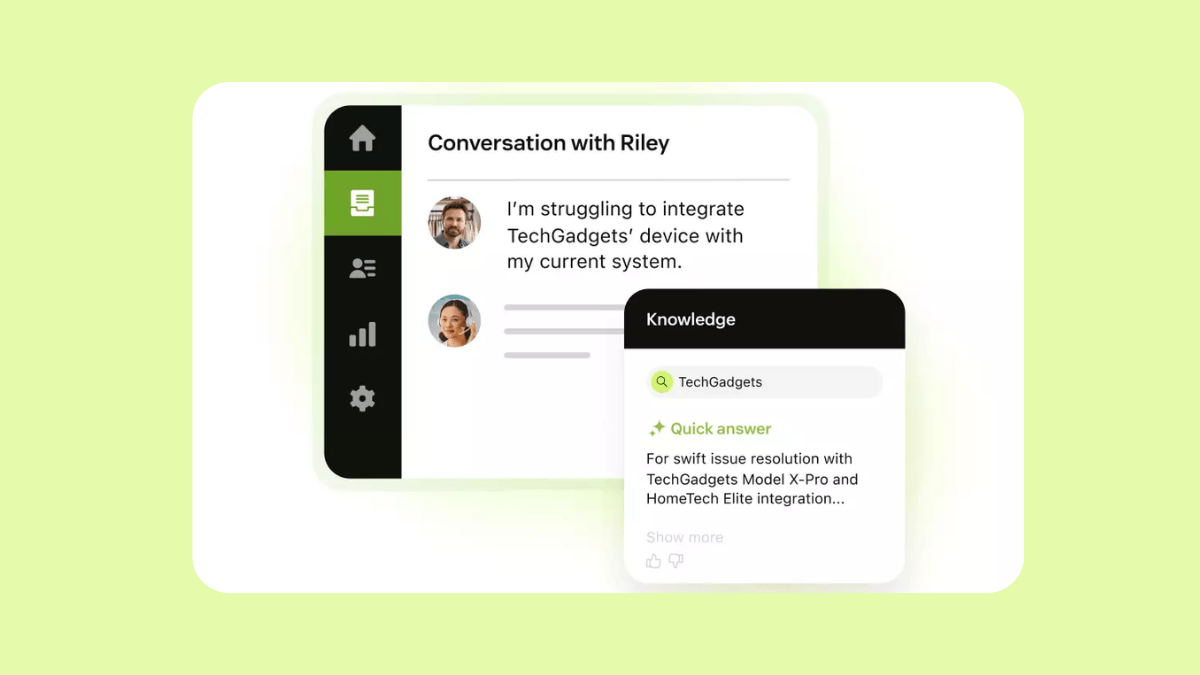
As a leader in AI-powered customer service, Zendesk has built a connected knowledge system that drives every resolution. Zendesk Knowledge helps organizations create, organize, and centralize service content into a single ecosystem that integrates seamlessly with existing support workflows. Humans and AI agents can surface relevant answers quickly, while the knowledge base also serves as a customer self-service hub.
With the AI knowledge builder, teams can automatically convert recent support interactions into structured article drafts, effectively filling in content gaps. This searchable knowledge base acts as a single source of truth, offering instant answers through generative search and AI agents to resolve customer and employee requests across any channel.
Beyond simple FAQs, Zendesk includes a branded help center, community forums, and a dedicated client portal for a unified service experience. With multilingual support covering over 90 languages and seamless third-party integrations, Zendesk Knowledge scales easily for global organizations. Businesses can continuously optimize their self-service strategy using detailed reporting and analytics that track content performance and search trends to help reduce overall ticket volume.
Built for resolutions rather than just for documentation, users benefit from a 5-star worthy self-service experience. This makes Zendesk the best all-in-one platform for providing fast, accurate answers for customers and employees.
| Pros | Cons |
|
|
What people are saying:
- “What I like most about Zendesk is its intuitive ticketing system and centralized customer communication. It makes it easy to manage support requests across multiple channels (email, chat, and web forms) in one place, which improves response time and team collaboration.”—Verified user, G2 Review.
- “What I like best about Zendesk for customer service is how structured and reliable it is for handling customer issues at scale. When many tickets are coming in from email, chat, or web forms, Zendesk keeps everything organized in one place; nothing gets lost, and every conversation has a clear history.”—Verified user, G2 Review.
- “Zendesk was straightforward to set up, thanks to its comprehensive library of online resources and outstanding customer support.”—Verified user, G2 Review.
2. Knowmax
Best for converting SOPs into accessible knowledge

| Starting price | Free trial | Key features |
| Custom pricing | 14 days |
|
Knowmax is a CX-first knowledge management platform designed to turn information into actionable, contextual knowledge for teams and customers. It helps organizations create a single source of truth and makes knowledge easy to find with keyword-based search and filters (title, category, publishing date, and in-document search).
Its main features include guides, support articles, FAQs, and guided workflows for converting standard operating procedures (SOPs) into step-by-step resolutions. Knowmax also provides content authoring with approvals and channel distribution, plus micro-segmented analytics to track engagement and find content gaps.
Although AI-powered tools make Knomax the best for converting SOPs into accessible knowledge, users report security restrictions limit some of these AI capabilities.
| Pros | Cons |
|
|
What people are saying:
- “I like that Knowmax is easy to use, allowing me to access and share knowledge efficiently all in one place. The robust search functionality is great because it makes finding information quick and straightforward.”—Verified user, G2 Review.
- “The only downside is that due to our own security, we can't use AI features.”—Verified user, G2 Review.
- “Customization options are limited, and the admin workflow—especially for content creation and publishing—could definitely be smoother.”—Verified user, G2 Review.
Learn more: Discover how Knowmax integrates with Zendesk.
3. Slab
Best for building an internal knowledge hub
| Starting price | Free trial | Key features |
| $6.67 per user/month | Available |
|
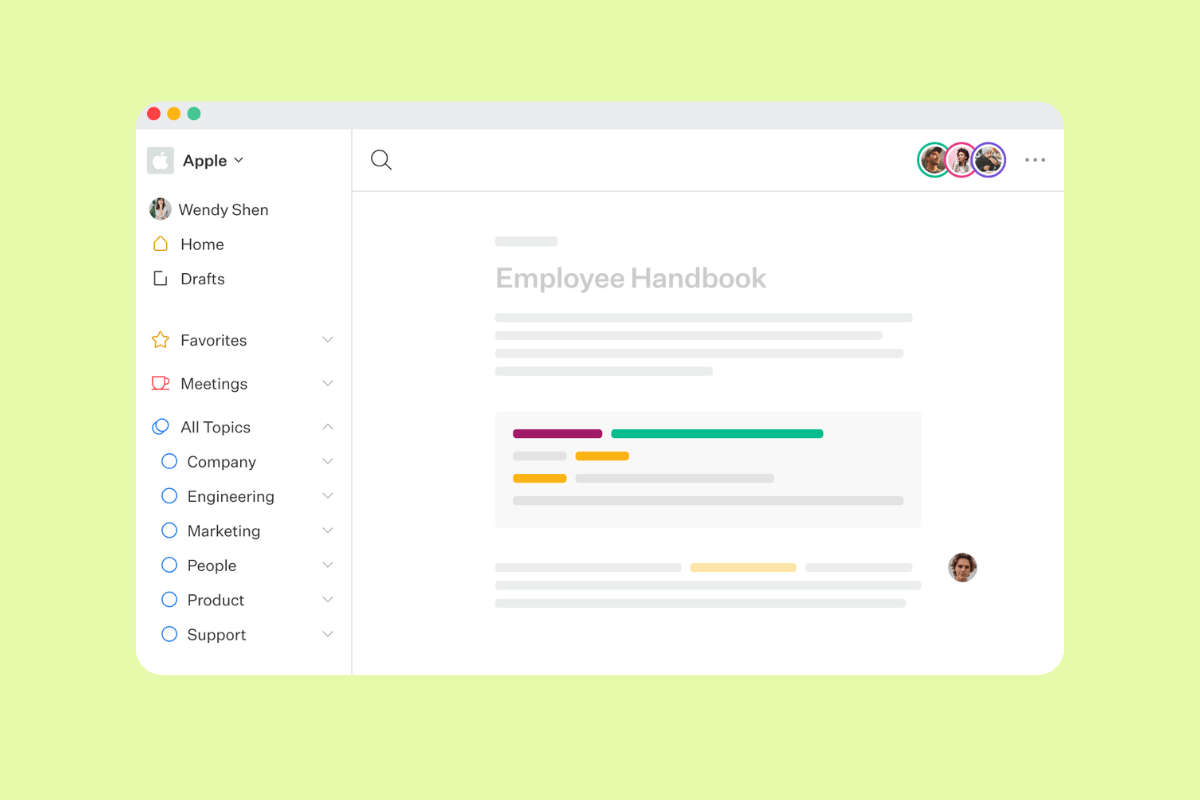
Slab is a knowledge base and wiki software designed to foster a culture of knowledge-sharing across an entire organization. Its main features include an intuitive editor for content building and a tool that provides relevant context for policies and insights. It also offers a unified search tool, which surfaces answers from both Slab and integrated third-party tools.
Users praise Slab for being easy to use and having seamless integrations. Still, since it's limited to creating an internal knowledge base for employees, Slab is best for teams looking to build an internal knowledge hub for policies, procedures, and shared documentation.
| Pros | Cons |
|
|
What people are saying:
- “I also like Slab because it offers a platform that is friendly to my technical needs, accessible and very easy to use.”—Verified user, G2 Review.
- “It is less customizable and may take some time to become familiar with its terminology.”—Verified user, G2 Review.
- “[...] the permissions system can sometimes be a bit limiting.”—Verified user, G2 Review.
4. Nuclino
Best for lightweight collaboration platform
| Starting price | Free trial | Key features |
| $6 per user/month | 14 days |
|
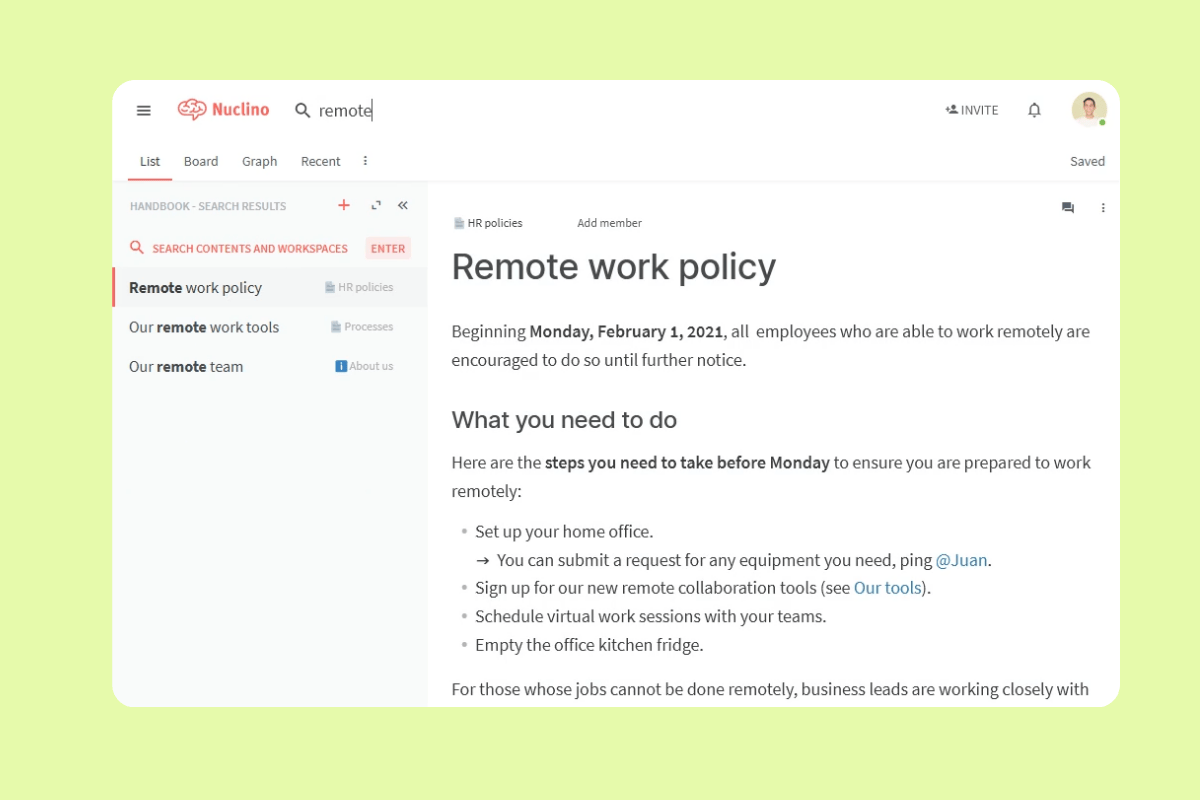
Nuclino is a team collaboration workspace designed to work as a ‘collective brain’ for teams, bringing knowledge, documents, and projects together in one place. Its main features focus on simplicity and speed, including a content editor, instant search, and hotkeys. It allows teams to replace multiple siloed tools with a unified space that minimizes context switching.
Nuclino is best for teams seeking a lightweight collaboration platform with a low barrier to entry. It’s particularly effective for organizing company knowledge, managing projects, and sharing ideas without the complexity of traditional, heavy-weight legacy knowledge base software. Still, it's limited to an internal knowledge hub, so it's not an option for those needing a solution that works for customers as well as employees.
| Pros | Cons |
|
|
What people are saying:
- “Nuclino is very easy to use, and provides one of the most user-friendly interfaces I have experienced.”—Verified user, G2 Review.
- “I wish there were more formatting options or ways I could incorporate a lot more of my brand identity into some of the articles I write.”—Verified user, G2 Review.
- “Takes a little bit of getting used to and to get everything organized the way you'd like.”—Verified user, G2 Review.
5. Freshworks
Best for IT teams
| Starting price | Free trial | Key features |
| $19 per user/month | 14 days |
|
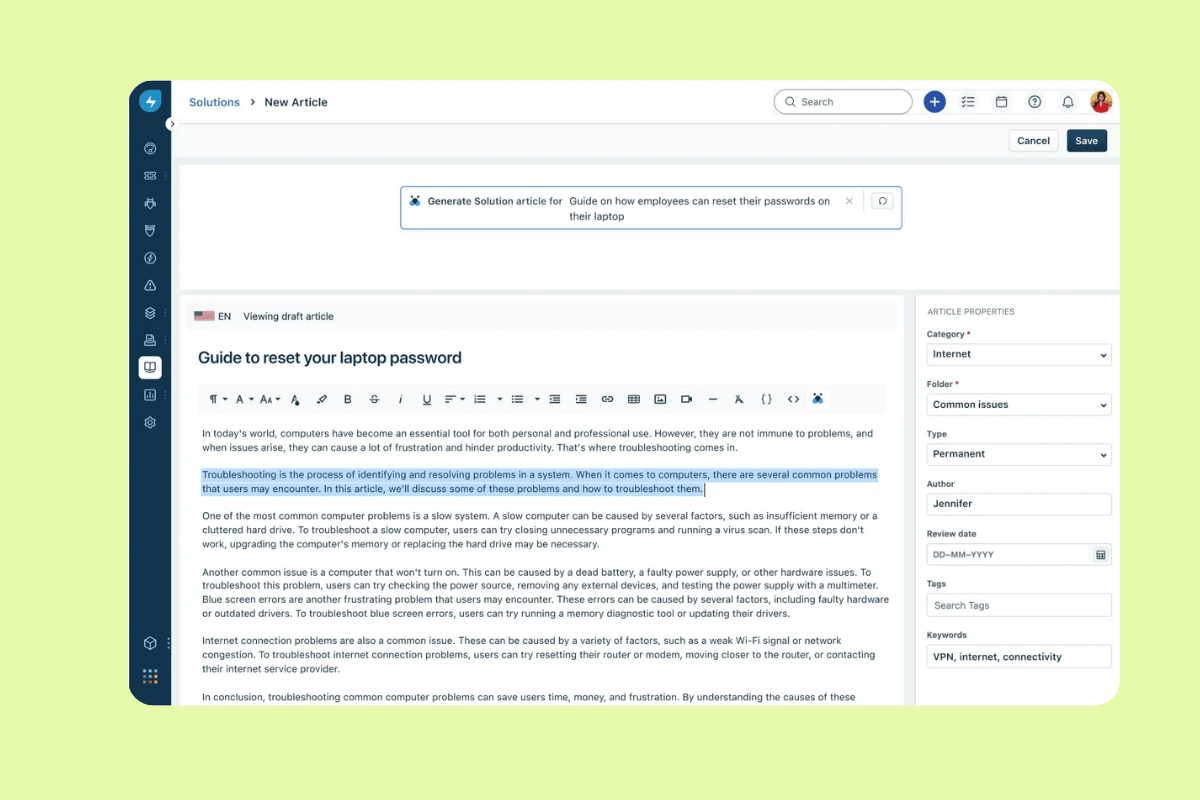
Freshservice Knowledge Base is an AI-powered IT service desk solution by Freshworks. The platform is designed to deflect tickets and empower employees through self-service. Its main features include Freddy AI, which can draft help articles from prompts or existing tickets, and AI Agents that use knowledge content to resolve common issues without human intervention.
The platform also offers omnichannel support across email, teams, and tickets, alongside insights to identify trending topics for content optimization. All this makes Freshservice best for IT teams looking to automate repetitive tasks and improve agent productivity. Still, it's worth considering that Freshservice is primarily catered to IT support.
| Pros | Cons |
|
|
What people are saying:
-
What people are saying:
- “The automation features save a lot of time by streamlining repetitive tasks [...].”—Verified user, G2 Review.
- “When we first started using it, understanding everything was a bit challenging. However, after spending considerable time researching and experimenting, we managed to figure out how all the features work.”—Verified user, G2 Review.
- “Additionally, the initial setup can be somewhat complex, requiring extra time for adaptation.”—Verified user, G2 Review.
Learn more: Discover how Zendesk vs. Freshservice compare.
6. Bloomfire
Best for cross-functional teams
| Starting price | Free trial | Key features |
| Custom pricing | 30 days |
|
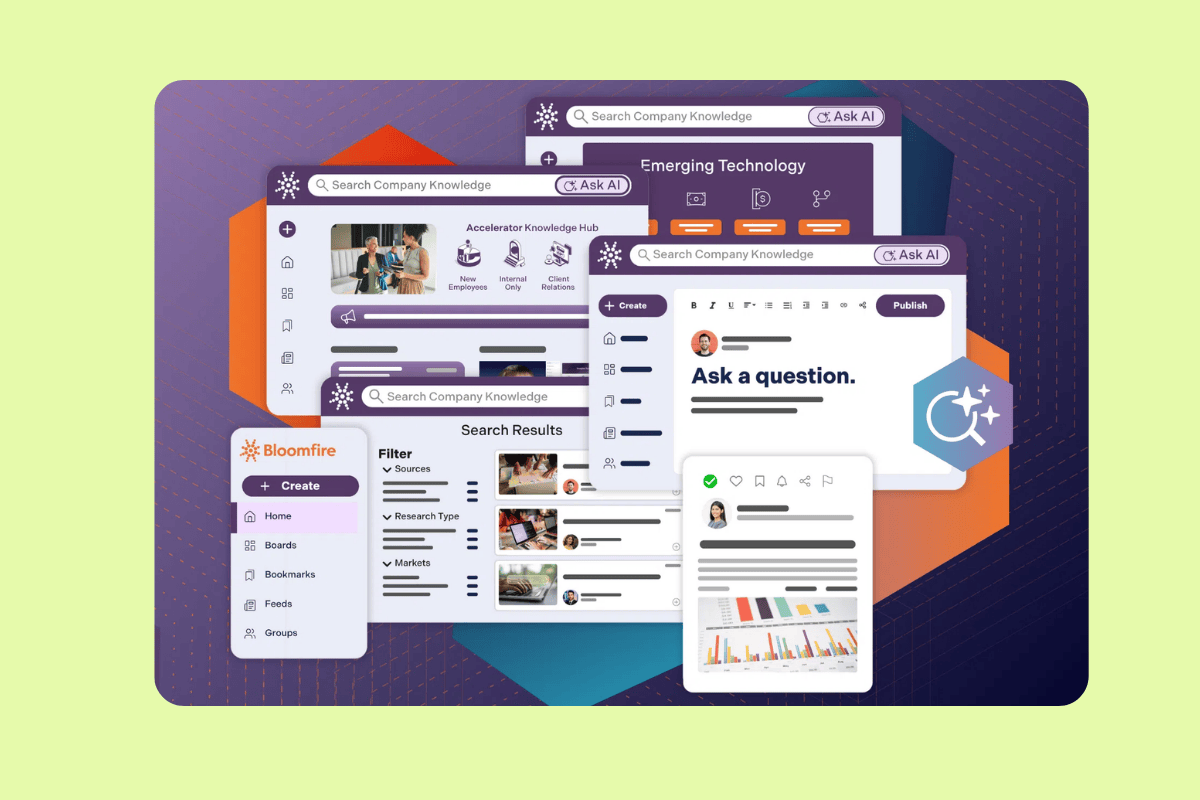
Bloomfire is an AI-powered knowledge management platform designed to centralize information across an organization. Its main features include a ‘self-healing’ knowledge base that flags outdated content, deep AI-powered search that indexes text within videos and audio, and conversational AI that provides verified answers with clickable citations. It also offers robust authoring tools, automated tagging, and detailed analytics to identify knowledge gaps.
Bloomfire is best for cross-functional teams looking to eliminate information silos. It excels at transforming static documents into a dynamic, searchable source of information, ensuring teams spend less time searching and more time working on strategic decisions. It's worth adding that some users report limited brand, reporting, and analytics customization options.
| Pros | Cons |
|
|
What people are saying:
- “Bloomfire makes it simple to access and share knowledge across our organization.”—Verified user, G2 Review.
- “I’d say the customization options for branding and layout could be a little more flexible.”—Verified user, G2 Review.
- “Sometimes the initial setup and organization of content can be time-consuming, especially for large teams.”—Verified user, G2 Review.
Learn more: Discover how Bloomfire integrates with Zendesk.
7. Document360
Best for technical documentation

| Starting price | Free trial | Key features |
| Custom pricing | 14 days |
|
Document360 is an AI-powered knowledge base platform designed to streamline information in order to reduce support tickets. Its main features include a ChatGPT-like AI search that provides instant answers to complex queries. There's also a category manager, advanced analytics to track article performance, and specialized SEO tools to improve discoverability. It supports public, private, and mixed access models, allowing for external help centers or internal SOP repositories.
Empowering customers through self-service and providing support agents with comprehensive, easy-to-navigate resources for faster issue resolution, Document360 is best for technical documentation. However, prices may be on the expensive side, especially for small teams looking for more advanced features.
| Pros | Cons |
|
|
What people are saying:
- “As a technical writer, I found Document360 incredibly easy to use right from the start.”—Verified user, G2 Review.
- “Another point is the pricing, which can feel a bit steep for small teams or startups, especially if you're aiming to unlock advanced features like AI suggestions, private documentation, or custom branding.”—Verified user, G2 Review.
- “While the core features are excellent, we find some limitations in advanced customization and integration with other tools.”—Verified user, G2 Review.
Learn more: Discover how Document360integrates with Zendesk.
8. Help Scout
Best for growing teams sharing an inbox
| Starting price | Free trial | Key features |
| $25 per user/month | 15 days |
|
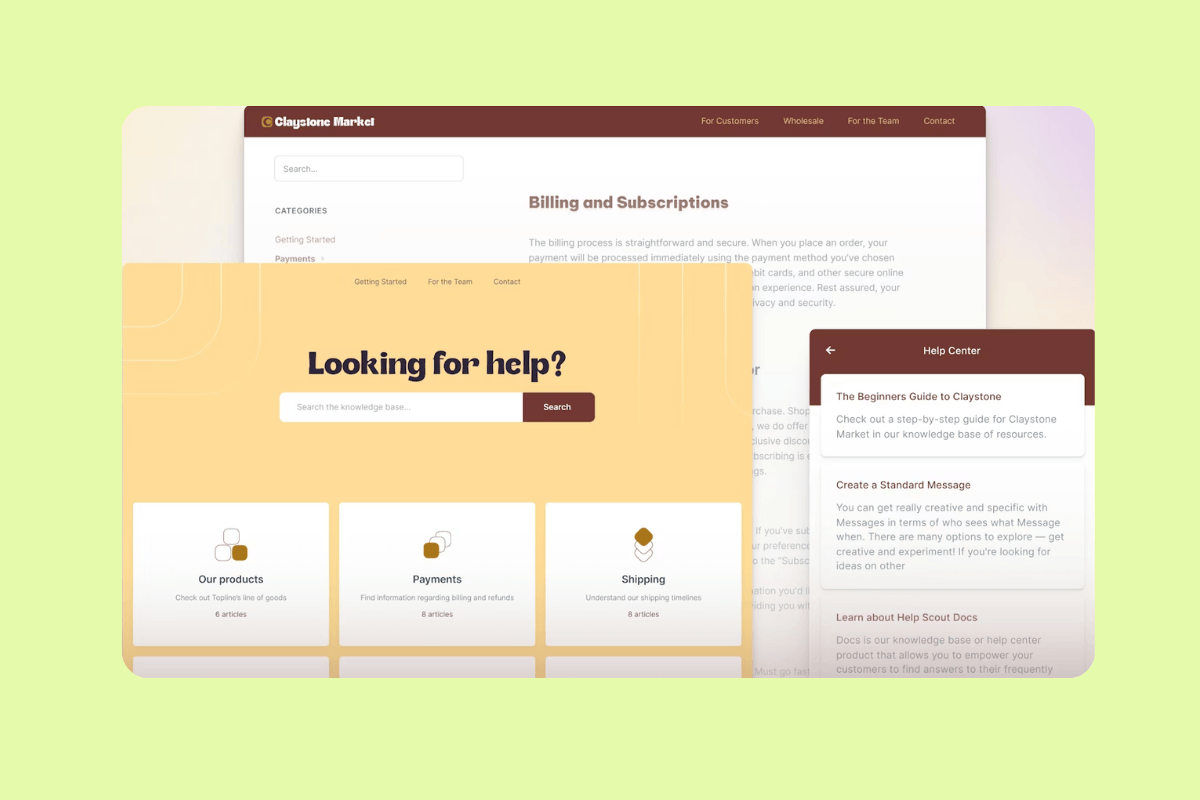
Help Scout’s knowledge base, Docs, is a self-service support tool designed to reduce email volume by providing customers with 24/7 access to answers. Key features include a no-code site builder for creating branded help centers, AI-powered writing tools for polishing and translating articles, and a tool to embed help content directly onto websites or apps. The platform also offers detailed reports to track visitor metrics, trending topics, and failed searches to identify content gaps.
It’s best for growing customer support teams that share an inbox and need to scale their support operations while empowering customers to resolve issues independently. Finally, it's worth mentioning that some users find the customization options limited.
| Pros | Cons |
|
|
What people are saying:
- “The best thing about HelpScout is how user-friendly it is and how easy it is to navigate between different tabs.”—Verified user, G2 Review.
- “What I dislike about Help Scout is that some advanced features and reporting options are limited unless you move to higher plans.”—Verified user, G2 Review.
- “Customization for complex workflows can feel restrictive [...].”—Verified user, G2 Review.
Learn more: Discover how Zendesk vs. Help Scout compare.
9. Crescendo
Best for knowledge consolidation
| Starting price | Free trial | Key features |
| Custom pricing | 30 days |
|
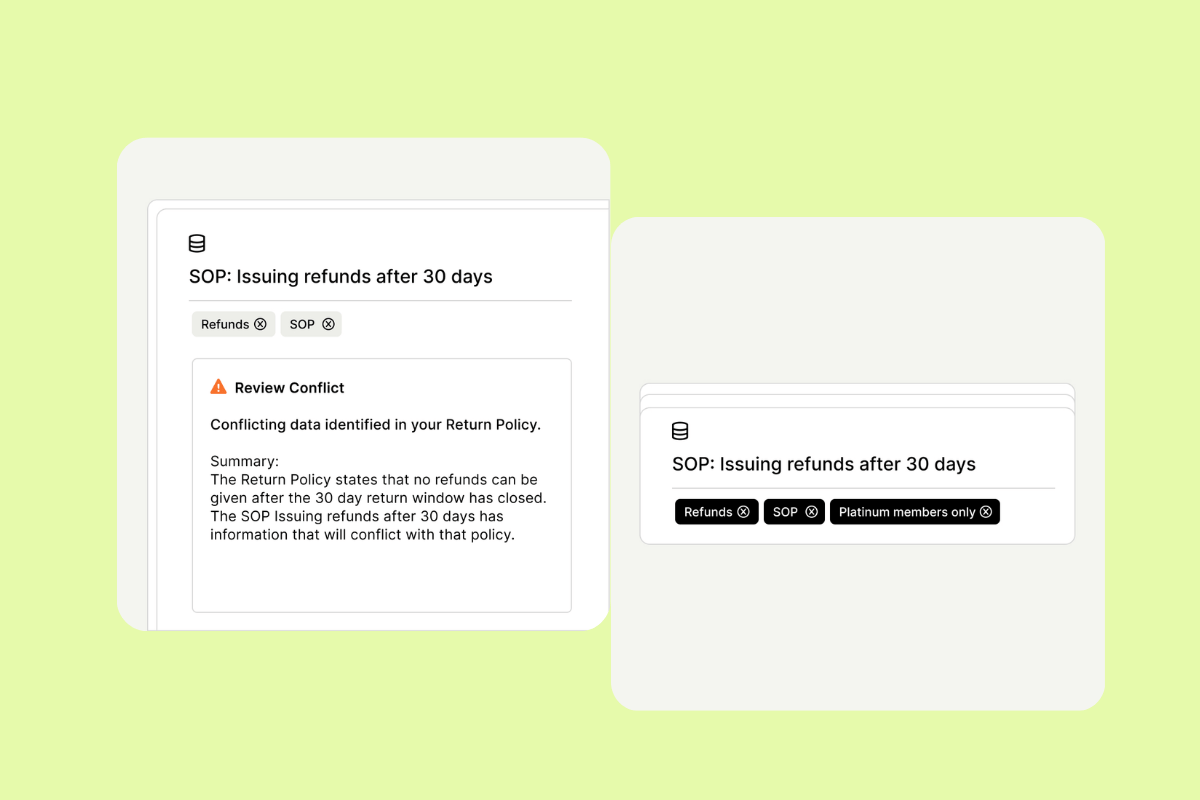
Crescendo’s knowledge base is a managed platform that focuses on turning company data into accurate, on-brand answers across its AI assistants. It centralizes company content, such as SOPs, product guides, FAQs, technical docs, and help center articles. Main features include flagging outdated info and knowledge gaps, curation and tagging to make knowledge AI ready, and continuous monitoring and updates so answers stay current as products and policies change.
As it integrates existing content in tools like Guru, Confluence, and Zendesk, Crescendo is best for knowledge consolidation. It's important to mention that prices may be on the expensive side, especially considering some basic features like wording changes and background color adjustments are missing.
| Pros | Cons |
|
|
What people are saying:
- “Crescendo has been useful to our sales team because it allows them to access and share different forms of marketing content wherever they are.”—Verified user, G2 Review.
- “[...] however one point where it could improve is being more competitive with pricing [...]”—Verified user, G2 Review.
- “It’s a little bit expensive and has some limitations.”—Verified user, G2 Review.
10. Slite
Best for remote teams scaling fast
| Starting price | Free trial | Key features |
| $20 per user/month | 14 days |
|
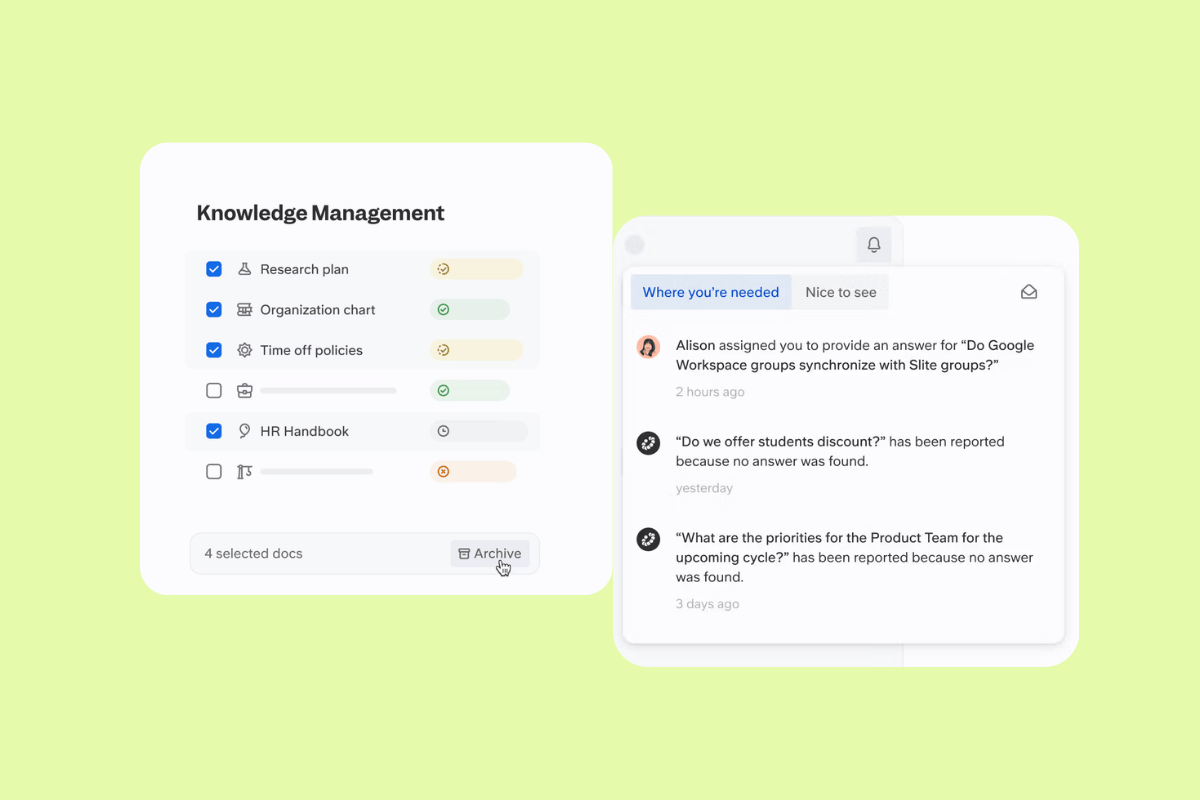
Slite is an AI-powered knowledge base designed to be a simple, hassle-free solution for growing teams. Its core features include a clean, intuitive editor for documentation, a document verification system with automated reminders to keep content current, and an AI search tool that provides instant answers from verified documentation. Additionally, the platform offers options for enterprise-wide search across multiple tools.
Slite is best for remote teams scaling fast, particularly in IT, operations, and customer support. These teams need to eliminate repeated questions and ensure documentation is easy to find and consistently up-to-date. Keep in mind that although users value Slite for its sleek interface, some highlight its limited customization options as a drawback.
| Pros | Cons |
|
|
What people are saying:
- “I really like Slite for its straightforward and simple user experience at a surface level.”—Verified user, G2 Review.
- “More options for document formatting or customization would be great for teams with varied needs.”—Verified user, G2 Review.
- “Integration options are not as extensive as some competitors [...].”—Verified user, G2 Review.
What makes a great knowledge base? Key features that matter
More than just a digital filing system, a knowledge base is an important source of information that empowers customers and employees to find accurate answers by themselves. A great knowledge base bridges the gap between complex data and user intent through an intuitive interface. The following key features make this possible.
- AI-powered content support: Generative AI helps creators draft articles from prompts or existing support tickets. AI tools also flag outdated information, suggest tone improvements, and translate text into multiple languages.
- Flexible content organization: A great knowledge base uses a mix of categories, tags, and cross-linking to center information in a single place. If you’re focusing on team productivity, an internal knowledge base prevents information silos from happening by keeping staff aligned.
- Powerful and easy-to-use search: Search is at the core of a knowledge base. Beyond simple keyword matching, search capabilities must understand the meaning behind a query. Direct answers that come from in-document search and generative AI make a great knowledge base.
- Seamless tool integrations: A top-tier knowledge base system must integrate with the knowledge management tools your team already uses, allowing users to pull information into their active workspace without switching tabs.
- Simple and intuitive user experience: To encourage adoption, the knowledge base needs to be easy to use. Non-technical employees should be able to use no-code builders with ease. For the reader, a sleek layout ensures information is skimmable and easy to find.
- Access control and performance insights: Granular permissions ensure that sensitive internal SOPs stay private while general FAQs remain public. In addition, robust analytics are essential to track content gaps and article ratings, allowing you to measure how well your documentation is performing.
How to choose the right knowledge base software
The right knowledge base software for your team should reflect a balance between your immediate needs and your long-term organizational goals.
Ease of use vs. advanced features
This is a battle between high internal adoption versus deep customization. Determine whether your team needs a simple platform with a low barrier to entry or an advanced solution with complex configuration options. Keep in mind that if the tool is too complex, your team won’t document anything. If it’s too simple, you may outgrow it as your workflows become more intricate.
Basic vs. AI-powered search
Basic search that relies on exact keyword matches and tags is predictable and often cheaper. Users need to know exactly what they're looking for. AI-powered search costs more, but comes with natural language processing to understand intent and meaning and provide direct answers. Decide whether investing in AI-powered search is worth it according to your needs.
Collaboration requirements
Consider if your company just needs a real-time co-editing tool for those creating content or if a manager approval workflow is needed. For smaller teams, simple collaboration tools like comments, mentions, version history, and simultaneous editing may be enough to move quickly. Larger organizations or regulated industries may need roles and permissions, approval stages, and audit logs so updates are controlled and accountable.
Integrations and ecosystem
Make sure to check the platform's native integrations with your existing tech stack. You may need a solution that allows you to search the knowledge base directly from other apps, rather than simple link sharing.
Analytics and performance insights
Look for software that identifies content gaps, so you can know exactly what articles you need to write next. Prioritize tools that surface no-result searches, low-click or high-refinement queries, and trending topics. These signals reveal what customers and employees want to know but can’t find.
Security and scalability
Robust security (SSO, SOC2 compliance, and granular permissions) is a non-negotiable feature when it comes to dealing with internal knowledge. Scalability makes sure the software can handle 5,000 articles as easily as 50, and doesn't break when a product launch causes 200% traffic spikes.
Budget and ROI
Knowledge base software pricing models vary between per user, per article, and per-month flat fees. Consider the best value for money according to your budget and make the ROI calculation to ensure you choose the most cost-effective solution.
Frequently asked questions
Upgrade your knowledge base software with Zendesk
The best knowledge base software can improve your capacity for both customer and employee self-service while simultaneously helping boost agent productivity. But to fully realize those benefits, you need a partner like Zendesk to take you to the next level. AI-powered knowledge base features like advanced search and AI agents can transform your operations into a self-service powerhouse. Try Zendesk for free today to see how we can make a difference for you.
Lauren Hakim
Director, Product Marketing
As Director of Product Marketing at Zendesk, Lauren leads go-to-market strategy for AI Agents and Knowledge. She focuses on how AI can improve resolution rates and empower support teams through scalable automation and smarter self-service.