AI service desk: Benefits, features + top 8 tools of 2026
AI help desks move teams beyond ticket management to faster issue resolution, empowering them to focus on higher-value service.



Candace Marshall
Vice President, Product Marketing, AI and Automation
最後更新: March 11, 2026
What is an AI service desk?
An AI service desk uses artificial intelligence (AI) to understand service requests, automate decisions, and resolve issues across support workflows. It can classify requests, surface relevant knowledge, and take action across connected systems to improve efficiency and speed. This enhances both customer experience (CX), and employee experience (EX).
A 2026 guide to the best AI service desk solutions
AI service desks are evolving quickly. They’re moving beyond basic automation to help teams resolve issues faster, reduce manual work, and scale service without sacrificing quality. The best solutions combine AI-powered automation, self-service, and actionable insights to support both customer facing and internal service teams.
This guide compares leading AI service desk tools based on their core capabilities, use cases, and trade-offs. It will help you evaluate which platforms are best suited to your needs, whether you’re focused on customer support, employee service, scaling operations with AI, or a combination of them all.
More in this guide:
- Enhance team productivity with an AI help desk
- Key features of an AI service desk
- AI service desk benefits
- AI service desk solutions comparison chart
- The 8 best AI service desk tools
- How to choose the right AI service desk software
- Frequently asked questions
- Deliver the best service with an AI service desk
Enhance team productivity with an AI help desk
Autonomous AI agents solve complex interactions
Effortlessly scale your support with AI agents—the most autonomous bots in CX capable of resolving sophisticated customer issues. These AI-powered agents are purpose-built for CX and pre-trained on billions of customer interactions, making them capable of identifying customer sentiment and intent.
These digital agents personalize responses and recommendations using generative and conversational AI. Users can deploy them on day one and see immediate value, effortlessly scaling support efforts without increasing overhead or stretching resources.

Learn how to provide instant, personalized support with Zendesk AI agents.
AI copilot empowers and supports agents

Deliver faster, more consistent support with AI copilot.
Automate tasks, make intelligent recommendations, and deliver real-time insights with AI Copilot, an AI-powered assistant that interacts with agents behind the scenes.
Using conversational intelligence software, AI Copilot provides proactive and contextual agent assistance, personalizing suggestions based on customer needs and preferences. This customizable tool follows business processes seamlessly, enabling agents to deliver consistent, accurate service.
AI-powered quality assurance improves efficiency
Improve service quality with AI-powered quality assurance (QA) tools that automatically evaluate conversations at scale. Instead of manually reviewing a limited sample of tickets or calls, QA systems analyze interactions to identify coaching opportunities, compliance risks, and service gaps.
These insights help teams maintain consistent standards while reducing manual oversight. When paired with workforce management tools, QA data can also support better staffing decisions and performance planning across support operations.
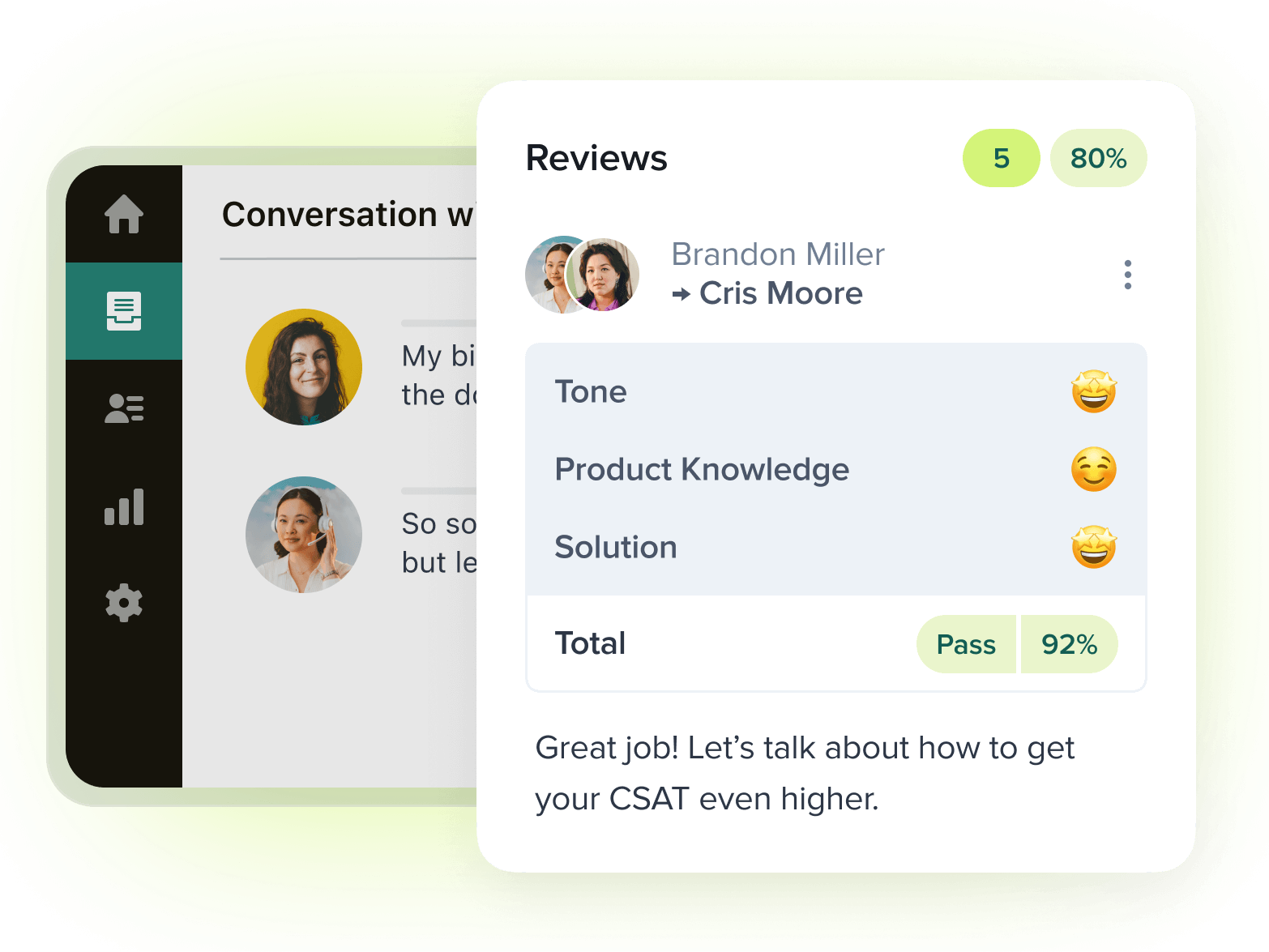
Streamline performance monitoring with AI-powered quality assurance.
AI-powered knowledge bases support self-service
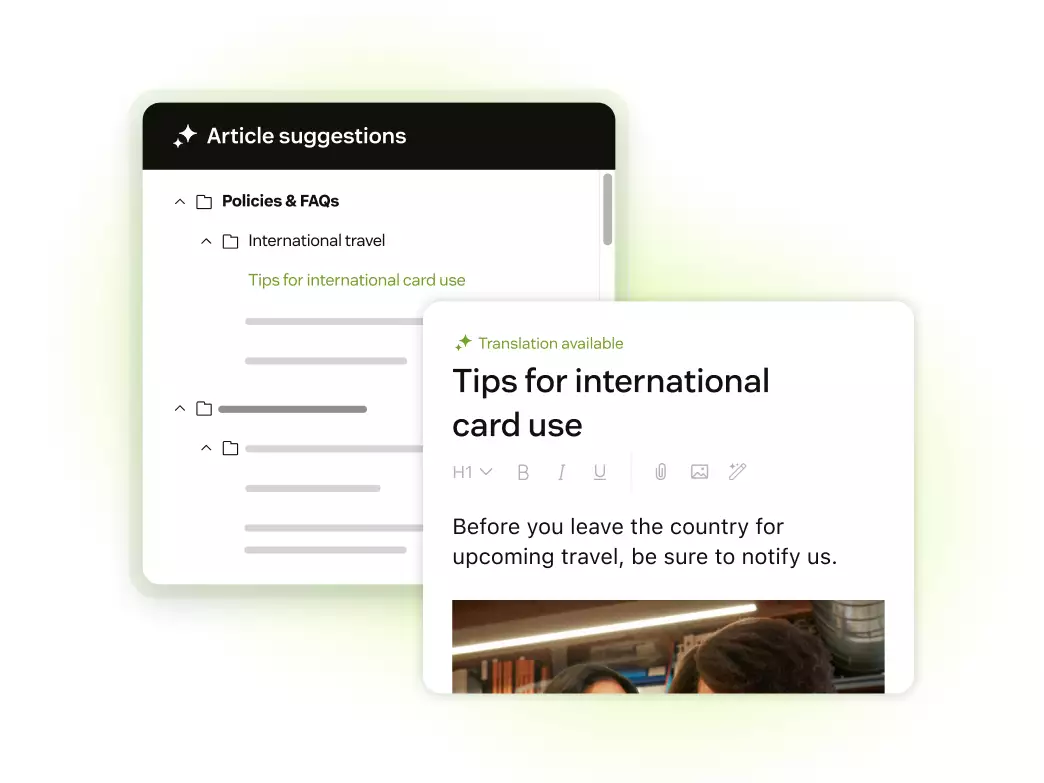
Provide better self-service with help center software.
Simplify user access to accurate, up-to-date information with an AI knowledge base, which generates, organizes, and updates content using advanced AI capabilities. With this dynamic resource, customers can independently access directions and recommendations to resolve common issues.
AI-powered knowledge bases can also analyze user queries to suggest the most relevant articles, reducing frustration and accelerating problem resolution. Plus, AI analyzes the performance of knowledge base articles and suggests updates or new articles to fill content gaps.
Summarization and transcription enhance customer insights
Enhance call transcription and quality reviews with automated transcription tools. By converting lengthy conversations into concise summaries, agents gain instant insights into customer pain points, preferences, and prior solutions, which allows agents to address concerns more effectively and maintain continuity across multiple interactions.
Additionally, AI-driven summarization allows documentation agents to analyze data to uncover common frustrations or recurring issues, informing strategic improvements. This type of voice support ensures customer data remains accurate and accessible, reducing the need for repetitive explanations in future interactions.

Deliver quality call service with voice support for the AI era.
Advanced reporting and analytics improve personalization and consistency

Gain unique insights with advanced reporting and analytics.
Identify crucial patterns and preferences by leveraging AI-driven data collection and analysis. Advanced reporting and analytics systems can also provide in-depth customer and employee insights, which allow AI help desks to deliver highly personalized responses and proactive support tailored to individual needs.
With advanced reporting and analytics, teams can use help desk automation to standardize responses by analyzing the most effective solutions. Plus, teams can apply these insights uniformly across all interactions to ensure they become and remain consistent. Detailed performance metrics and trend analyses also enable support managers to monitor service quality and identify areas for improvement.
Key features of an AI service desk
Modern AI customer service software combines automation, intelligence, and workflow management to help teams resolve issues faster and more consistently. An AI service desk builds on traditional help desk software by using artificial intelligence to understand requests, route tickets, and take action across support workflows. Together, these capabilities form a more advanced service desk softwarefoundation for delivering scalable customer and employee service.
Intelligent triage and smart routing
Incoming requests can be understood without manual triage. An AI service desk can interpret intent, entity, sentiment, and language in real time. Requests are automatically classified and routed to self-service, automated workflows, or the right team. This streamlines the service experience, limiting handoffs and ensuring the fastest resolution path.
Automated resolution actions across connected systems
AI service desks go beyond answering questions and routing tickets. They can trigger workflows that complete common service requests end to end. These actions may include resetting passwords, provisioning software access, or updating user records across connected systems. This reduces manual effort and helps resolve issues quickly without unnecessary agent involvement.
AI-driven self-service and virtual agents
AI-powered self-service tools give users immediate access to answers and support. Virtual agents can handle common questions and requests without human involvement. These tools are available 24/7, ensuring consistent support coverage while reducing reliance on employees.
Scalable service delivery with minimal operational complexity
Service demand often grows faster than support teams can scale. AI service desks help handle higher volumes without adding rigid processes or lots of new tools. Automation, self-service, and workflows can be expanded gradually as needs change. This makes it easier to scale service operations while carefully managing change enablement.
Built-in analytics and service insights
Visibility into service performance is built directly into AI service desks. Teams can track request volume, resolution paths, and automation success in one place. AI also helps identify trends, recurring issues, and gaps in self-service content. These insights support ongoing improvements to workflows, knowledge, and service quality.
Real-time knowledge discovery and guidance
Relevant knowledge is surfaced in real time during service interactions. An AI knowledge base can recommend agents articles, answers, and next steps based on the request context. This helps them keep the customer happy with fast and personalized responses.
AI service desk benefits
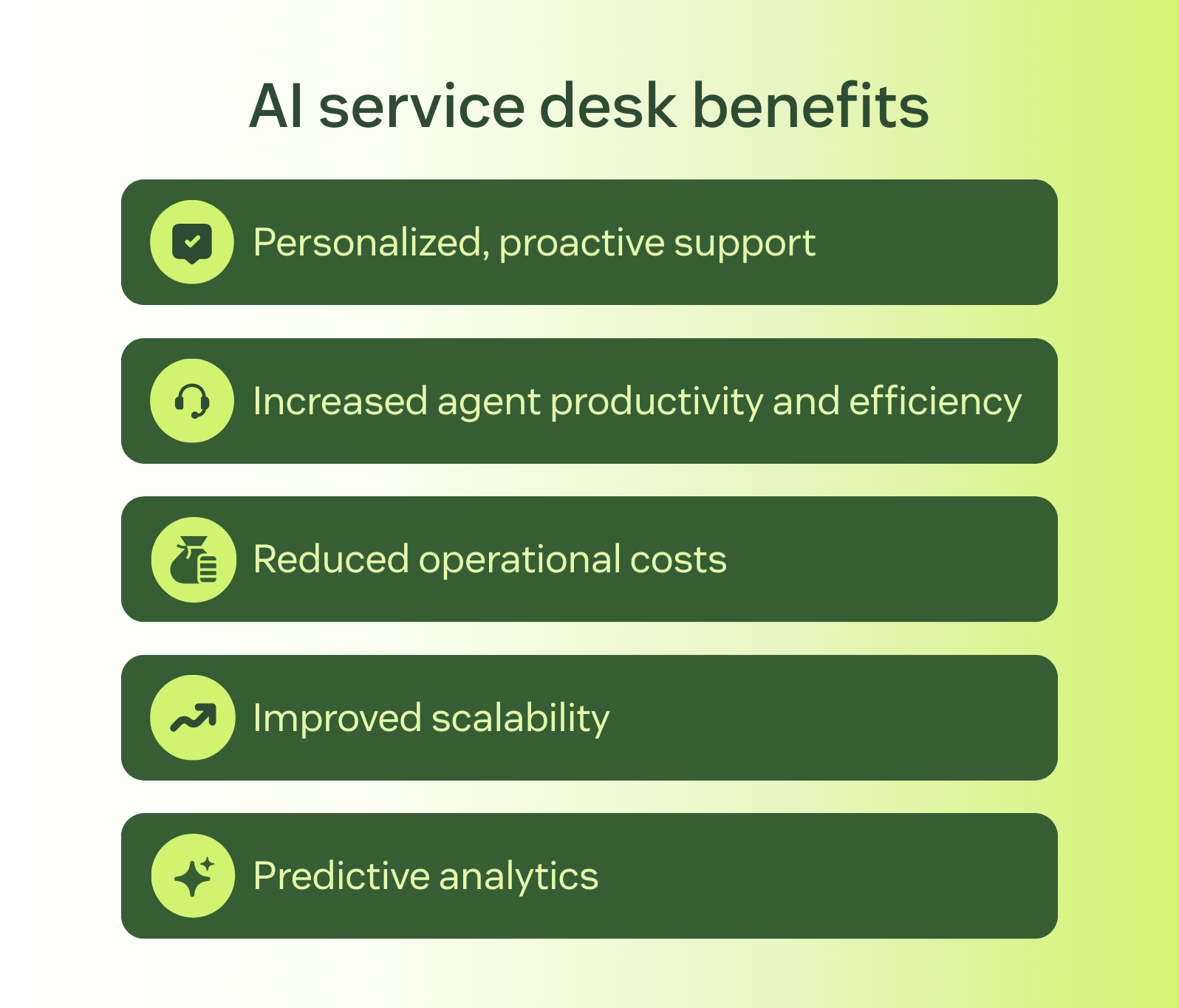
AI help desks offer several benefits for employees and customers. Here are a few benefits AI help desks can provide for IT and customer support teams alike.
- Personalized, proactive support: Machine learning identifies intent while customer and employee data stored in customer intelligence platforms informs agents of individual preferences and needs.
- Improved agent efficiency: AI-powered features can streamline workflows and boost the skills of your IT and support teams, while intelligent routing allows agents to focus on resolution. This drives increased agent productivity and efficiency.
- Reduced operational costs: By automating tedious, time-consuming manual tasks and allowing AI customer service agents to autonomously handle interactions, AI help desks improve operations and drive cost savings.
- Streamlined scalability: AI-powered knowledge management tools help businesses scale by streamlining content creation, including new content, existing updates, and content gap identification.
- Predictable forecasting: Using predictive analytics, companies can identify trends, anticipate potential issues, and produce data-driven recommendations that can be used to make proactive decisions to prevent problems before they arise.
- Respond to customer inquiries at all hours: Tools like customer service chatbots allow businesses to offer customers 24/7 support, enabling them to manage more requests without increasing headcount.
These AI service desk benefits help prevent agent burnout and employee turnover while empowering agents to focus on higher-value, more impactful work.
AI service desk solutions comparison chart
This comparison chart breaks down the top AI service desk solutions by starting price, free trial length, and ideal use case. It’s designed to help you quickly compare cost structure and positioning before diving deeper into each platform’s features and capabilities.
|
Software |
Best for |
Starting price |
Free trial |
|
Zendesk |
AI-powered omnichannel CX and employee service |
$19 per agent/month (billed annually) |
14 days |
|
Hiver |
Teams using shared inbox within Gmail |
$25 per agent/month (billed annually) |
7 days |
|
Tidio |
Chat-first AI support for SMBs |
$25 per agent/month |
7 days |
|
Freshdesk |
Ticket-based CS across multiple channels |
$19 per agent/month (billed annually) |
14 days |
|
Zoho Desk |
Teams using the Zoho ecosystem |
$7 per agent/month (billed annually) |
15 days |
|
Help Scout |
Small teams prioritizing email-based CS |
$25 per agent/month |
15 days |
|
Intercom |
Messaging-first customer support |
$0.99 per AI resolution |
14 days |
|
SysAid |
IT-focused service desk and internal support teams |
Custom pricing |
14 days |
The 8 best AI service desk tools
From AI-assisted ticketing platforms to resolution-focused service desk solutions, here are the top AI service desk tools.
- Zendesk: Best for AI-powered CX and employee service
- Hiver: Best for teams using shared inbox within Gmail
- Tidio: Best for chat-first AI support for SMBs
- Freshdesk: Best for ticket-based CS across multiple channels
- Zoho Desk: Best for teams using the Zoho ecosystem
- Help Scout: Best for small teams prioritizing email-based CS
- Intercom: Best for messaging-first customer support
- SysAid: Best for IT-focused service desk and internal support teams
1. Zendesk
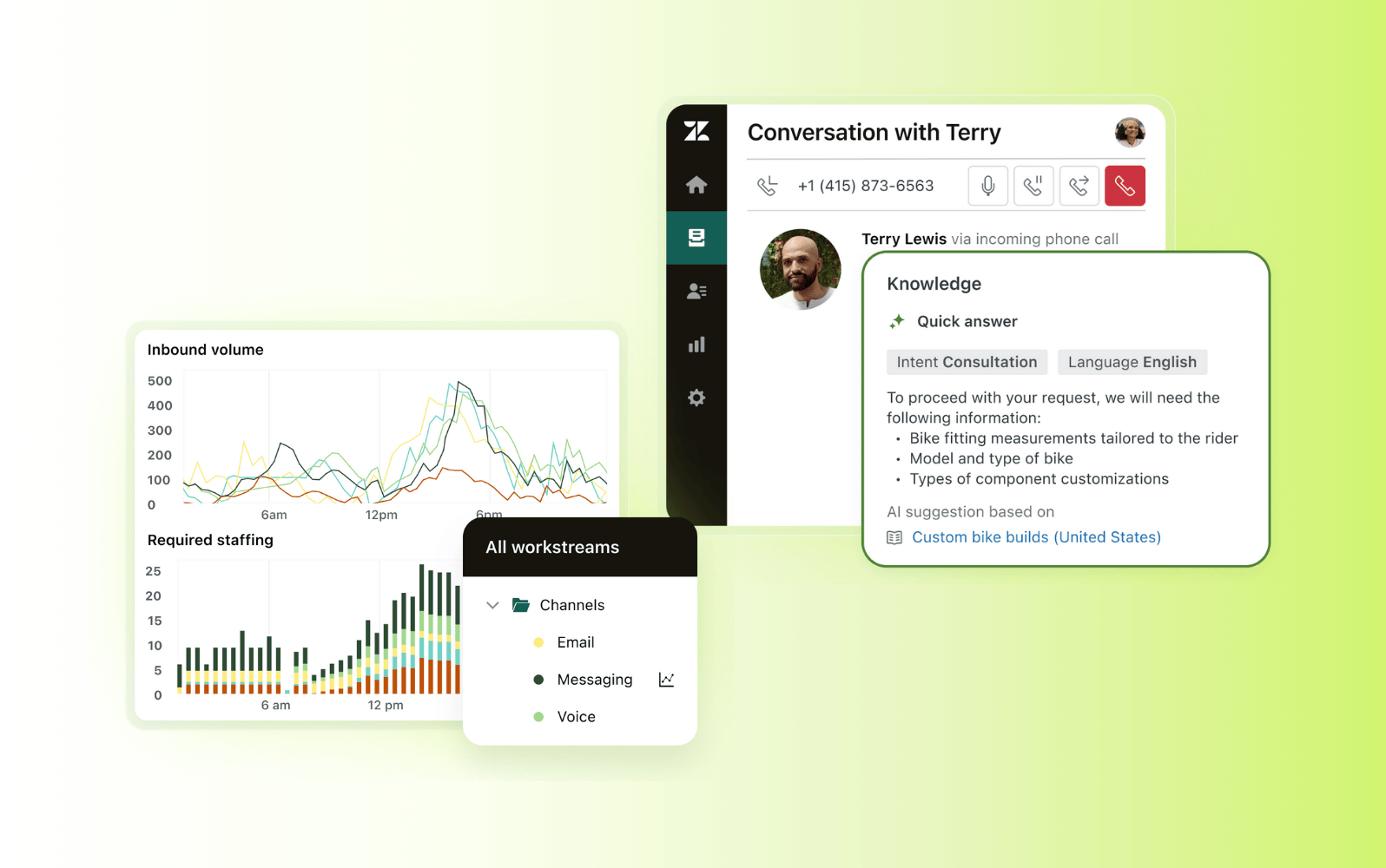
Best for AI-powered omnichannel CX and employee service
|
Starting price |
Free trial |
Key features |
|
$19 per agent/month billed annually Explore more Zendesk pricing plans. |
14 days |
|
Zendesk is an AI-powered service desk platform that supports both customer experience (CX) and employee service at scale. It provides an intuitive, easy-to-use help desk that brings AI directly into the agent workspace. This empowers teams to manage omnichannel requests from a single, unified interface.
Rather than separate, bolt-on tools, Zendesk’s AI capabilities are built into core workflows. AI agents and AI Copilot help automate routine requests, assist agents in real time, and surface relevant knowledge during interactions. Intelligent routing uses intent, entity, sentiment, and language signals to prioritize and direct requests efficiently. AI-powered knowledge management helps teams deliver more consistent answers across channels.
The platform also includes advanced reporting and analytics, giving teams visibility into request volume, resolution paths, and service performance. Zendesk is designed to work out of the box, with fast setup and minimal technical overhead. This helps teams achieve faster time to value and scale service operations without adding unnecessary complexity.
|
Pros |
Cons |
|
|
What people are saying:
- “What I like most is how flexible and scalable it is. Automation macros, and clear workflows save a lot of time” – Verified user, G2 review.
- Zendesk keeps everything organized in one place; nothing gets lost, and every conversation has a clear history. – Verified user, G2 review.
- I feel that Zendesk is the most user-friendly interface I've worked with. I think it has a more clear interface and is less complex overall than other softwares. – Verified user, G2 review.
2. Hiver
Best for teams using shared inbox within Gmail
|
Starting price |
Free trial |
Key features |
|
$25 per agent/month (billed annually) |
7 days |
|
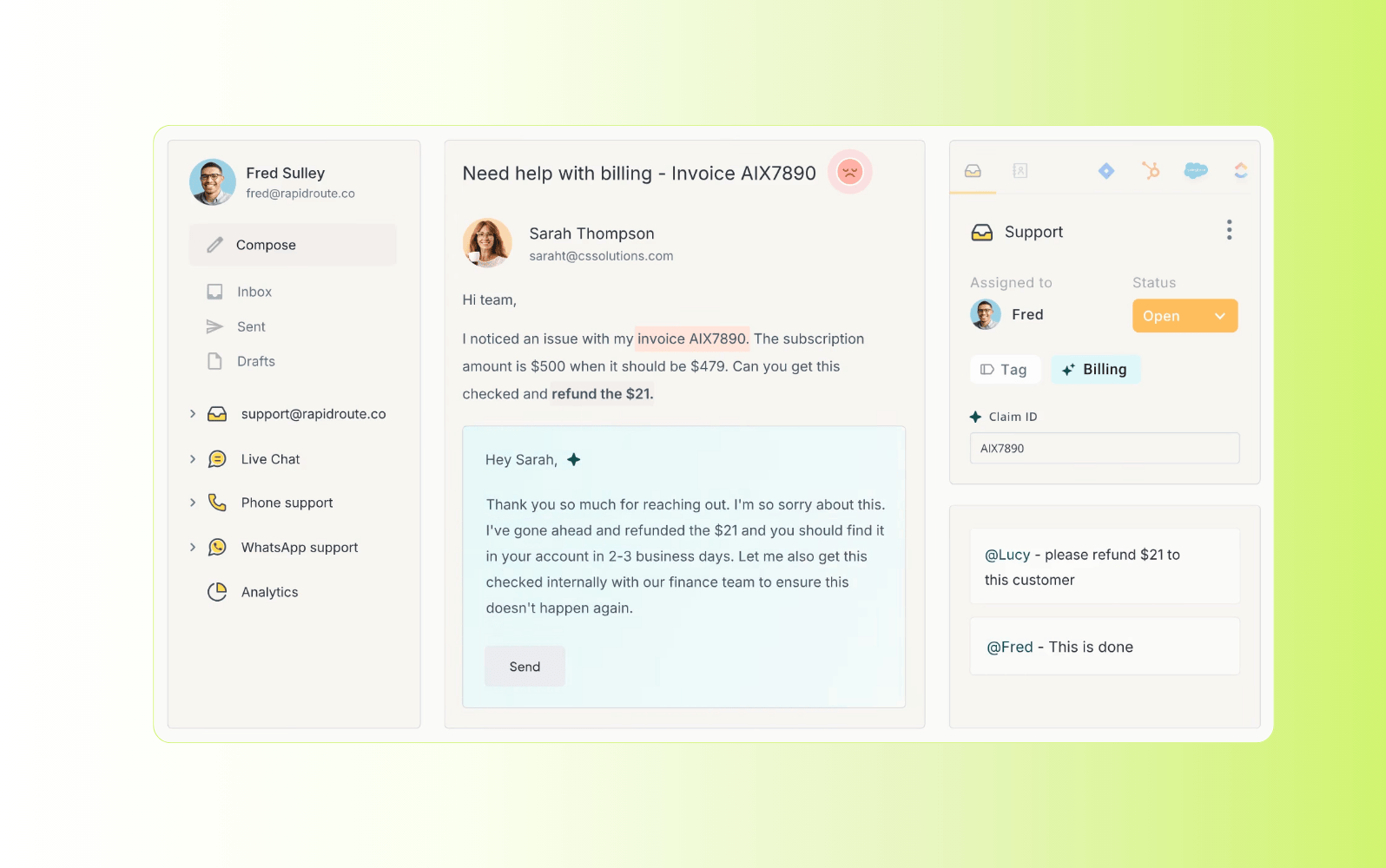
Designed for teams that manage customer or internal support through shared email inboxes, Hiver is closely integrated with Gmail and Google Workspace. This allows teams to collaborate on support conversations directly through their inbox. Hiver is also accessible through web or mobile apps, giving teams the flexibility to manage requests outside of Gmail when needed.
The platform focuses on email-based support workflows, offering features such as email assignment, collision detection, shared notes, and SLA tracking. Hiver also includes basic automation, limited AI-assisted categorization, and reporting to track response times and team performance. Its capabilities are centered on email rather than full omnichannel or advanced service desk use cases.
|
Pros |
Cons |
|
|
What people are saying:
- “Easy to implement, had the support we needed and it was fast. We use it on a daily basis, very easy to integrate with Gmail.” – Verified user, G2 review.
- “Unfortunately, Hiver HQ and Hiver for Outlook just do not seem to be as well optimized as this tool was for Gmail” – Verified user, G2 review.
- I love the Email Templates feature. The UI could be more modern and intuitive - especially around the icons and layout. – Verified user, G2 review.
3. Tidio
Best for chat-first AI support for SMBs
|
Starting price |
Free trial |
Key features |
|
$25 per agent/month |
7 days |
|
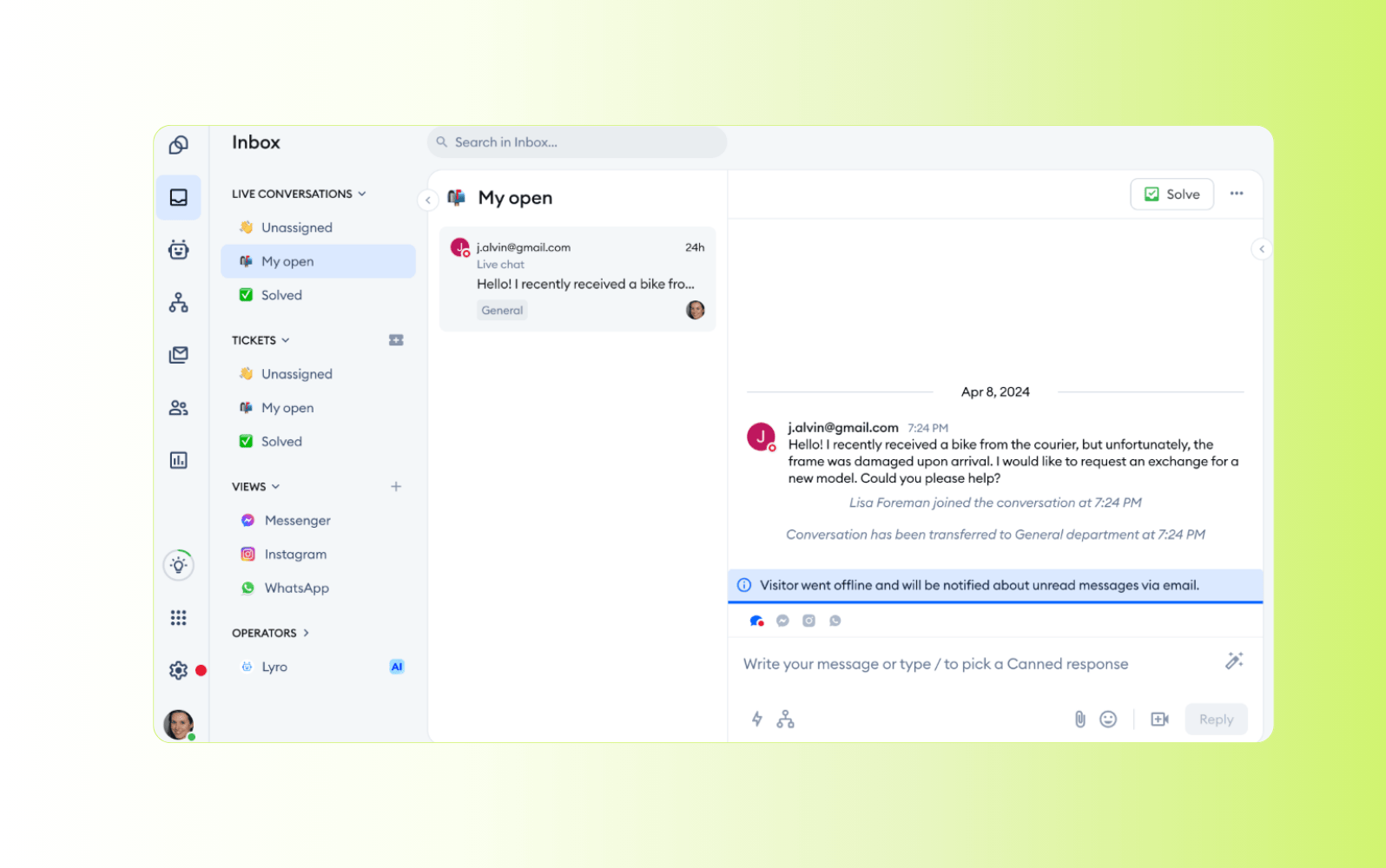
Tidio is a customer communication platform designed for small and midsize businesses that want to combine live chat with AI-powered automation. It’s commonly used by ecommerce and digital-first teams that need to scale chat-based customer support without deploying a full service desk platform.
The platform includes a visual chatbot builder, automation workflows, and integrations with popular ecommerce tools like Shopify and WooCommerce. Tidio offers a multichannel inbox, basic ticketing, and reporting to support daily operations. Higher-tier plans expand AI usage and automation options. It’s most suitable for teams looking to scale chat-centric support rather than complex, omnichannel service workflows.
|
Pros |
Cons |
|
|
What people are saying:
- “I appreciate the automated responses, full conversation visibility within Tidio AI.” – Verified user, G2 review.
- “The pricing ramps up quickly once you start adding multiple operators, which can get expensive for a growing small business” – Verified user, G2 review.
- “The AI chatbot is helpful so that customers are not kept waiting for extended periods of time during peak times.” – Verified user, G2 review.
4. Freshdesk
Best for ticket-based CS across multiple channels
|
Starting price |
Free trial |
Key features |
|
$19 per agent/month (billed annually) |
14 days |
|
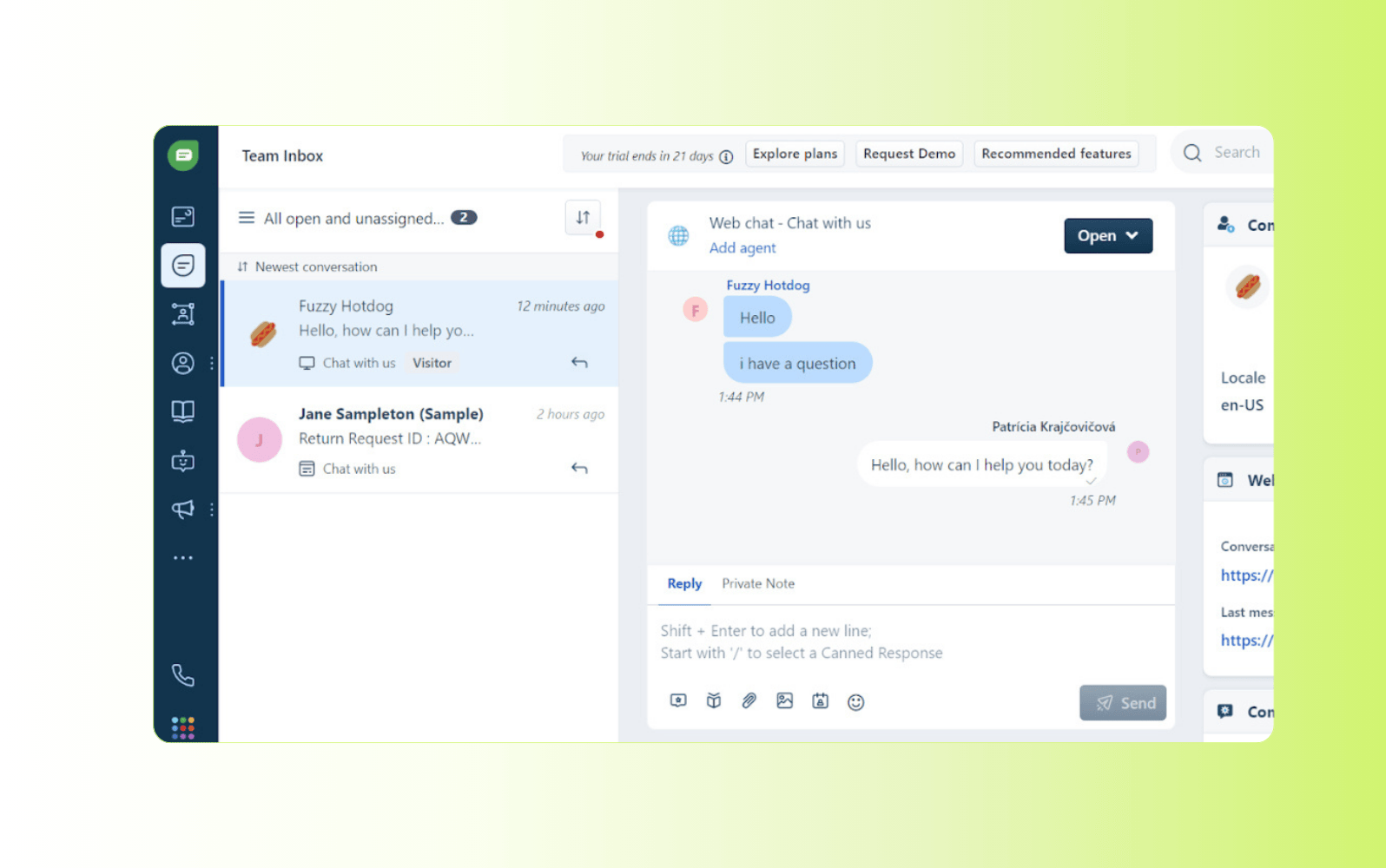
As a cloud-based customer support platform, Freshdesk is designed to help teams manage customer interactions through a centralized ticketing system. IT supports common customer service channels such as email, chat, phone, and social messaging. This makes it a fit for organizations that rely on traditional ticket-based workflows to handle external customer requests.
The platform includes automation and AI-assisted capabilities to help streamline customer support operations. Freshdesk also offers reporting and SLA management tools to help teams monitor performance. While AI is used to support agents and improve efficiency, the platform remains focused on customer service ticket management rather than broader CX or employee service use cases.
|
Pros |
Cons |
|
|
What people are saying:
- “The core ticketing functionality is solid and reliable day-to-day. Seat management and subscription changes feel rigid and process-heavy” – Verified user, G2 review.
- “Freshdesk is straightforward to use [...] The user interface doesn't stand out as much as those of other tools. – Verified user, G2 review.
- “Freshdesk covers most basic needs from a piece of software you would expect. For everything it does offer the configuration is easy.” – Verified user, G2 review.
Learn more: Compare Zendesk vs. Freshdesk.
5. Zoho Desk
Best for teams using the Zoho ecosystem
|
Starting price |
Free trial |
Key features |
|
$7 per agent/month (billed annually) |
15 days |
|
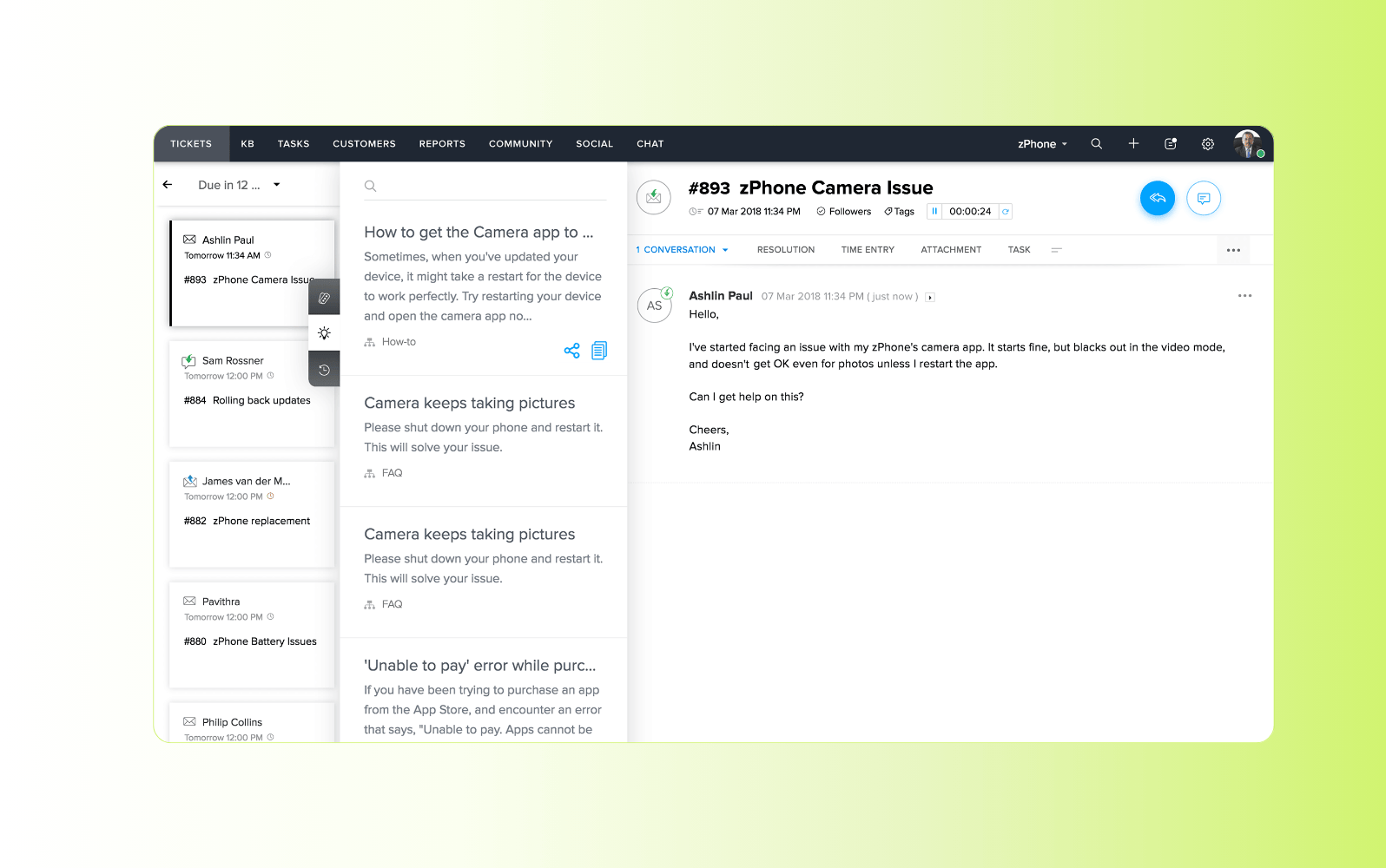
Zoho Desk is an AI-assisted customer service platform designed for small businesses and teams that want to provide ticket-based, omnichannel support. It works with common customer-facing channels such as email, chat, phone, and social messaging. It’s often adopted by organizations already using Zoho’s broader suite of business applications.
The platform uses Zoho’s AI assistant, Zia, to support customer service workflows. This includes features like chatbot interactions, AI-powered knowledge suggestions, and ticket tagging based on intent and sentiment. Zoho Desk also includes intelligent routing, reporting, and analytics to help teams manage performance. Its documentation tools are better suited to simple use cases and less complex content structures.
|
Pros |
Cons |
|
|
What people are saying:
- “I like how Zoho Desk provides an intuitive platform that centralizes all incoming requests, queries. The main downside [is] the initial configuration” – Verified user, G2 review.
- “The downside with Zoho Desk is that some automations and SLAs can take time to set up and require a bit of technical know-how.” – Verified user, G2 review.
- “The integration with other Zoho products helps keep customer support operations efficient and centralized.” – Verified user, G2 review.
Learn more: Compare Zendesk vs. Zoho Desk.
6. Help Scout
Best for small teams prioritizing email-based CS
|
Starting price |
Free trial |
Key features |
|
$25 per agent/month |
15 days |
|
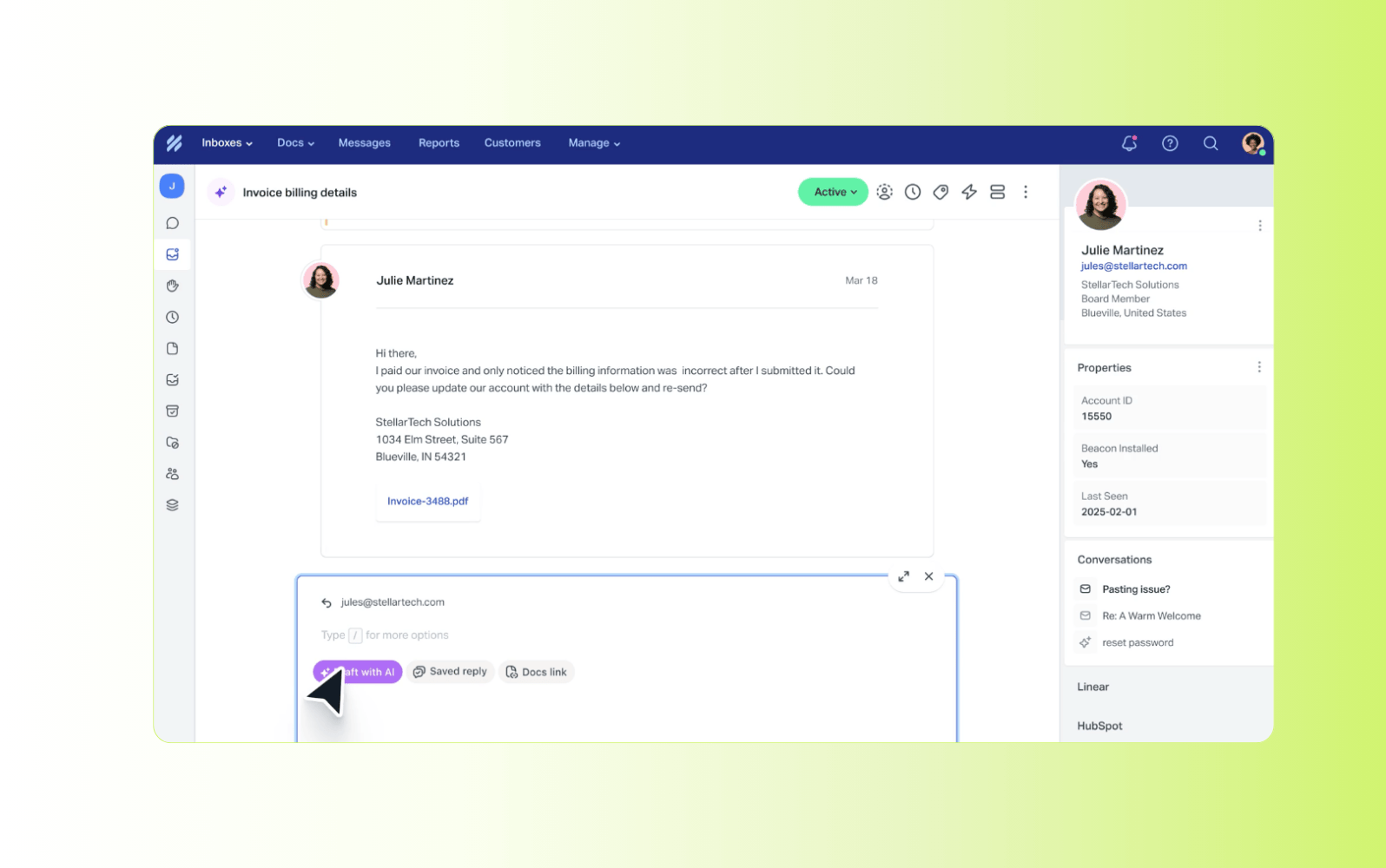
Ideal for small teams, Help Scout takes a lightweight, shared-inbox approach to customer support. It allows teams to handle customer inquiries collaboratively through email-centric workflows. This makes it most suitable for organizations that don’t require complex setup or advanced service desk capabilities.
The platform includes a shared inbox, live chat, and knowledge base tools. It also offers basic collaboration features such as assignment and collision detection. Additionally, AI tools like AI summarize and AI assist condense long email threads and help agents refine written responses. While these features support agent efficiency, they’re focused on communication rather than automated resolution or advanced service workflows.
|
Pros |
Cons |
|
|
What people are saying:
- “It has a friendly interface and requires no inputs of crazy data to work well. – Verified user, G2 review.
- “This is not a typical customer support ticket management application and some of the functionality, when it comes to escalating a ticket is very limited.” – Verified user, G2 review.
- “HelpScout makes it easy to search for tickets and reassign to the appropriate person.” – Verified user, G2 review.
Learn more: Compare Zendesk vs. Help Scout.
7. Intercom
Best for messaging-first customer support
|
Starting price |
Free trial |
Key features |
|
$0.99 per AI resolution |
14 days |
|
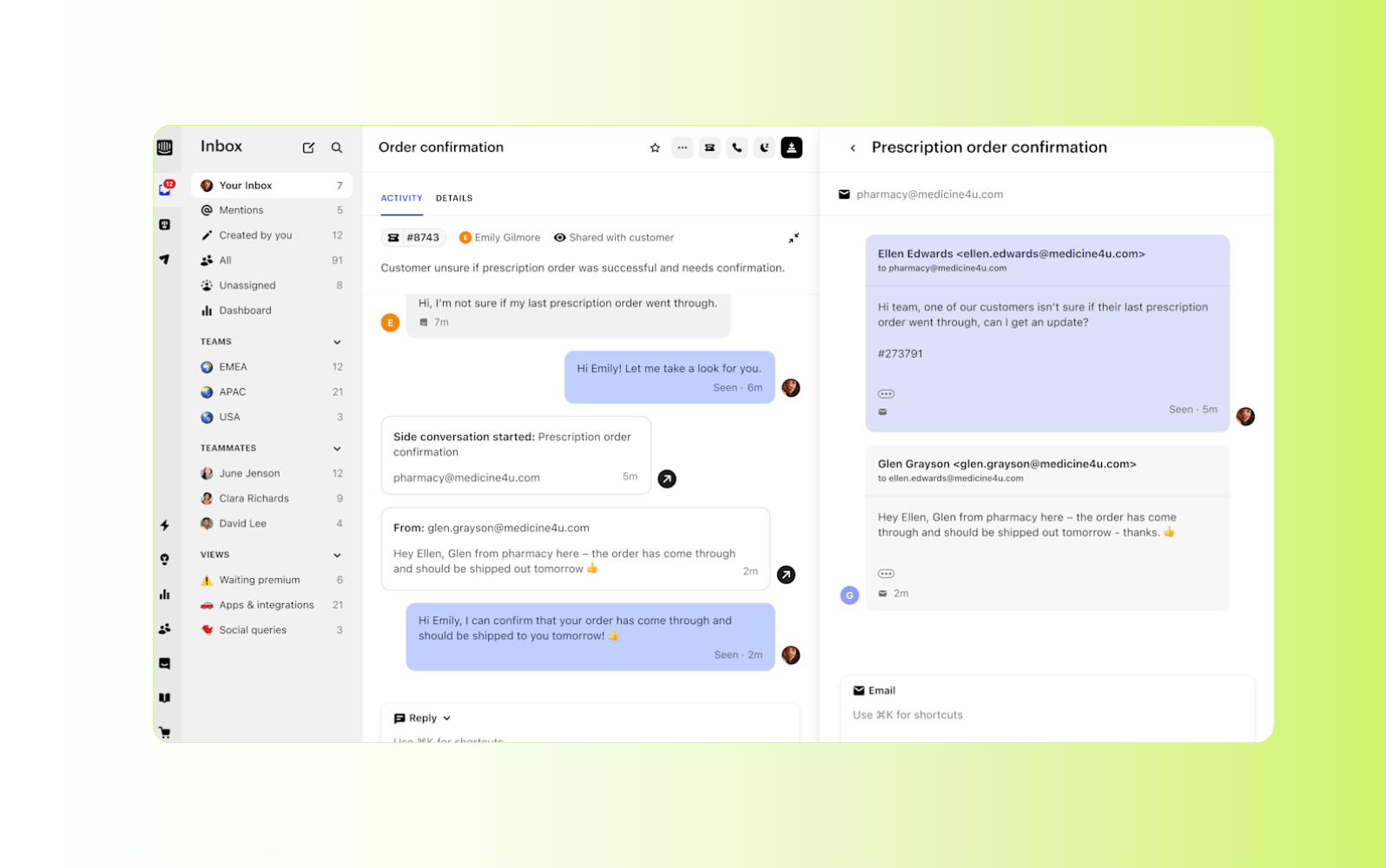
Intercom is an AI-powered customer support platform built around a messaging-first approach. It’s commonly used by SaaS and product-led teams that want to support customers through a single conversational interface.
The platform combines a shared inbox, help center, and automation tools with AI-assisted features for conversation summary, adjusting response tone, and rerouting requests. The platform’s AI chatbot, Fin, uses help center content to answer common questions and escalate complex issues to human agents when needed. While Intercom offers AI-powered messaging and in-app support, its pricing model can become costly as teams scale or conversation volumes increase.
|
Pros |
Cons |
|
|
What people are saying:
- “Saves agent time by handling repetitive tickets and escalating complex issues cleanly.” – Verified user, G2 review.
- “The system seems very cost prohibitive, especially for smaller businesses”– Verified user, G2 review.
- “It is great in handling general tasks for very basic questions from customers.” – Verified user, G2 review.
Learn more: Compare Zendesk vs Intercom.
8. SysAid
Best for IT-focused service desk and internal support teams
|
Starting price |
Free trial |
Key features |
|
Custom pricing |
14 days |
|
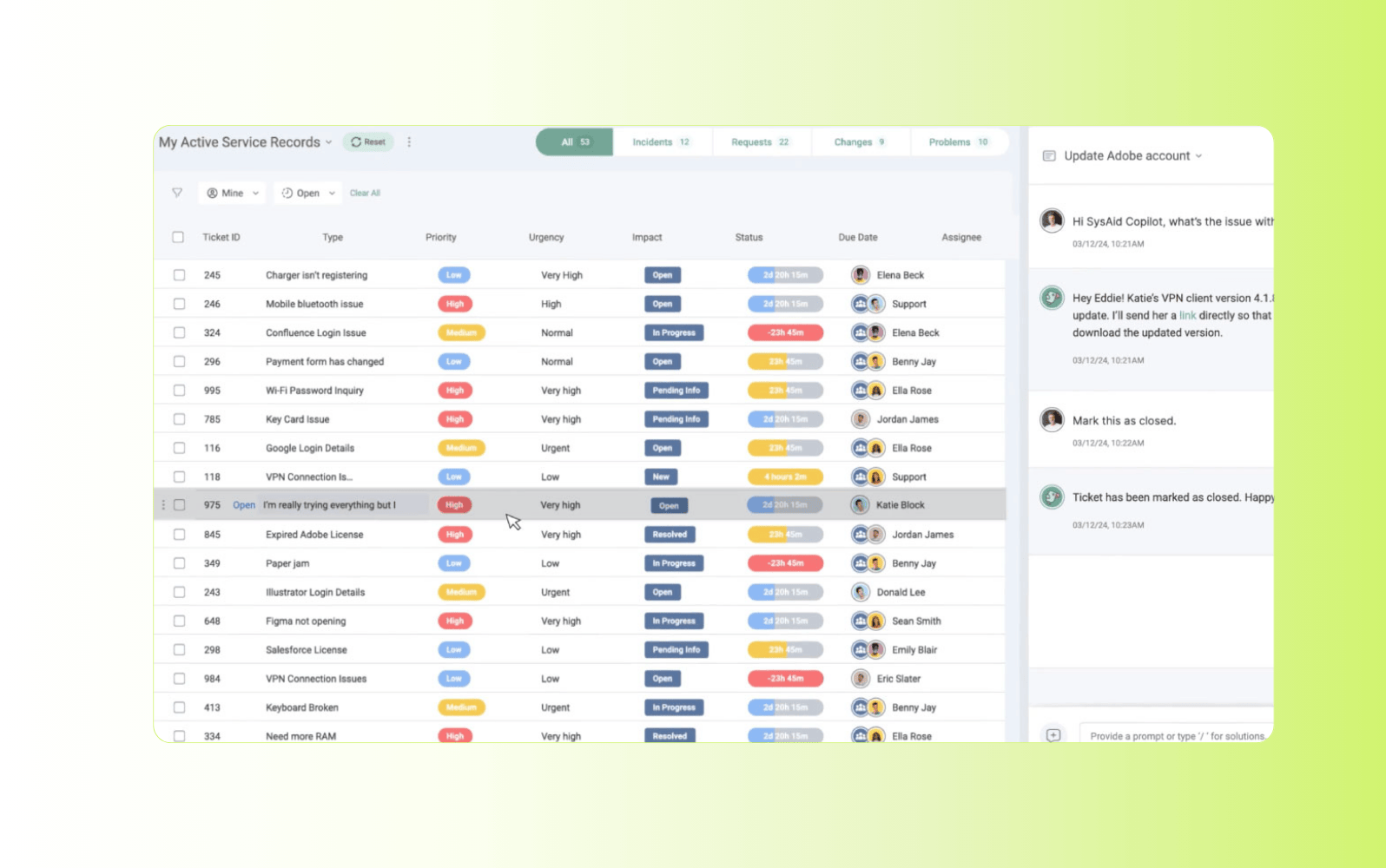
SysAid is an IT service management (ITSM) and service desk platform designed primarily for internal IT support. It’s commonly used by midsized and enterprise organizations that need structured ticketing, asset management, and incident tracking. It’s focused on employee facing IT services rather than customer support.
The platform includes ticket management, workflow automation, asset tracking, and self-service capabilities. SysAid also offers AI-assisted features for ticket categorization, routing, and response suggestions, along with reporting and SLA management. Due to its employee-centric nature, it’s less suited to customer-facing CX use cases. It’s also not designed to manage both customer and employee service within a single system.
|
Pros |
Cons |
|
|
What people are saying:
- “The tools automation features help to streamline routing of tickets, approvals and the escalation process.” – Verified user, G2 review.
- “SysAid is a software that needs some customization and training, which is a lengthy process.” – Verified user, G2 review.
- “I like that I can customize both incident and request templates, adapting them to the company's needs.” – Verified user, G2 review.
How to choose the right AI service desk software
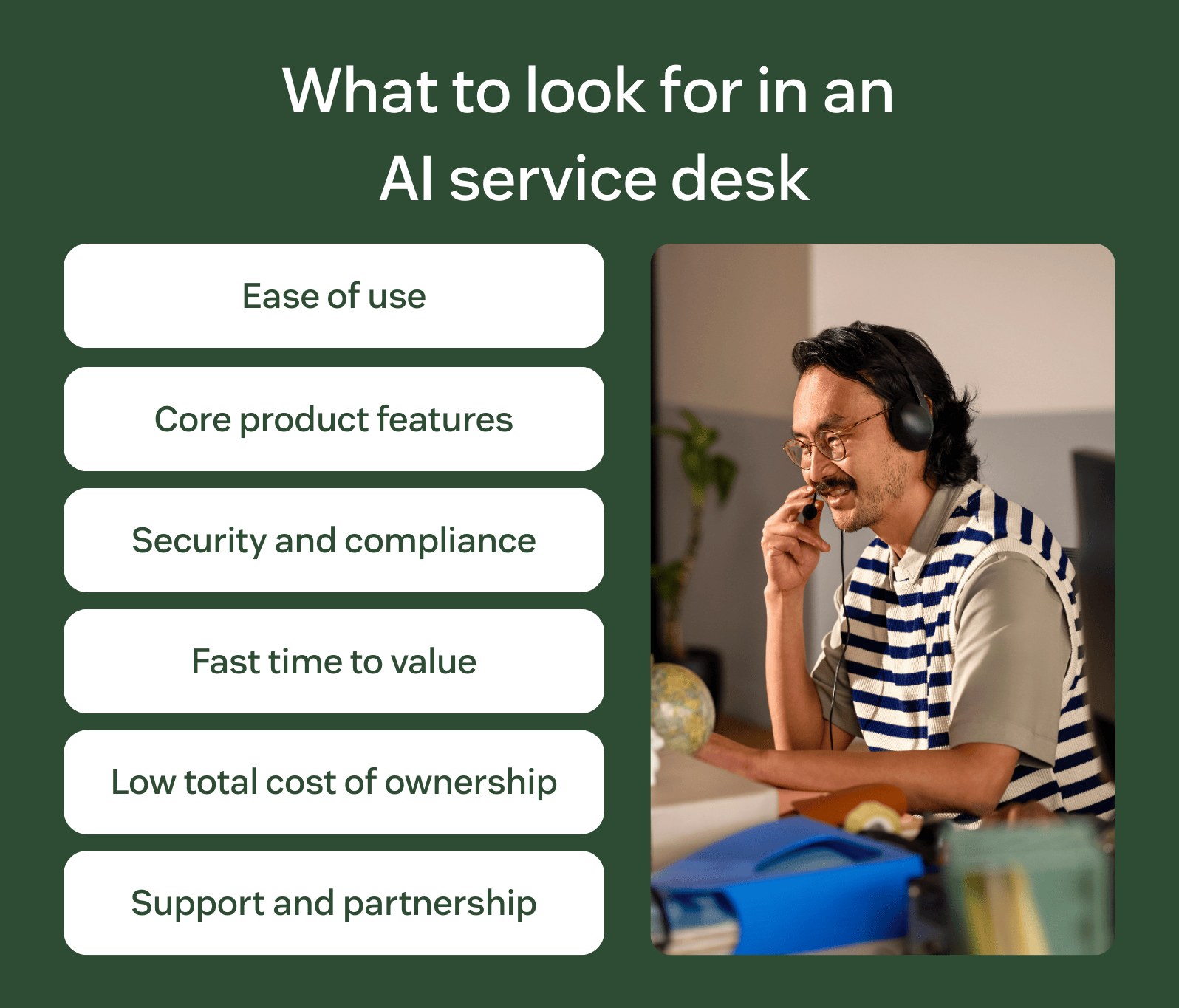
Below, you’ll find the most important factors to consider when picking an AI service desk that aligns with your business goals.
- Ease of use: Ensure the AI help desk software has an intuitive interface and customizable workflows so your IT and support teams can navigate and manage the solution without too much training.
- Core product features: Determine what core product features are necessary for meeting your business objectives, such as industry alignment, omnichannel options, AI features, and integrations.
- Security and compliance: Your AI help desk must comply with data security and privacy regulations, offer granular access controls, and be updated regularly to avoid threats or cyberattacks.
- Time to value (TTV): Fast deployment with easy-to-use software results in a quicker TTV and ROI.
- Total cost of ownership (TCO): The cost of software is more than the subscription price, so consider additional costs like licensing fees, ongoing maintenance, additional training, and hidden costs.
- Support and partnership: Your vendor should provide quality service, including technical support, training, educational resources, and a community that fosters collaboration and learning.
With AI help desk software like Zendesk, you can be guided by thought leaders and a rich community of founders and CX experts. With quality support, a fast TTV, and a low TCO, Zendesk helps each customer get the most out of their AI service desk, now and in the future.
Frequently asked questions
Deliver the best service with an AI service desk
When compared with competitors, Zendesk delivers a more scalable, agile, and innovative AI service desk that enables businesses to adapt to evolving customer expectations and a changing tech landscape. With numerous AI tools, such as AI agents, knowledge base, intelligent routing, reporting and analytics, and QA, Zendesk has everything you need to generate exceptional support from day one.
Start your free trial of Zendesk today.
Candace Marshall
Vice President, Product Marketing, AI and Automation
Candace Marshall is a seasoned product marketing leader with a passion for solving complex problems and driving innovation in fast-paced environments. Her career began in operations and research, but her love for understanding customers and translating insights into impactful strategies led her to product marketing. Currently, Candace leads product marketing for Zendesk AI including AI agents and Copilot, driving growth across AI-powered solutions and the core service offerings. Her team delivers end-to-end product marketing strategies, from market validation and messaging to go-to-market execution and customer adoption. Before joining Zendesk, Candace spent nearly a decade at LinkedIn, where she built and led the product marketing team for the rapidly scaling Marketing Solutions division, overseeing key advertising products in the multi-billion-dollar business.
Related AI help desk guides
Learn more about AI help desk software and similar topics with our related guides.