Top 6 AI call center automation solutions (2026)
Compare leading AI call center automation solutions by features, pricing, and impact on CSAT and resolution times.



Paulette Chafe
Senior Director of Product Marketing at Zendesk
最後更新: October 14, 2026
What are AI call center automation solutions?
AI call center automation solutions are platforms that use AI, such as natural language processing (NLP), machine learning, and large language models (LLMs) to automate calls, route customers to the right resource, assist agents in real time, and complete workflows across voice and digital channels.
Unlike legacy IVR systems, AI call center automation can understand customer intent, preserve context, and escalate conversations to a human agent when needed. This reduces wait times, improves first-contact resolution (FCR), and increases customer satisfaction while keeping human agents available for complex or sensitive issues.
Customers expect fast, low-effort service whether they call, chat, or search for answers on their own. For call centers, these expectations make automated self-service a baseline requirement. Still, some AI call center automation solutions can create longer delays, hidden costs, and underperforming automation that leaves customers repeating themselves or waiting for help.
This guide helps you compare top options, evaluate must-have features, and choose a solution that improves service quality without adding complexity.
More in this guide:
- Key benefits of AI call center automation solutions
- Best AI call center automation solutions comparison chart
- Top 6 AI call center automation solutions
- How to choose the best AI call center automation solution
- Frequently asked questions
- Scale AI-powered call center automation with Zendesk
Key benefits of AI call center automation solutions
AI call center automation solutions can reduce pressure on teams while giving customers faster, more consistent support. The right platform connects automation, routing, agent guidance, and quality assurance so every interaction moves toward resolution with less effort. Below you’ll find the key benefits of AI call center automation solutions.
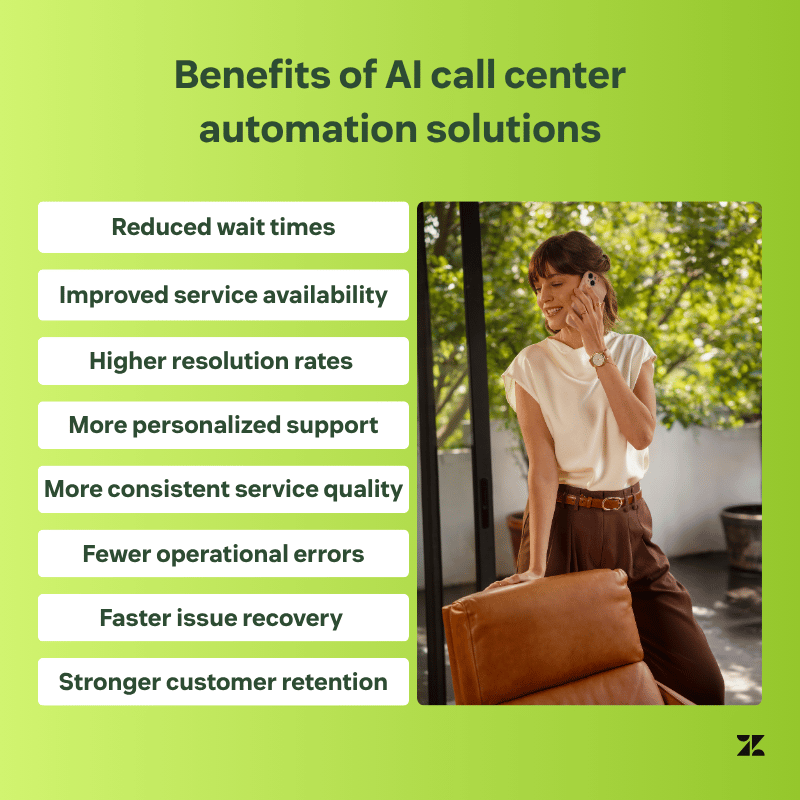
Reduced wait times and improved service availability
AI-powered voice software, intelligent virtual agents, virtual queues, and callback options reduce the time customers spend waiting for support. Instead of navigating rigid phone trees, customers can describe what they need and get routed based on topic, context, language, and priority.
AI also expands service availability beyond business hours. Virtual agents can handle routine requests 24/7, such as order status, appointment changes, billing questions, or basic troubleshooting. When a human agent is needed, intelligent call routing directs the customer to the right team on the first attempt.
Higher resolution rates and more personalized support
AI call center automation improves resolution rates by combining intent detection, knowledge retrieval, agent assistance, and customer context. AI can surface relevant answers, summarize interaction history, and guide service agents with suggested next steps, reducing the need for customers to repeat themselves.
For routine interactions, AI agents can resolve requests autonomously while preserving context across voice and digital channels. When issues become complex or emotionally sensitive, the system can escalate to a human agent with the conversation history intact. This balance improves first-contact resolution while keeping personal support available when it matters most.
More consistent service quality and fewer operational errors
AI automation gives teams a more consistent way to manage call center workflows, policies, and follow-ups. Standardized workflows and policy-based guardrails reduce variation across service agents, locations, and outsourced teams.
Automation also reduces manual errors in call notes, data entry, confirmations, and after-call work. AI-generated transcripts, summaries, and QA insights create a clearer record of each interaction, making it easier to spot gaps and improve future conversations. With automated quality assurance, teams can evaluate more interactions and address issues before they lead to repeat contacts.
Faster issue recovery and stronger customer retention
AI can detect sentiment, escalation risks, and signs of customer frustration during or after an interaction. These signals allow teams to prioritize high-risk conversations, route customers to the right resource, and respond before a poor experience turns into churn.
Context-aware routing and intelligent escalation also improve issue recovery. Service agents enter the conversation with customer history, previous steps, and topic, so they can resolve problems faster. Over time, faster recovery builds trust, protects loyalty, and reinforces the brand’s ability to support customers when stakes are high.
Best AI call center automation solutions comparison chart
The best AI call center automation solution depends on your team’s channels, use cases, AI maturity, and integration needs. Use this chart to compare starting prices, trial availability, and where each platform fits best.
Software | Best for | Starting price | Free trial |
Zendesk | Agentic AI across voice and digital channels | $83 per agent/month (billed annually) + any Suite plan | 14 days |
Genesys Cloud CX | Complex contact center operations | $75 per agent/month (billed annually) | 30 days |
NICE CXone | Advanced operational needs | $110 per agent/month (billed annually) | 60 days |
Talkdesk | Configurable contact center workflows | Custom pricing | 15 days |
Observe.AI | Conversation intelligence and QA insights | Custom pricing | 30 days |
Dialpad | Business communications and voice analytics | Custom pricing | 14 days |
Top 6 AI call center automation solutions
Some AI call center automation solutions focus on full omnichannel service, while others specialize in workforce optimization, conversation intelligence, or business communications. The top 6 solutions below include platforms that support call automation, agent assistance, routing, analytics, and operational efficiency for different contact center needs.
- Zendesk: Best for agentic AI across voice and digital channels
- Genesys Cloud CX: Best for complex contact center operations
- NICE CXone: Best for advanced operational needs
- Talkdesk: Best for configurable contact center workflows
- Observe.AI: Best for conversation intelligence and QA insights
- Dialpad: Best for business communications and voice analytics
1. Zendesk
Best for agentic AI across voice and digital channels
Starting price | Free trial | Key features |
|
$83 per agent/month (billed annually) + any Suite plan Explore more Zendesk pricing plans. | 14 days |
|
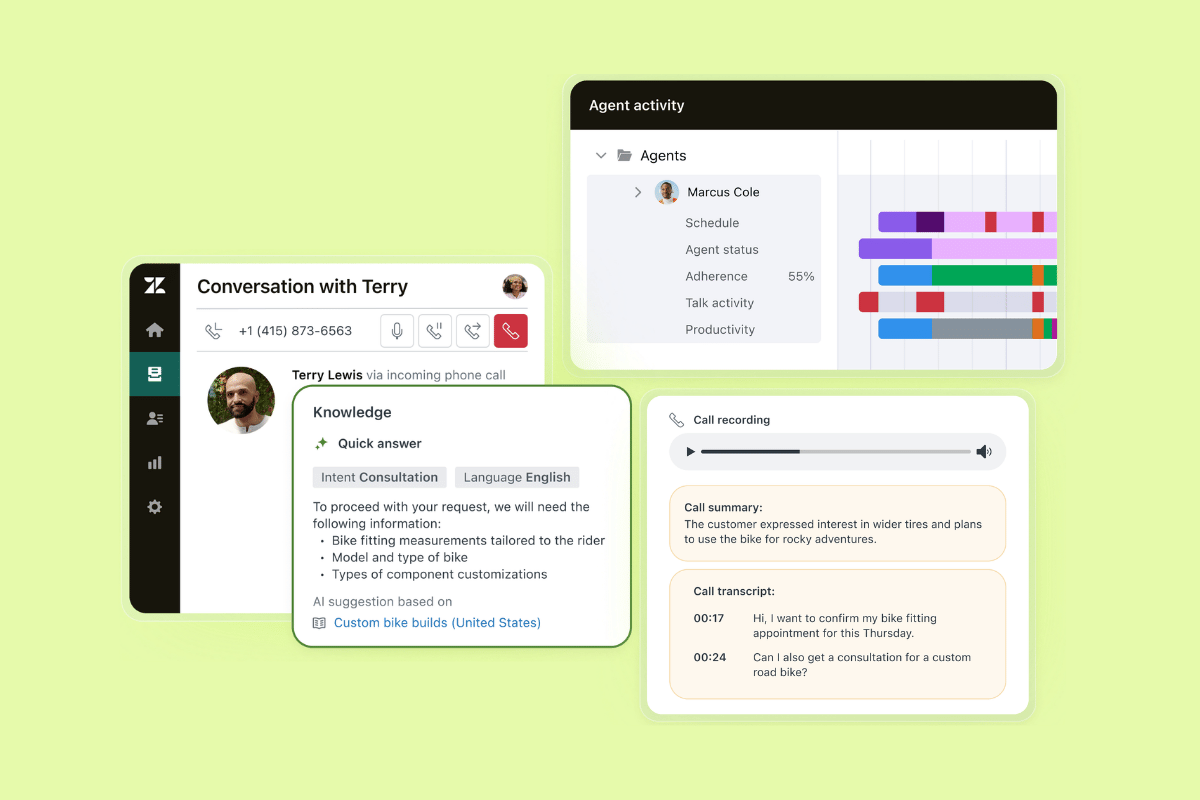
Zendesk is best for service teams that want AI agents, voice, digital support, workforce engagement management (WEM), and QA in one platform. Its omnichannel foundation keeps conversations, customer context, and service history connected across voice, messaging, email, help center, and other channels, giving agents a complete view of every interaction in the unified agent workspace.
With Voice AI Agents, knowledge-powered generative replies, and Voice Copilot as an add-on, Zendesk brings AI across the whole call journey. Voice AI Agents can handle routine calls, escalate to human agents when needed, and support multilingual service. Voice Copilot gives agents topic, sentiment, and summaries, while generative replies use trusted knowledge to suggest accurate responses.
Some of the pros of going with Zendesk include AI-powered WEM, native QA for AI agents (evaluates automated conversations), reasoning visibility, AI governance, and outcome-based pricing. Another positive is the built-in QA for human conversations, which gives teams visibility into service quality, automation performance, and coaching opportunities. Additionally, Zendesk runs on AWS cloud infrastructure, supporting a flexible, scalable setup for growing service teams.
Pros | Cons |
|
|
What people are saying:
- “I still really appreciate having cross channel support with email, calls, and chats all in one central platform. One thing I’ve continued to value is how easy it is to review a customer’s full ticket history, which helps provide better context and continuity when assisting them.” - Verified user, G2 review.
- “One of the things I like about Zendesk is how efficiently it manages customer queries through a centralized ticketing system. It allows support teams to track, prioritize, and resolve customer issues in an organized way, which improves overall response time and service quality.” - Verified user, G2 review.
- “I also enjoy the fact that Zendesk AI is able to propose answers to agents on similar tickets that have been previously dealt with.” - Verified user, G2 review.
2.Genesys Cloud CX
Best for large contact center managing complex operations
|
Starting price |
Free trial |
Key features |
|
$75 per agent/month (billed annually) |
30 days |
|
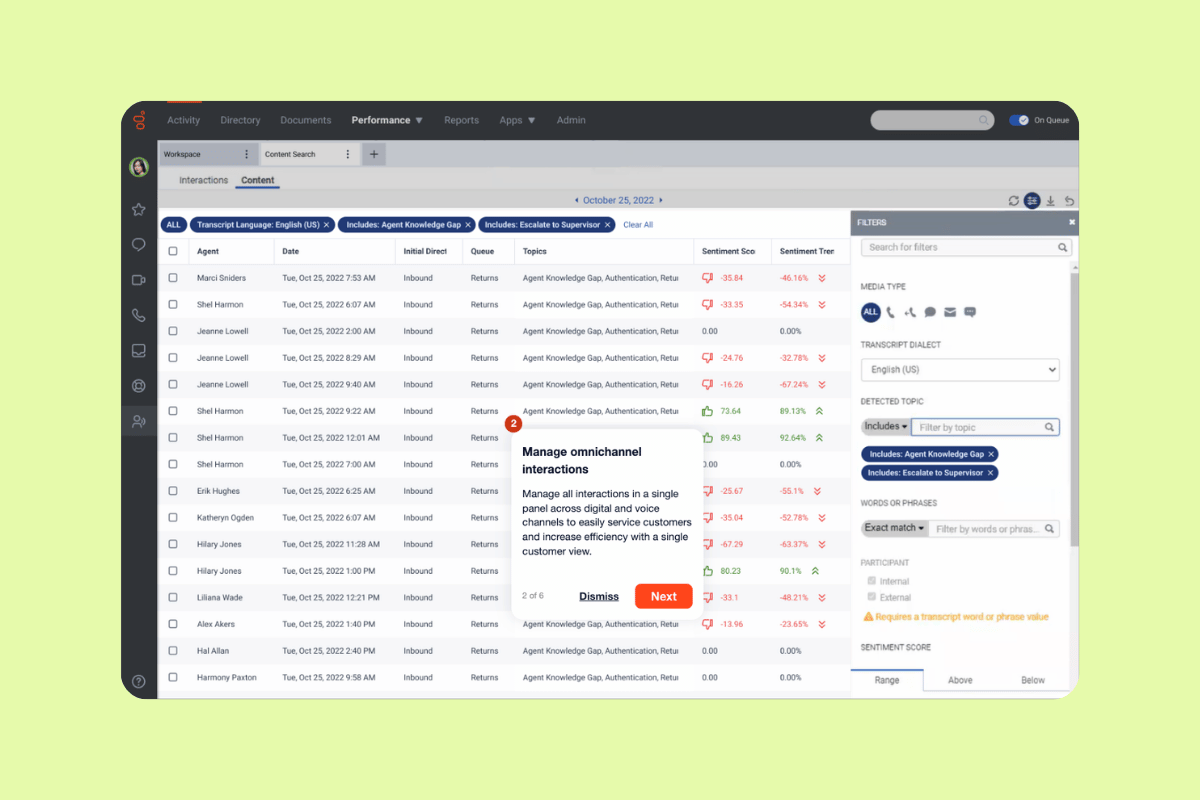
Genesys Cloud CX is an AI-powered experience orchestration platform for customer and employee interactions. It’s best for large contact centers managing complex operations, combining voice, digital channels, AI, WEM, journey management, routing, reporting, and open cloud architecture in one platform.
Genesys supports voice services, automatic call distribution, IVR, web messaging, email, social media, workforce forecasting, QA, journey analytics, and APIs. Users on G2 often praise its ease of use and flexibility, but some reviewers note a learning curve for new administrators and reporting limitations.
|
Pros |
Cons |
|
|
What people are saying:
- "The Open APIs, Architect (very user friendly), Scripts and embedded workspace allows very easy and flexible implementation." - Verified user, G2.
- "One of the biggest challenges with Genesys Cloud CX is the learning curve, especially around advanced capabilities like Architect, routing logic, and integrations." - Verified user, G2.
- "Also, some reporting and historical data views could be more straightforward you sometimes need extra clicks to get simple insights." - Verified user, G2.
Learn more: Discover how Genesys Cloud CX integrates with Zendesk and how Zendesk vs. Genesys Cloud CX compare.
3. NICE CXone
Best for advanced operational needs
|
Starting price |
Free trial |
Key features |
|
$110 per agent/month (billed annually) |
60 days |
|
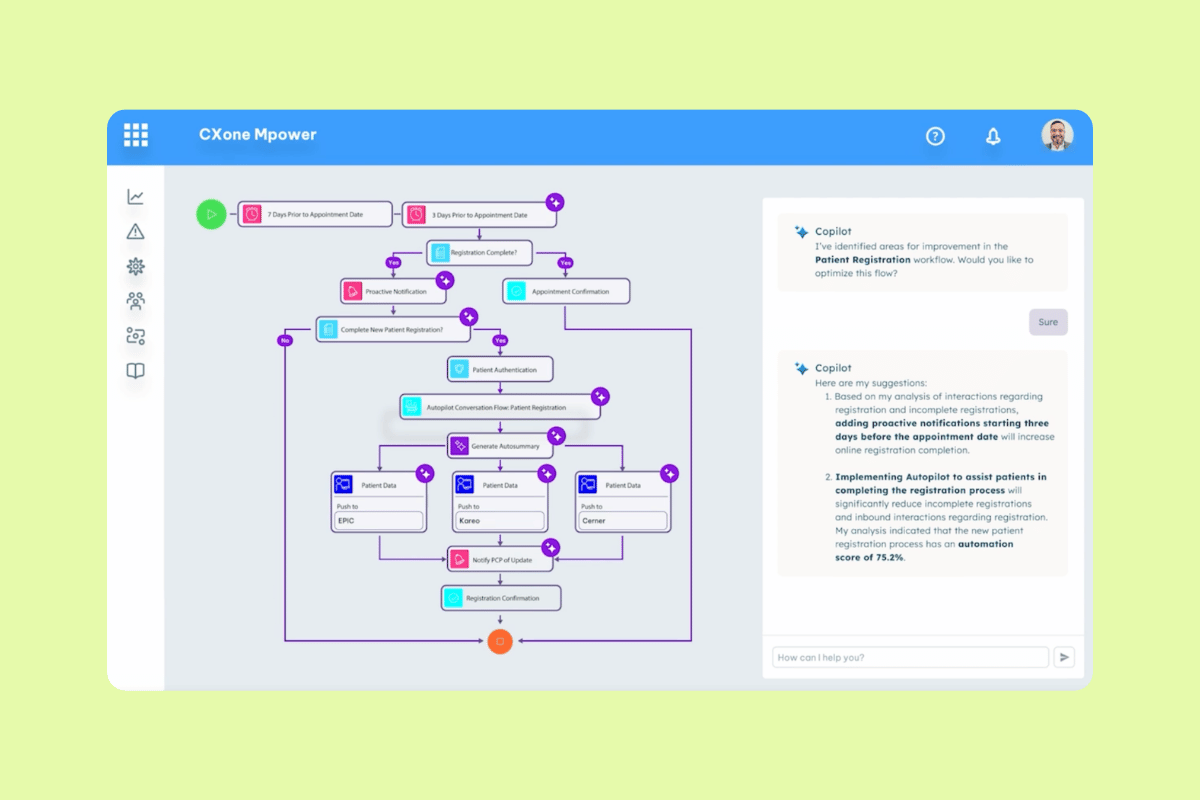
NICE CXone is a customer experience AI platform that brings customer data, people, and AI together for enterprise service operations. It’s best for teams with advanced operational needs because it includes customer engagement, workforce tools, AI assistance, cloud architecture, integrations, and security capabilities for large-scale contact centers.
The platform supports IVR, omnichannel routing, outbound engagement, workforce management, quality management, performance management, interaction analytics, and feedback management. G2 users note that NICE CXone can centralize communication tools and daily workflows, while some reviewers mention reporting complexity and occasional system glitches.
|
Pros |
Cons |
|
|
What people are saying:
- "It centralizes communication tools in one place, making it easier to manage customer interactions efficiently." - Verified user, G2.
- "While NiCE CXone Mpower is overall reliable, there are occasional delays when switching between features, and the reporting tools could offer more customization." - Verified user, G2.
- "It can be a bit difficult to use when the system is experiencing glitching." - Verified user, G2.
Learn more: Discover how NICE CXone integrates with Zendesk and how Zendesk vs. NICE CXone compare.
4. Talkdesk
Best for configurable contact center workflows
|
Starting price |
Free trial |
Key features |
|
Custom pricing |
15 days |
|
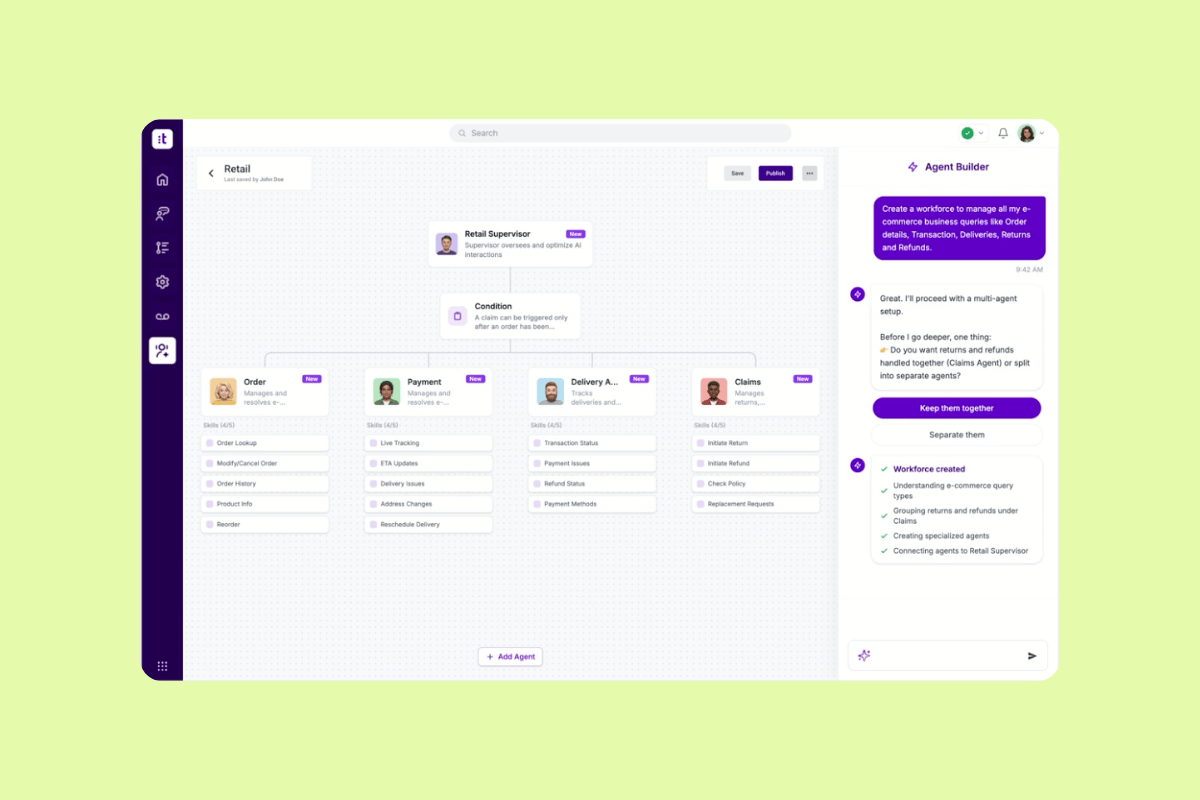
Talkdesk is a customer experience automation platform with AI agents that orchestrate customer journeys and execute service tasks. It’s best for configurable contact center workflows because teams can define goals, policies, and constraints while AI agents execute work across use cases like appointments, order tracking, travel notifications, and payment authorization.
Talkdesk supports multi-agent orchestration, workflow automation, omnichannel engagement, WEM, business intelligence, quality management, and interaction analytics. G2 users note that Talkdesk has an intuitive interface and useful call flow builder, while some reviewers mention freezing or restarts, higher costs, and a learning curve for advanced reporting or workflow automation.
|
Pros |
Cons |
|
|
What people are saying:
- "From a UI/UX perspective, the interface is extremely intuitive. The call flow builder, in particular, is a major strength—its drag-and-drop design makes it easy to design and modify IVR workflows without relying heavily on engineering teams." - Verified user, G2.
- "One downside of Talkdesk is that while the UI is generally clean, some advanced configurations (especially in reporting and call routing) can feel unintuitive and require a learning curve." - Verified user, G2.
- "Sometimes, there are issues with the program freezing or needing to be restarted. It's rare, but I've heard from some coworkers that they can't answer a phone call or have to restart their Talkdesk." - Verified user, G2.
Learn more: Discover how Talkdesk integrates with Zendesk and how Zendesk vs. Talkdesk compare.
5. Observe.AI
Best for conversation intelligence and QA insights
|
Starting price |
Free trial |
Key features |
|
Custom pricing |
30 days |
|
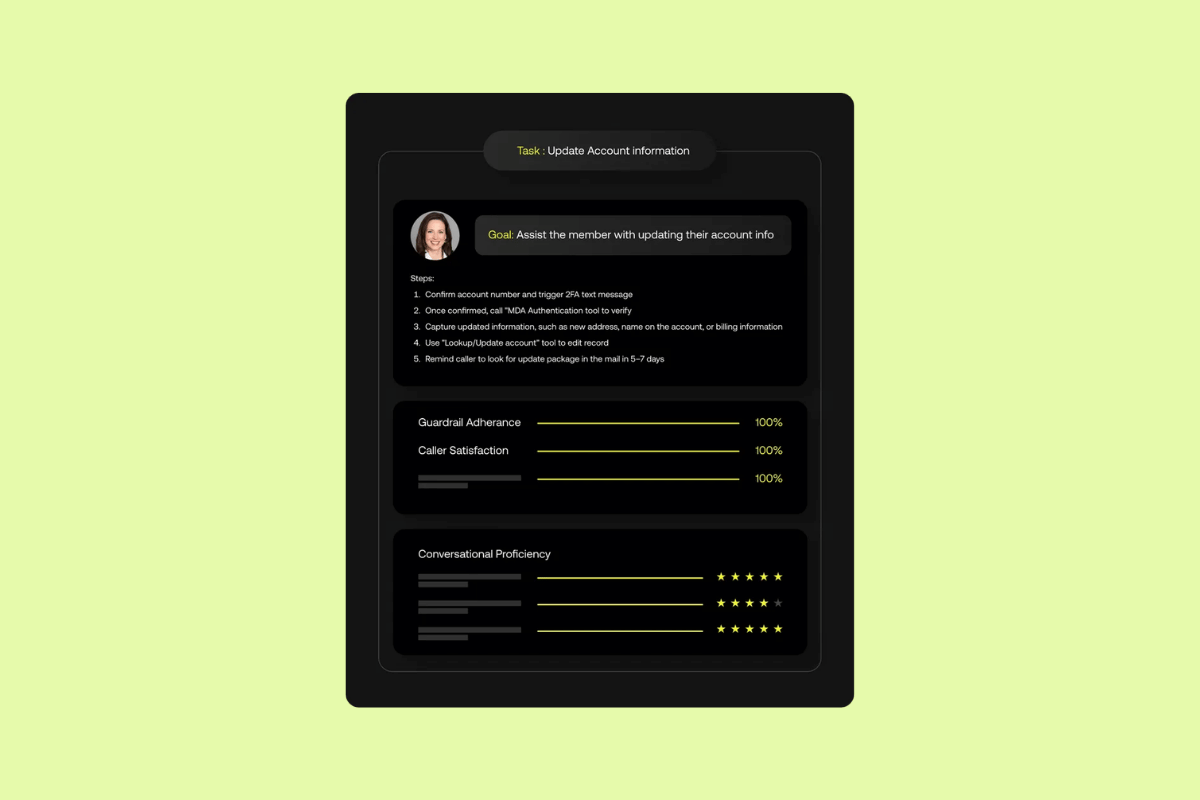
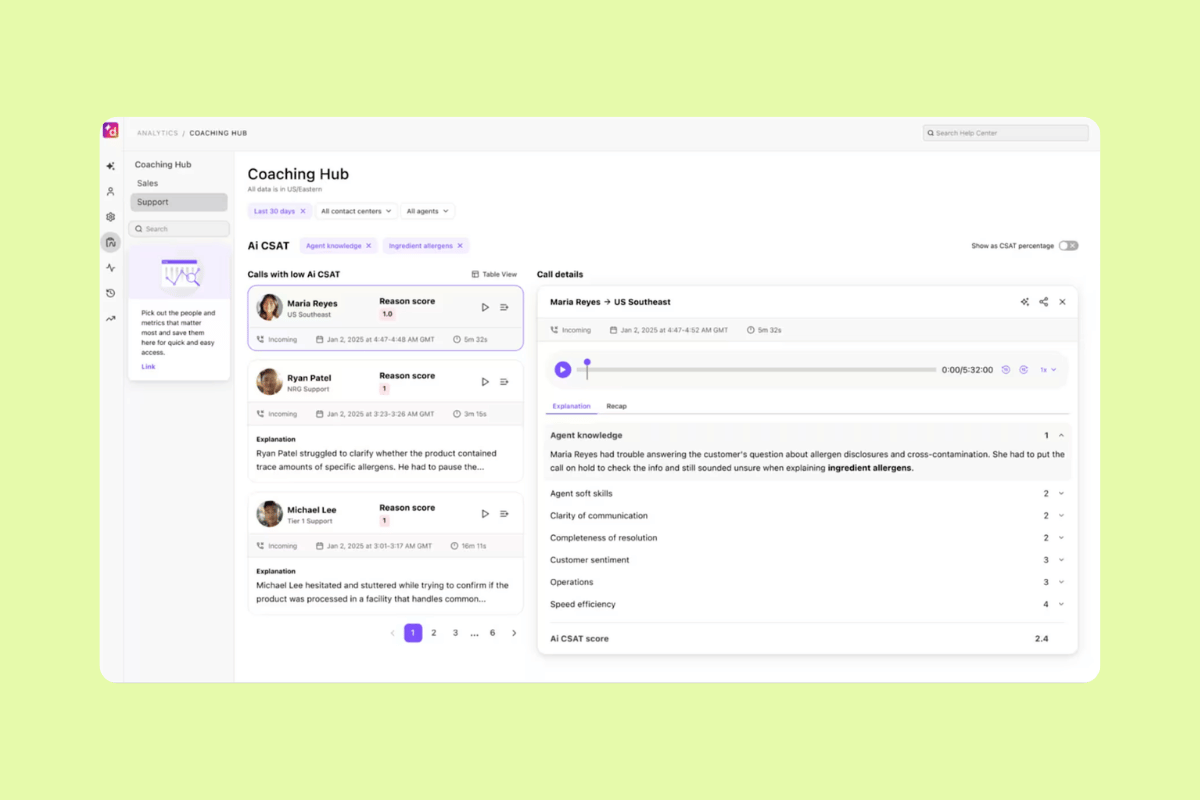
Observe.AI is an agentic customer experience platform that uses AI agents to support customer conversations, frontline teams, and operations. It’s best for conversation intelligence and QA insights, as it focuses on evaluating interactions, surfacing trends, generating coaching, and giving teams visibility into performance across human and AI agents.
Observe.AI’s feature set centers on improving contact center performance through analytics, quality management, and real-time agent assistance. Teams can use it to review conversations, automate QA, generate coaching insights, record screens, and connect performance data across contact center and CRM systems. G2 users often praise its ease of use, analytics, and coaching value, but some reviewers mention setup complexity, accuracy issues, and missing features.
|
Pros |
Cons |
|
|
What people are saying:
- "Observe.AI has an impressive customer interactions analytical capabilities, which gives us 100% visibility on efficiency and reliability." - Verified user, G2.
- "Some features can feel complex at first, and it takes time to fully learn and configure the platform to get the most value out of it." - Verified user, G2.
- "Some areas are not accurate for the user." - Verified user, G2.
6. Dialpad
Best for business communications and voice analytics
|
Starting price |
Free trial |
Key features |
|
Custom pricing |
14 days |
|
Dialpad is an agentic AI-powered contact center and communications platform for customer service and business conversations. Combining calling, messaging, meetings, AI transcription, AI summaries, action items, and real-time insights in a single app, Dialpad is best for business communications and voice analytics.
Dialpad supports AI agents, voice, chat, SMS, email, integrations, conversation intelligence, post-call automation, sentiment analysis, contact center analytics, and workforce management. G2 reviewers praise Dialpad Connect for ease of use and AI transcription, but some users report call quality issues and occasional connection problems.
|
Pros |
Cons |
|
|
What people are saying:
- "It’s easy to use, works across multiple devices, and the AI-powered features like call transcription and analytics really help improve productivity and communication efficiency." - Verified user, G2.
- "There are also occasional call quality issues depending on internet stability, and the interface, while modern, can take a bit of time to fully get used to." - Verified user, G2.
- "I find it frustrating that the app frequently experiences connection issues. These problems occur from time to time, which makes using it less enjoyable for me." - Verified user, G2.
Learn more: Discover how Dialpad integrates with Zendesk and how Zendesk vs. Dialpad compare.
How to choose the best AI call center automation solution
Choosing the best AI call center automation solution starts with knowing where automation will create the most value. Look for a platform that can improve speed, consistency, and resolution quality without creating disconnected workflows or frustrating escalations. The following guidelines are worth considering when evaluating options.
Start with customer pain points and success criteria
Start by identifying three to five high-volume requests that create the most friction for customers and agents. These may be billing questions, password resets, appointment changes, returns, order updates, or status checks.
Then, connect each use case to a measurable goal. For example, a password reset workflow might target higher containment rates, while a billing workflow might focus on improved first-contact resolution or lower repeat contact rates. This gives teams a clear way to evaluate whether automation is in fact improving the experience or just reducing volume.
Validate workflows, omnichannel continuity, and integrations
Test complete customer journeys before committing to a platform. A customer may start in chat, move to voice, and follow up by email, so your automation should preserve identity, context, and interaction history across channels.
It’s also important to validate agentic workflows that require the system to read and update customer records, trigger actions, or pass data between tools. Test ticket escalation quality, integration depth, and bi-directional data synchronization in realistic production environments. This reduces the risk of deploying automation that works in a demo but breaks down during real customer interactions.
Evaluate security, compliance, and total cost of ownership
AI call center automation solutions must meet your organization’s privacy, security, and compliance requirements. Assess standards such as GDPR, HIPAA, PCI DSS, and SOC 2, along with AI-specific controls like personally identifiable information (PII) redaction, audit logs, data residency, retention policies, and role-based permissions.
Pricing can also vary widely once usage scales. Compare subscription costs, telephony fees, AI consumption, outcome-based pricing, implementation services, and peak-volume scenarios. A lower entry price may become expensive if you need add-ons, custom integrations, or professional services to support your core workflows.
Pilot, measure ROI, and avoid common rollout mistakes
Start with a focused proof of concept before expanding AI automation into more channels or use cases. A phased rollout gives teams time to test accuracy, train agents, refine knowledge, and build customer trust. Track metrics such as containment rate, average handle time (AHT), first-contact resolution (FCR), customer satisfaction (CSAT), Net Promoter Score (NPS), escalation rate, and repeat contact rate.
Additionally, avoid common mistakes like relying on demos alone, automating complex edge cases first, ignoring feedback loops, or making human escalation difficult. The strongest automation programs improve over time by learning from both AI and human interactions.
Frequently asked questions
Scale AI-powered call center automation with Zendesk
The best AI call center automation solutions improve customer effort and satisfaction by automating routine work, preserving context across channels, and escalating complex issues to human agents seamlessly. Zendesk brings voice, AI agents, agent assistance, QA, analytics, and digital channels into one unified CX platform, so teams can pilot automation quickly, measure impact on CSAT, FCR, and AHT, and scale AI-powered service with confidence.
Paulette Chafe
Senior Director of Product Marketing at Zendesk
Paulette leads Contact Center Marketing at Zendesk. She is a strategic marketing leader with deep experience in the technology space and a proven track record of delivering results and driving impact. Passionate about technology, especially AI, and applying it to amplify work, sharpen strategies, and increase efficiency, she believes marketing’s role is simple: create value, tell a compelling story, and drive results. Before Zendesk, she led marketing strategy and insights for some of the world’s largest agencies and brands, including Grey Worldwide, J. Walter Thompson, Hearts & Science, and IBM Interactive Experience.
tierThree:share_the_story
Related AI call center automation solution guides
Explore related guides on AI call center software, voice automation, AI agents, and strategies for improving customer service efficiency and resolution rates.