Top 6 AI tools for proactive customer support in 2026
Learn how proactive customer support helps teams prevent problems, reduce effort, and deliver faster, more personalized service.



Candace Marshall
Vice President of Product, AI and Automation at Zendesk
最後更新: October 14, 2026
What is proactive customer support?
Proactive customer support means anticipating customer needs and solving issues before they ask for help. Instead of waiting for a customer to reach out, businesses use AI, automation, and context to prevent problems and reduce effort. This shift changes the role of support. Rather than reacting after something goes wrong, teams step in earlier to guide customers and improve the experience before an issue escalates. That’s the main difference between proactive and reactive support: in reactive support, the customer makes the first move, while in proactive support, the business does.
Why AI is essential for proactive customer support
Fast responses aren't exceptional anymore—they're the standard. AI is changing customer expectations, making proactive customer support essential. Teams need tools that can detect issues early, understand context, and act before friction turns into churn. Zendesk’s 2026 CX Trends Report shows why: 85% of CX leaders say memory-rich AI agents will be key to truly personalized journeys and 85% say customers will drop brands over unresolved issues.
That’s why the best tools offer automation, predictive insights, and conversational AI to reduce effort, speed up resolution, and strengthen customer loyalty. The best AI tools for proactive customer support do more than automate simple tasks. They combine trusted knowledge, actionable insights, and flexible workflows to help teams prevent issues, not just respond to them.
In short, the right AI tool doesn’t just solve problems faster—it stops them in their tracks. Keep reading to discover the best AI tools for delivering proactive customer support.
More in this guide:
- What makes an AI customer support tool proactive?
- AI tools for proactive customer support: Side-by-side comparison
- 6 best AI tools for proactive real-time customer support
- How to evaluate AI tools for proactive customer support
- Other AI tools for proactive customer support
- Real-world examples of AI in proactive customer support
- Frequently asked questions
- Deliver smarter, proactive service with Zendesk
What makes an AI customer support tool proactive?
Proactive customer support requires more than automation. The best AI tools identify risks, anticipate customer needs, and take action before customers need to ask for help.
When evaluating proactive AI, look for capabilities such as predictive insights, intelligent routing, autonomous resolution, workflow automation, contextual recommendations, and real-time customer signals. Together, these features help teams prevent issues, reduce customer effort, and deliver more seamless service experiences.
AI tools for proactive customer support: Side-by-side comparison
Not all AI tools support proactive customer service in the same way. Some help teams automate conversations, while others surface insights, guide agents, or prevent issues before they escalate. The best tools combine speed, context, and flexibility to reduce customer effort and improve loyalty. Here’s a side-by-side look at the top proactive customer support options available.
|
Software |
Best for |
Starting price |
Free trial |
|
Zendesk |
Complete, out-of-the-box proactive customer support |
$19 per agent/month (billed annually) |
14 days |
|
HubSpot |
CRM-connected service teams |
$20 per agent/month |
14 days |
|
Ada |
Standalone AI automation use cases |
Custom pricing |
14 days |
|
Gorgias |
Ecommerce support automation |
$40 per month |
7 days |
|
Intercom |
Teams prioritizing simplicity over operational depth |
$0.99 per resolution (billed annually) |
14 days |
|
Balto |
Real-time agent guidance in contact centers |
Custom pricing |
Not available |
6 best AI tools for proactive real-time customer support
The best AI tools for proactive support help teams detect risk early, personalize service, and resolve issues with less effort. But not every platform is built for the same use case or level of complexity. The tools below offer different strengths, from automation and analytics to conversational support and agent guidance. We've broken down each platform's features, pricing, and pros and cons, to help you make an informed decision.
- Zendesk: Best for complete, out-of-the-box proactive customer support
- HubSpot: Best for CRM-connected service teams
- Ada: Best for enterprise AI agent automation
- Gorgias: Best for ecommerce support automation
- Intercom: Best for AI-first support teams
- Balto: Best for real-time agent guidance in contact centers
1. Zendesk
Best for complete, out-of-the-box proactive customer support
|
Starting price |
Free trial |
Key features |
|
$19 per agent/month billed annually Explore more Zendesk pricing plans. |
14 days |
|
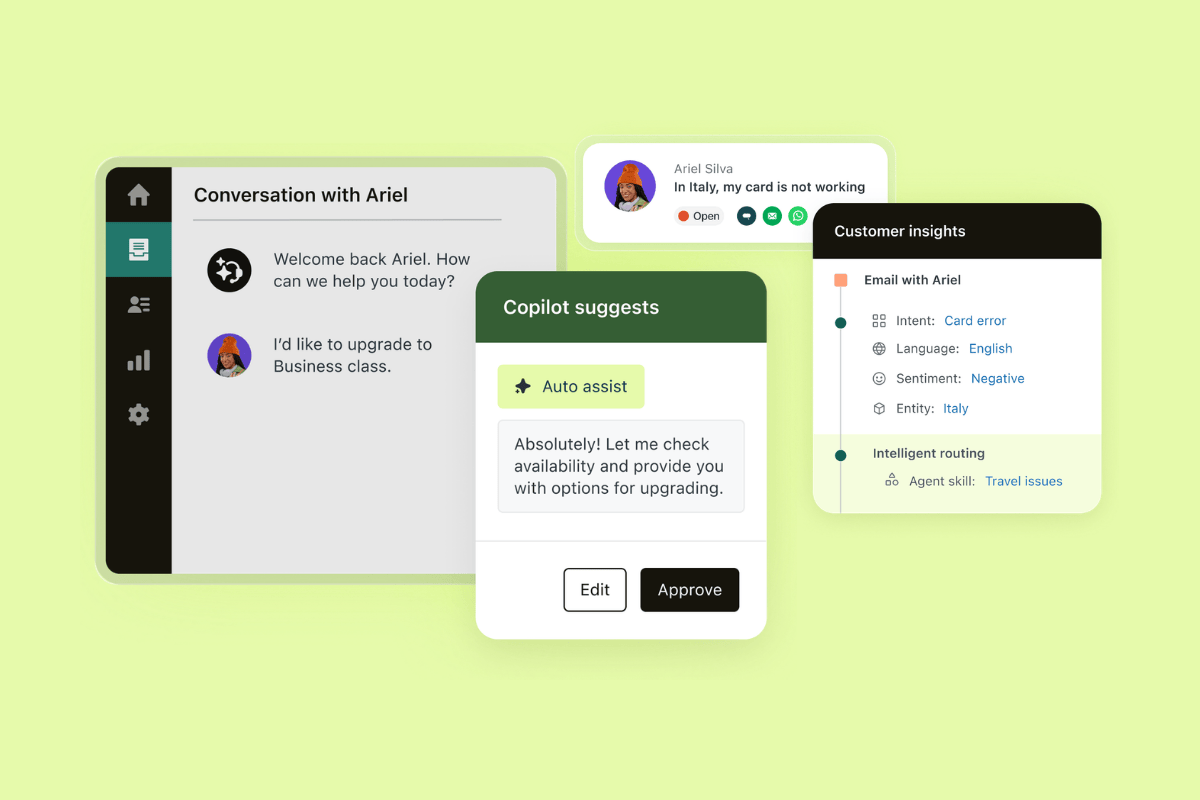
Zendesk is the best fit for teams that want proactive customer support without having to piece together multiple tools. Purpose-built for CX, Zendesk brings autonomous AI agents, AI Copilot, knowledge, QA, analytics, and workforce tools into one connected platform. This gives teams a faster path to value and a more complete proactive support strategy. With Zendesk, automation is built in, not bolted on, so teams can launch faster and resolve more without adding complexity.
But what makes Zendesk stand out is how many proactive workflows it supports out of the box. Intelligent triage uses intent, sentiment, and language detection to route issues faster. Meanwhile, self-improving AI agents resolve complex, multi-step workflows across channels and connected systems. With adaptive reasoning, natural-language procedures, built-in QA, and analytics, they improve with every resolution and help teams expand automation with more control.
Zendesk’s Agent Copilot also gives agents more proactive support. Auto assist suggests the next best action and can act on an agent’s behalf after approval. Combined with suggested replies, summarization, proactive messaging triggers, AI-powered help desk content, and Zendesk WFM forecasting, it helps teams prevent issues, reduce effort, and deliver more personalized service across channels.
Zendesk makes AI easier to launch and tailor. Teams can get started quickly, then personalize experiences with custom instructions, persona controls, natural-language procedures, and flexible workflows. NOBULL used Zendesk AI to automate repetitive support while maintaining its brand voice and improving customer flows. More than 20,000 customers use Zendesk AI, which reinforces its scale and credibility.
Two of Zendesk’s biggest advantages are its complete CX-native platform and its flexible, fast setup for proactive support. Combining depth, speed, and customization in one customer service software platform, Zendesk is the strongest choice for complete, out-of-the-box proactive customer support. Start a free trial or request a demo.
|
Pros |
Cons |
|
|
What people are saying:
- “One of the things I like about Zendesk is how efficiently it manages customer queries through a centralized ticketing system. It allows support teams to track, prioritize, and resolve customer issues in an organized way, which improves overall response time and service quality.” - Verified user, G2 review.
- “The interface remains clean and intuitive, making it easy for new team members to get up to speed quickly.” - Verified user, G2 review.
- “Another big advantage is the flexibility and customization. You can tailor views, forms, and workflows to match your support structure.” - Verified user, G2 review.
2. HubSpot
Best for CRM-connected service teams
|
Starting price |
Free trial |
Key features |
|
$20 per agent/month |
20 days |
|
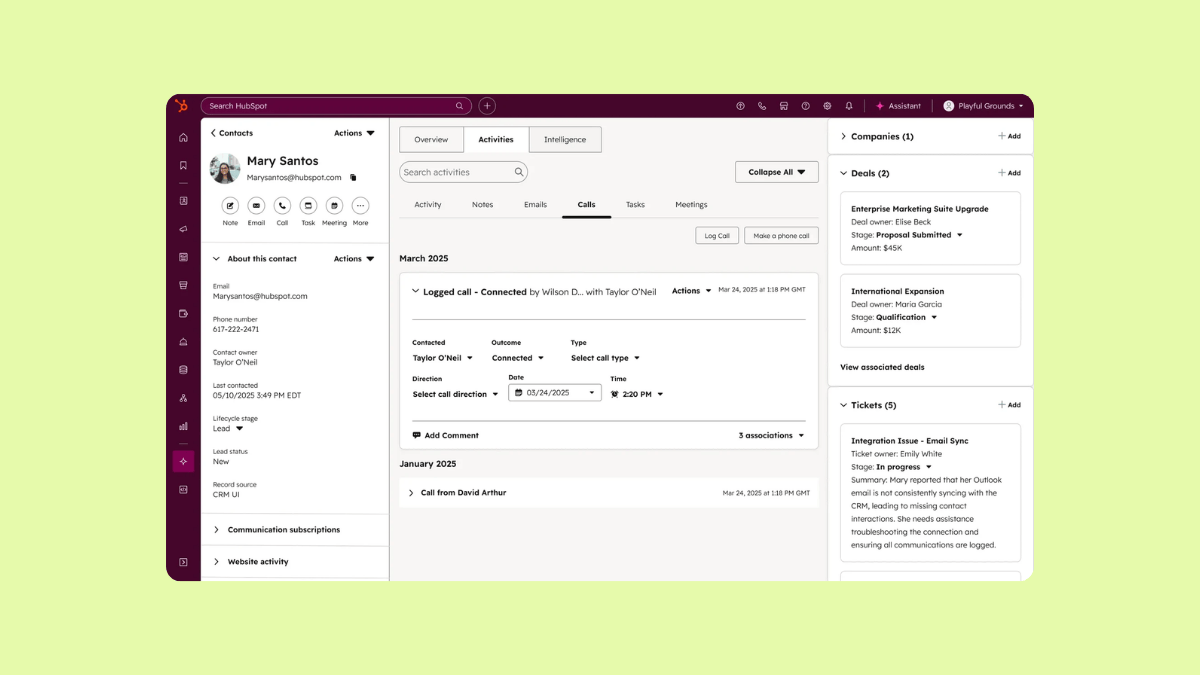
HubSpot Service Hub is HubSpot’s customer service software, built to help teams manage support inside the same platform as their CRM. The AI-powered service platform offers a help desk, customer agent, knowledge base, customer portal, and feedback tools designed to scale support and improve retention. Its capabilities focus on connecting service workflows to customer records and self-service.
HubSpot offers a shared inbox, ticketing, live chat, and automation capabilities. Users often praise its ease of use and CRM visibility, while common drawbacks include limited customization and missing advanced features on lower tiers, leading to higher costs as companies scale. Overall, HubSpot is a good fit for teams that want service closely connected to CRM workflows.
|
Pros |
Cons |
|
|
What people are saying:
- “It’s easy to use, simple to implement, integrates well with the tools I already use and offers enough features to support my day-to-day customer interactions at no cost.” - Verified user, G2 review.
- “Some of the customization options feel more limited than I’d like, especially when trying to tailor views or build more advanced workflows.” - Verified user, G2 review.
- “A few features that seem essential require jumping up to higher subscription tiers, which can make scaling costly.” - Verified user, G2 review.
Learn more: Discover how HubSpot integrates with Zendesk and how Zendesk vs. HubSpot compare.
3. Ada
Best for standalone AI automation use cases
|
Starting price |
Free trial |
Key features |
|
Custom pricing |
14 days |
|
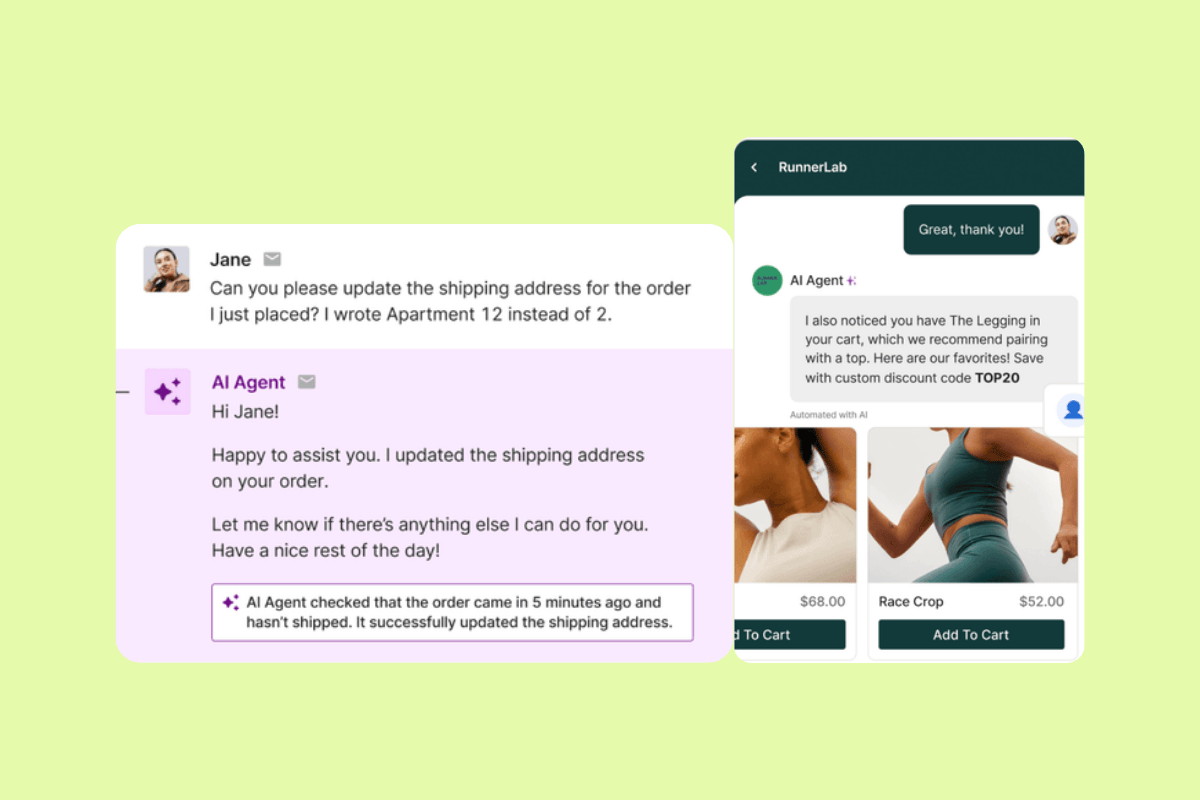
Ada is an AI customer service platform focused on building, deploying, and optimizing AI agents. It works across chat, email, voice, and social channels. The platform features autonomous resolution, omnichannel support, and enterprise security. Its AI agents can hand off to human agents when needed and connect to external systems through integrations and API-driven actions.
Ada is best for standalone AI automation use cases. Its strengths center on AI agent automation rather than a broader CX platform, with features for voice AI, messaging, email automation, coaching, and omnichannel deployment. Users often praise its automation and ease of use, while common drawbacks point to more manual setup and limits in dynamic workflow logic. Teams looking for targeted AI automation may find it a strong fit, while those that need a more complete out-of-the-box CX platform may require additional tools.
|
Pros |
Cons |
|
|
What people are saying:
- “The product is easy to use and delivers rapid results, enhancing our operational efficiency.” - Verified user, G2 review.
- “While Ada’s platform is powerful and user-friendly, it can feel a bit limited when it comes to building more dynamic workflows or adapting the conversation logic automatically based on user intent.” - Verified user, G2 review.
- “The setup process for flows sometimes requires more manual work and testing than expected, especially when compared to platforms that offer stronger built-in discovery features or self-optimizing flows.” - Verified user, G2 review.
4. Gorgias
Best for ecommerce support automation
|
Starting price |
Free trial |
Key features |
|
$40 per month |
7 days |
|
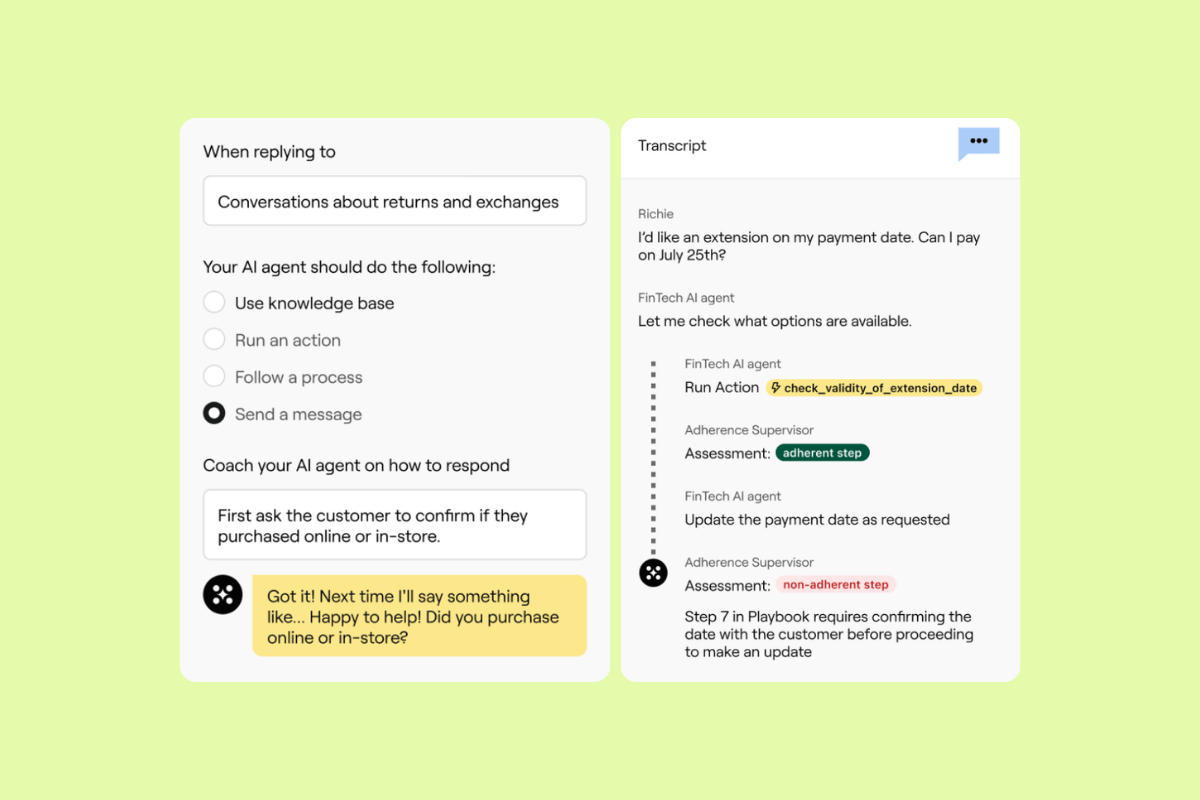
Gorgias is an AI-powered helpdesk and conversational AI platform built for ecommerce brands. Gorgias positions itself around support and sales, with tools that help teams manage customer conversations, automate repetitive inquiries, and work from one unified view across channels. It also emphasizes deep ecommerce integrations, especially for Shopify-based workflows.
Its capabilities are geared toward online retail operations. The main highlights include AI agent, order management, proactive chat campaigns, and omnichannel support. There are also integrations that enable teams to edit orders, access product data, and respond without leaving the helpdesk. Users often praise its ease of use and Shopify integration, while common drawbacks include limited reporting and some fine-tuning for advanced features. This makes Gorgias a strong fit for ecommerce teams that want store-connected support automation.
|
Pros |
Cons |
|
|
What people are saying:
- “The platform itself is clear and easy to use [...].” - Verified user, G2 review.
- “The reporting suite is super limited. It'd be good to be able to make custom queries.” - Verified user, G2 review.
- “[...] some of the more advanced automation and reporting features can take a bit of fine-tuning to get exactly right [...].” - Verified user, G2 review.
Learn more: Discover how Gorgias integrates with Zendesk and how Zendesk vs. Gorgias compare.
5. Intercom
Best for teams prioritizing simplicity over operational depth
|
Starting price |
Free trial |
Key features |
|
$0.99 per resolution (billed annually) |
14 days |
|
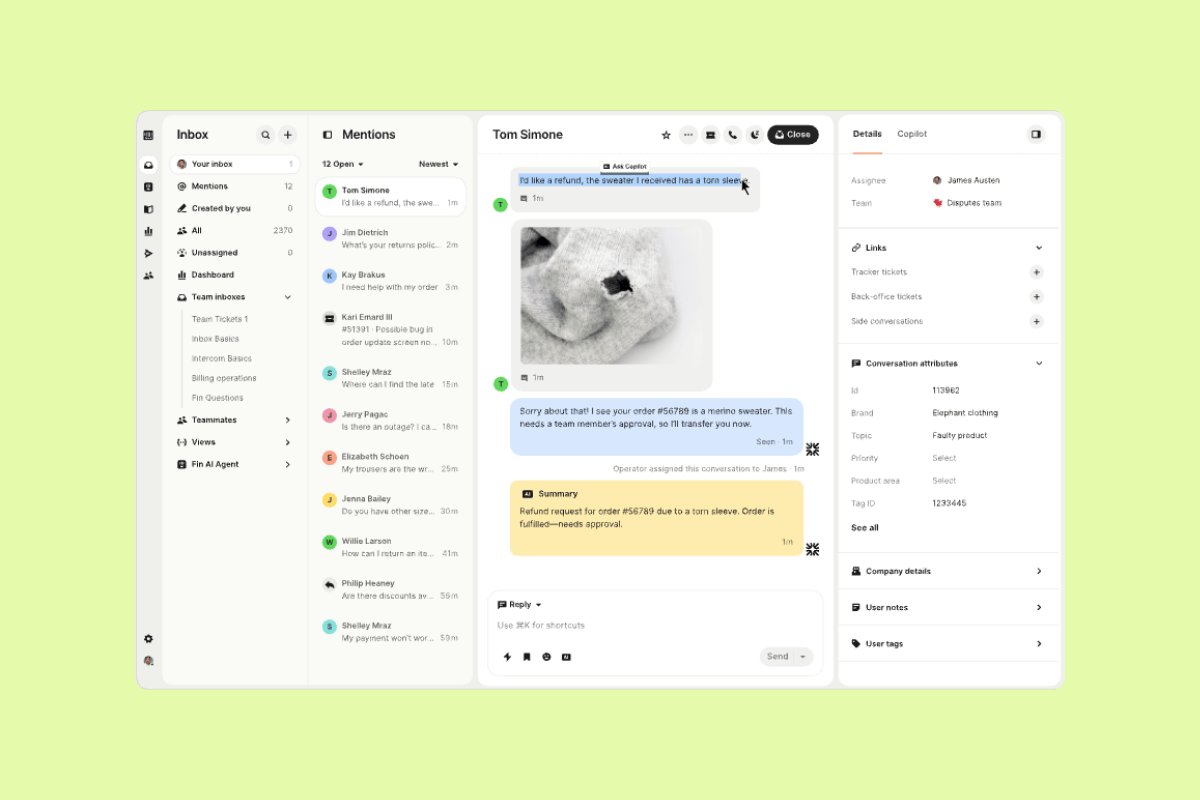
Intercom is a customer service platform centered on its Fin AI agent and next-generation help desk. It focuses on AI-led support, agent assistance, and messaging-first service, with features such as ticketing, Copilot, and reporting. The platform can work well for teams that want a chat-centric support setup with strong AI visibility. Still, businesses that need deeper customization, broader operational tooling, or a more complete service platform may need additional solutions.
Users on G2 reviews often praise Intercom's efficiency and knowledge-base integration, while common drawbacks include pricing, a steep learning curve, and limitations on complex queries. All this makes Intercom a good fit for teams prioritizing simplicity over operational depth.
|
Pros |
Cons |
|
|
What people are saying:
- “The ease of tailoring the platform to our needs makes it possible to handle repetitive questions efficiently, which frees up time for our small team.” - Verified user, G2 review.
- “While Fin performs well, the pay-per-resolution approach makes costs hard to predict at higher volumes and can become expensive as AI adoption and resolution rates increase.” - Verified user, G2 review.
- “[...] I've managed workflows since then and I find the process to be a little bit confusing.” - Verified user, G2 review.
Learn more: Discover how Zendesk vs. Intercom compare.
6. Balto
Best for real-time agent guidance in contact centers
|
Starting price |
Free trial |
Key features |
|
Custom pricing |
Not available |
|
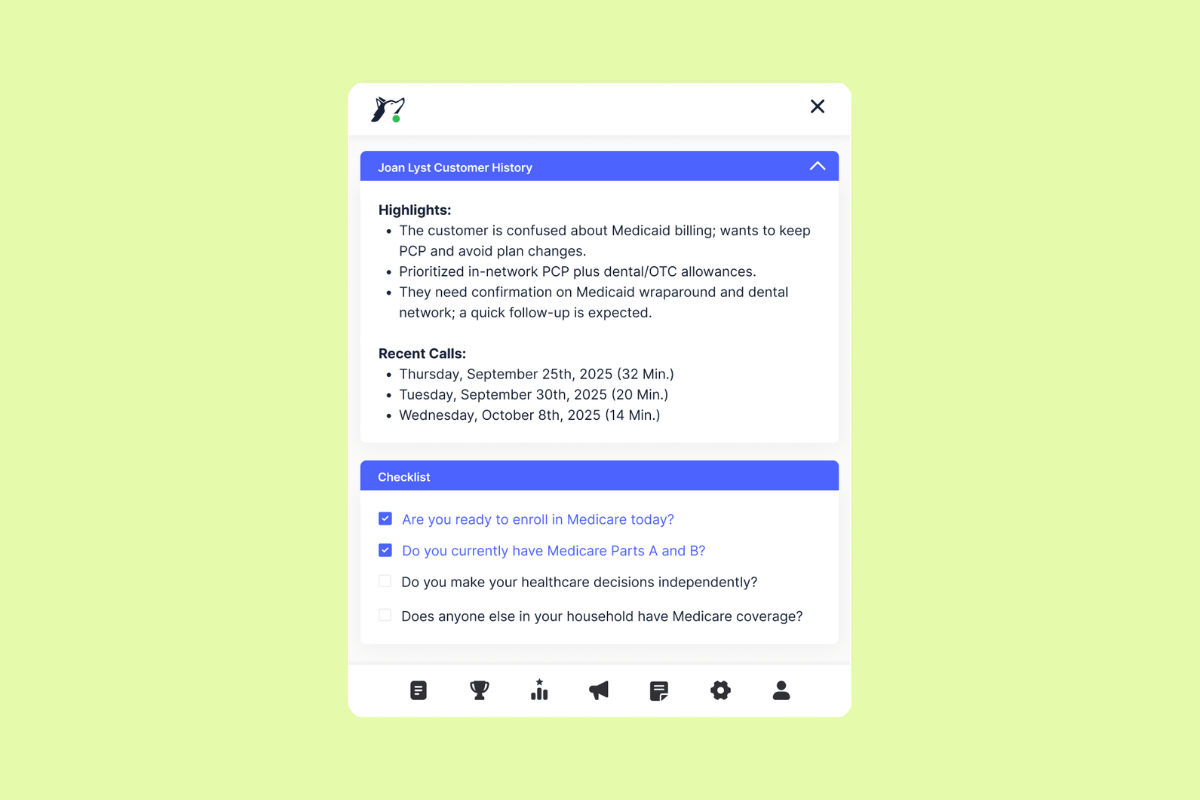
Balto is a contact center AI software solution focused on guiding agents during live conversations. Its main features include real-time agent assist, automated QA, coaching, call summarization, compliance, and business insights. Balto also prioritizes voice-first support and in-the-moment guidance for contact center teams.
Balto’s focal point is helping agents stay on track while managers monitor quality and coaching opportunities. G2 reviewers commonly highlight Balto's easy setup and real-time guidance, while drawbacks include accuracy issues and the lack of a free trial. Overall, Balto is a strong fit for contact centers that want live agent guidance more than a full CX platform.
|
Pros |
Cons |
|
|
What people are saying:
- “I'm also quite pleased with how easy the initial setup was, it was extremely easy.” - Verified user, G2 review.
- “Sometimes you do have to say things loud, clear and verbatim in order for Balto system to pick up on the accuracy of your call.” - Verified user, G2 review.
- “Occasionally, the suggestions may not fit the context perfectly, which can lead to awkward interactions.” - Verified user, G2 review.
How to evaluate AI tools for proactive customer support
Not every AI platform is designed for proactive service. As you compare solutions, focus on the capabilities that have the biggest impact on customer experience, operational efficiency, and long-term scalability.
Evaluate each platform based on its:
- Proactive capabilities
- Deployment speed
- AI agents and copilot capabilities
- Workflow automation
- Integration capabilities
- Governance and security
- Analytics and reporting
- Omnichannel support
- Operational complexity
- Time-to-value
The right platform should improve customer experiences, reduce customer effort, and deliver measurable business outcomes—not simply offer the longest feature list.
Other AI tools for proactive customer support
A few other AI tools are worth noting for teams with more specialized needs. Unlike full customer service suites, these platforms focus on narrower use cases such as enterprise workflow automation, voice-of-the-customer analytics, and contact center intelligence.
|
Software |
Focus |
Free trial |
|
Leena AI |
Enterprise workflow automation across IT, HR, finance, and procurement. |
Available |
|
Clootrack |
Voice-of-the-customer and CX analytics that surface sentiment, trends, and emerging issues. |
14 days |
|
Level AI |
Contact center intelligence, real-time agent assist, QA, coaching, and AI virtual agents. |
Not available |
Real-world examples of AI in proactive customer support
AI is helping support teams move from reacting to problems to preventing them. In practice, this means identifying risks earlier, routing issues more accurately, and resolving routine requests before they escalate. Let's take a closer look at real-world examples of using AI in proactive customer support.
Intelligent conversations that prevent issues before they escalate
AI agents can do much more than chatbots that just follow a script. They understand context, recognize intent, and use customer history to guide each interaction toward a faster resolution. Agentic AI helps teams proactively engage customers based on behavior or risk signals, then follow dynamic procedures that adapt in real time instead of relying on rigid flows.
Additionally, AI agents can ask clarifying questions, take action across systems, and steer customers toward the right outcome before an issue worsens. If necessary, the AI agent can hand the conversation off with context to a human agent, who can step in quickly using AI Copilot for next-best-action guidance, summaries, and suggested responses.
Automation that eliminates repetitive work across the support journey
AI helps teams eliminate repetitive work before it turns into a backlog. AI automates routine inquiries, reduces manual triage, and routes tickets based on intent and priority, so requests move faster from the start. This speeds up response times while easing pressure on agents and reducing operational bottlenecks.
Some platforms—like Zendesk—also pair automation with intelligent triage, suggested responses, and AI-powered summarization, which helps agents work more efficiently when human support is needed. The result is a more proactive support operation that prevents queue buildup, improves productivity, and lowers support costs.
Real-time agent intelligence and knowledge acceleration
AI helps agents work faster by turning knowledge and historical support data into guidance they can use in the moment. With AI Copilot, agents can quickly find relevant information, view suggested responses, and see the next best action without switching between multiple systems.
Zendesk also uses AI-powered summarization to reduce manual work and help agents move through conversations with more speed and consistency. This means shorter resolution times, more accurate answers, and a smoother experience for customers. Rather than replacing agents, AI acts as an assistive layer that helps them deliver better support with more confidence.
Predictive insights powered by data, NLP, and machine learning
Proactive support depends on AI that can detect patterns before they become bigger issues. Using technologies like sentiment detection, natural language processing, and machine learning, AI can identify at-risk customers, recognize urgency, and help teams prioritize the right conversations faster.
These models improve over time by learning from past interactions, resolutions, and customer behavior. This gives support teams a clearer view of where friction is building and where intervention is needed most. In turn, predictive insights help reduce churn, strengthen loyalty, and support long-term customer retention.
Frequently asked questions
Deliver smarter, proactive service with Zendesk
Upgrade to proactive support with Zendesk. Use intelligent automation and real-time insights to resolve issues before they escalate. With AI, automated workflows, and omnichannel tools all within one platform, you can act faster without added complexity. Start quickly and deliver smarter, more proactive customer experiences from day one.
Candace Marshall
Vice President of Product, AI and Automation at Zendesk
Candace Marshall is a product marketing leader at Zendesk, where she heads AI product marketing across AI Agents, Copilot, and core service offerings. She is passionate about transforming customer insights into strategies that create real business impact, and her team delivers end-to-end go-to-market programs that bring Zendesk’s AI vision to life. Before Zendesk, Candace spent nearly a decade at LinkedIn, building and leading product marketing for its rapidly scaling Marketing Solutions division.
tierThree:share_the_story
Related AI tools for proactive customer support guides
Discover more expert resources and thought leadership to stay ahead in the evolving world of AI-powered customer support.