21 best customer service software for 2026
Compare the top customer service platforms by AI, channels, ticketing, analytics, pricing, and ease of use to find the right customer service system for your team.



Mozhdeh Rastegar-Panah
Senior Director, Product Marketing
最後更新: October 14, 2026
What is customer service management software?
Customer service management software centralizes customer questions, requests, and conversations across channels. Teams use it to route tickets, support agents, automate workflows, deliver self-service, and measure performance.
A customer service platform brings email, messaging, live chat, phone, social media, and self-service into one workspace. Agents can view customer context, prioritize requests, collaborate with teammates, and manage every interaction from a single system.
How we evaluated customer service management software
Customer expectations are rising fast. According to the 2026 Zendesk Customer Experience Trends Report, 70 percent of consumers see a clear gap between companies that use AI well and those that don’t. To help you keep up, we’ve created a list of the best customer service solutions to guarantee top-tier customer experience (CX).
To build this list and rank each company, we considered the following:
- Verified user feedback from G2 reviews
- Publicly available product information
- Point-by-point feature comparison between platforms
We looked beyond just the number of features to assess how each solution supports the outcomes modern teams need most: faster resolutions, consistent customer experiences, agent productivity, and long-term scalability.
Our evaluation focused on core customer service software criteria, including:
- AI and automation: We assessed AI agents, workflow automation, routing, and agent assistance.
- Channel coverage: We evaluated support for email, messaging, live chat, social, voice, and self-service.
- Ticketing: We reviewed how each platform organizes, routes, prioritizes, and tracks customer requests.
- Knowledge management and self-service options: We assessed tools for creating accurate support content across knowledge bases, search, AI grounding, customer portals, and self-service experiences.
- Analytics: We evaluated reporting for performance, customer trends, service quality, dashboards, and operational visibility.
- Integrations: We reviewed connections with CRMs, collaboration tools, commerce platforms, and business systems.
- Security: We assessed access controls, compliance features, data protection, and governance capabilities.
- Ease of use and deployment effort: We considered setup time, usability, admin effort, and technical complexity.
- Commercial fit: We considered starting price, pricing model, add-ons, and trial or demo availability.
These criteria shaped the platforms we included and the “best for” labels used throughout the guide.
We also considered the tradeoffs buyers may face during implementation. Some tools offer deep customization but require more technical setup. Others are easier to launch but may have narrower reporting, automation, integration, or scalability options. By weighing product capabilities alongside third-party customer feedback, we curated a balanced view of the strengths and limitations of each platform.
In this guide, we’ll break down what to look for and review the best solutions so you can find the right fit for your business.
More in this guide:
- Best customer service software comparison chart
- The 21 best customer service software
- Features of customer service tools
- Benefits of customer support software
- Different types of software for customer support
- How to choose the right customer service management software
- Frequently asked questions
- A smarter way to run customer service at scale
Best customer service software comparison chart
We've compiled a list of the best customer service software for 2026. Our comparison chart offers swift insights into pricing, free trial options, and key features to help you make informed decisions that align with your customer support needs.
| Software | Best for | G2 rating | Starting price | Trial/demo | Standout capabilities |
|---|---|---|---|---|---|
| Zendesk | AI service at scale | 4.3/5 | From $19/agent/month, billed annually | 14 days | AI agents, omnichannel, knowledge, analytics, QA |
| Fin by Intercom | Conversational support | 4.5/5 | $0.99 per resolved outcome; Intercom seat pricing varies by plan | 14 days | AI agent, inbox, messenger, help center |
| Agentforce Service by Salesforce | CRM-connected service | 4.4/5 | From $25/user/month | 30 days | Case management, CRM context, automation |
| Front | Shared inbox collaboration | 4.7/5 | From $25/seat/month | 14 days | Inbox, collaboration, knowledge |
| Tidio | Small-business chat and AI | 4.6/5 | From $29/month | 7 days | Lyro AI, chat, flows |
| Bitrix24 | All-in-one CRM and customer management | 4.1/5 | Free plan; paid plans from $49/organization/month, billed annually | 15 days | CRM, help desk, automation, chat, collaboration |
| HappyFox | Customer support teams needing broad ticketing | 4.5/5 | From $24/agent/month | 14 days | Ticketing, knowledge base, omnichannel, automation |
| Zoho Desk | Budget and Zoho ecosystem | 4.4/5 | From $7/user/month | 15 days | Omnichannel, Zia AI, analytics |
| ServiceNow CSM | Enterprise workflows | 4.4/5 | Contact sales | Contact sales | Self-service, case management, AI, workflows |
| LiveAgent | Live chat and multichannel | 4.5/5 | From $15/agent/month, billed annually | 30 days | Chat, IVR, ticketing |
| Freshdesk | Accessible AI help desk | 4.4/5 | From $19/agent/month | 14 days | Freddy AI, ticketing, knowledge |
| RingCentral RingCX | Omnichannel contact center | 4.4/5 | From $65/user/month, billed annually | Contact sales | Voice, 20+ digital channels, AI, WFM |
| Gladly | Continuous B2C conversations | 4.7/5 | Contact sales | Contact sales | Voice, email, SMS, chat, AI |
| HubSpot Service Hub | CRM-aligned service | 4.4/5 | Free plan; paid plans from $20/seat/month | Available | Portal, inbox, dashboards |
| Help Scout | Lightweight service | 4.4/5 | Free plan; paid plans from $25/user/month | Available | AI assist, knowledge, surveys |
| Gorgias | Ecommerce support | 4.6/5 | From $10/month | 7 days | Commerce integrations, AI, automation |
| Kustomer | Customer-centric CRM | 4.4/5 | From $89/user/month; verify final quote with sales | Contact sales | Timeline, sentiment, analytics |
| Talkdesk | Enterprise CX automation | 4.4/5 | From $85/user/month | Contact sales | CX Cloud, AI agents, self-service |
| Dixa | Mid-market ecommerce and consumer brands | 4.2/5 | From €89/seat/month | Contact sales | Omnichannel, AI, routing, ecommerce integrations |
| Hiver | Gmail-native customer service teams | 4.6/5 | From $25/user/month, billed annually | Available | Shared inbox, automation, knowledge base, CRM integrations |
| ProProfs Help Desk | Simple help desk and shared inbox workflows | 4.7/5 | Free plan; paid plans from $19.99/user/month, billed annually | Available | Ticketing, shared inbox, knowledge base, reporting |
The 21 best customer service software
Let’s look into the best customer support tools and help desk software to lay out the important details. Here, we’ll provide an overview of the software and a list of features, starting prices, and trial information.
1. Zendesk
Best for: AI-powered customer service at scale
G2 rating: 4.3/5 (7000+ reviews)
| Starting price | Free trial | Key features |
|---|---|---|
| $19 per agent/month billed annually Explore more Zendesk pricing plans. | 14 days |
|
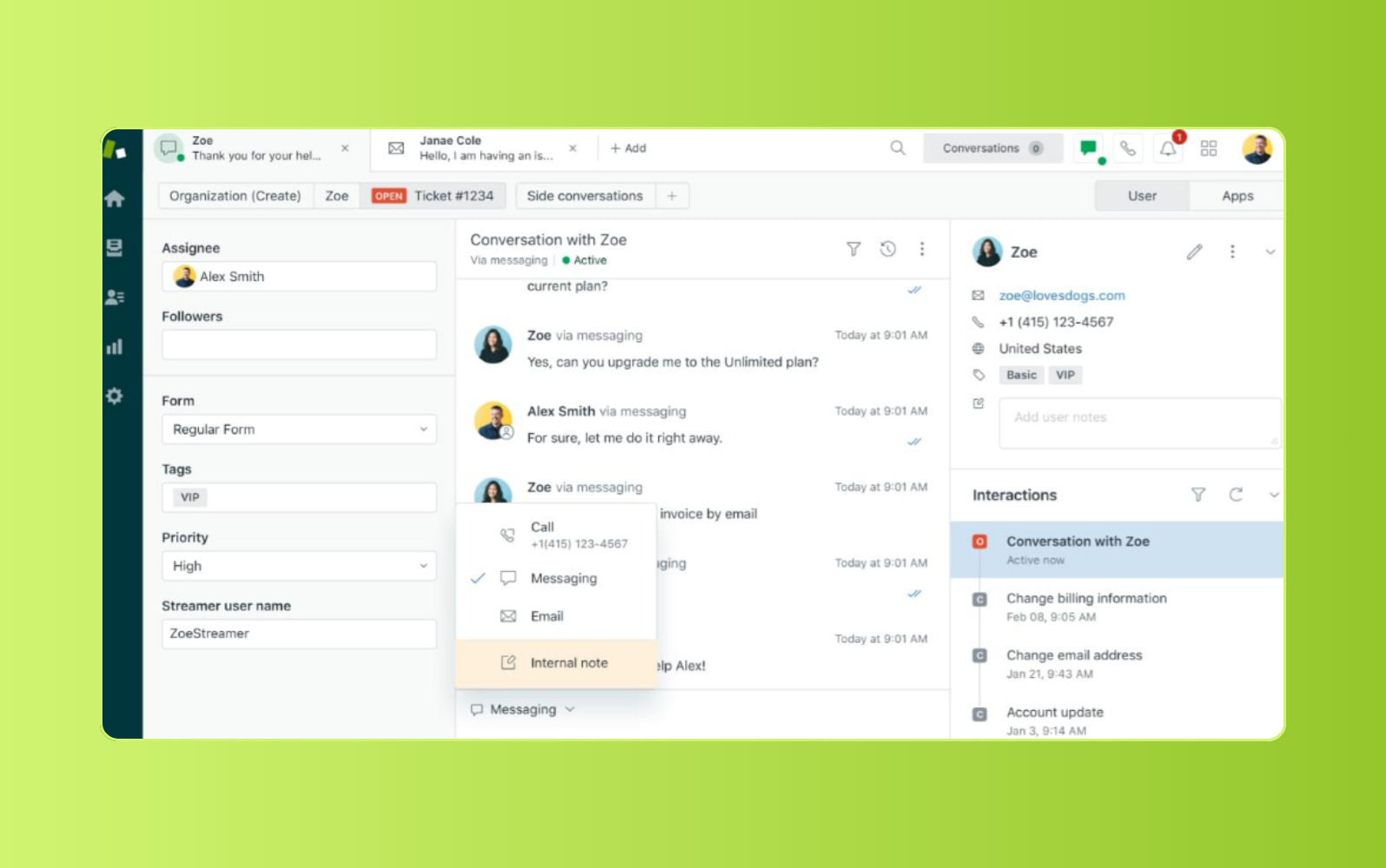
Built for modern customer service teams, Zendesk unifies conversations, AI, knowledge, automation, analytics, and integrations in one platform. Agents manage requests across channels from a single workspace, with customer context, conversation history, and workflow tools available in the same place.
Zendesk AI is built into the service experience, from AI agents that resolve customer requests to copilot that surfaces context, suggests next steps, and streamlines repetitive work. Intelligent routing classifies requests by intent, sentiment, language, priority, and agent capacity, so customers reach the right resource faster.
Zendesk also gives teams the foundation to improve service over time. Knowledge management and self-service tools surface accurate answers across agents, AI, and help centers, while analytics, reporting, and QA give leaders visibility into service quality, CSAT, retention, and resolution time. With no-code customization, enterprise-grade security, and 1,700+ apps and integrations, Zendesk is easy to deploy, scale, and optimize as customer expectations evolve.
With Action Builder, admins can visually create no-code, multi-step workflows across Zendesk and connected systems.
| Pros | Cons |
|---|---|
|
|
| 18B real service interactions training Zendesk AI | Up to 80% of interactions resolved autonomously | 90% of customers deliver value in under eight weeks |
What people are saying:
- "Zendesk is by far the best platform for customer support companies." - Verified user, G2.
- "Zendesk makes ticketing much simpler." - Verified user, G2.
- "All in One tool to support our clients in different channels." - Verified user, G2.
2. Fin by Intercom
Best for: Conversational support
G2 rating: 4.5/5
| Starting price | Free trial | Key features |
|---|---|---|
| $0.99 per resolved outcome | 14 days |
|
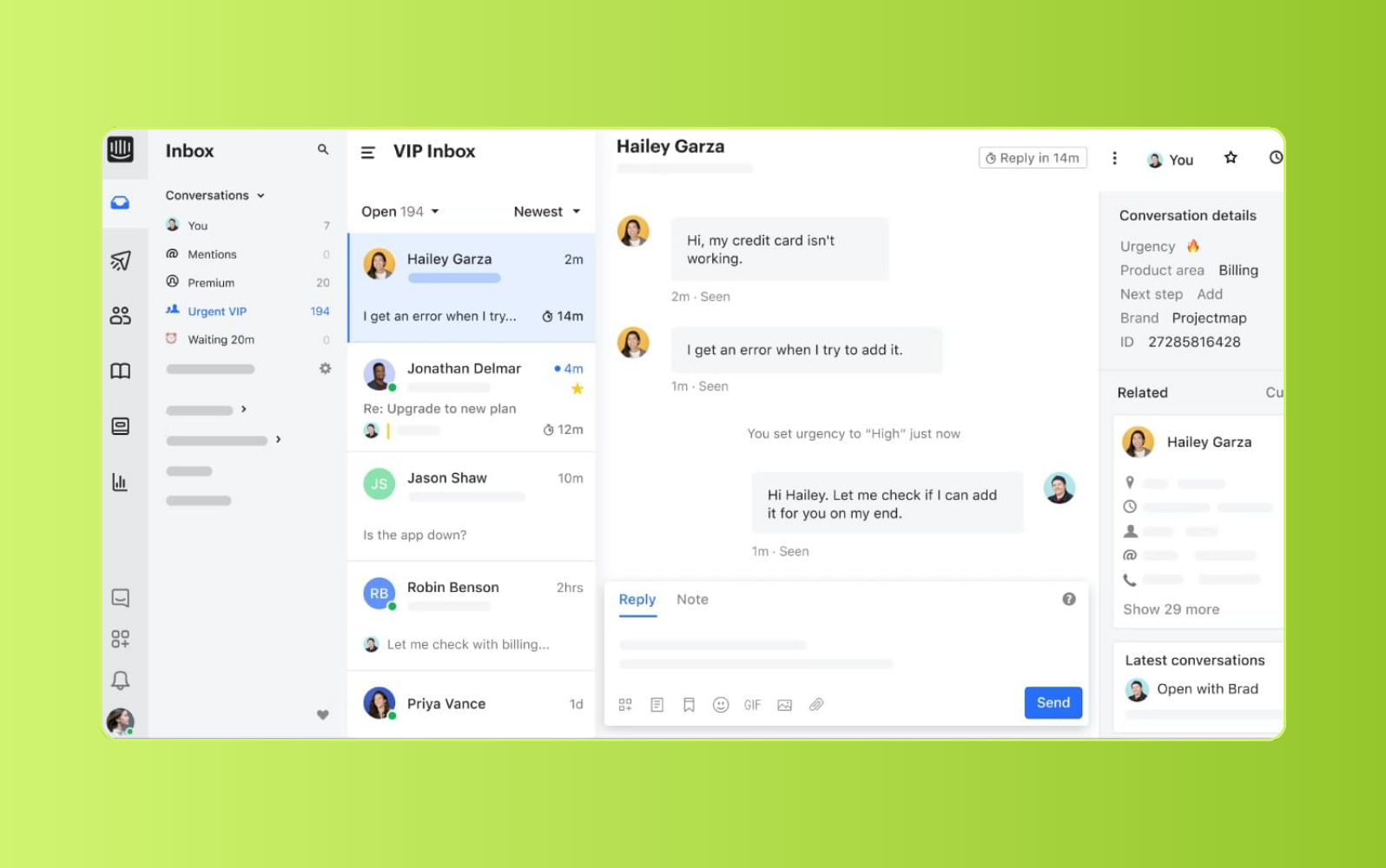
Built around messaging and automation, Fin by Intercom gives support teams tools for managing customer conversations across live chat, email, and self-service. Intercom Messenger supplements existing support workflows by routing inquiries to agents based on skills, availability, and customer history.
The platform creates tickets from Messenger and other channels, then sends them to a shared inbox for team management. Intercom’s Fin is the AI tool for answering common questions, surfacing help center content, summarizing conversations, and filling in ticket details. Teams are able to extend the platform through Intercom’s app marketplace, though some capabilities may require paid add-ons.
| Pros | Cons |
|---|---|
|
|
What people are saying:
- "Support Machine" - Verified user, G2.
- "Solid all-round software, but priced aggressively." - Verified user, G2.
- "There's room for development - reports and assignments, as well as support quality." - Verified user, G2.
Learn more: Compare Zendesk vs. Intercom.
3. Agentforce Service by Salesforce
Best for: Sales teams
G2 rating: 4.4/5
| Starting price | Free trial | Key features |
|---|---|---|
| $25 per user/month (billed annually) | 30 days |
|
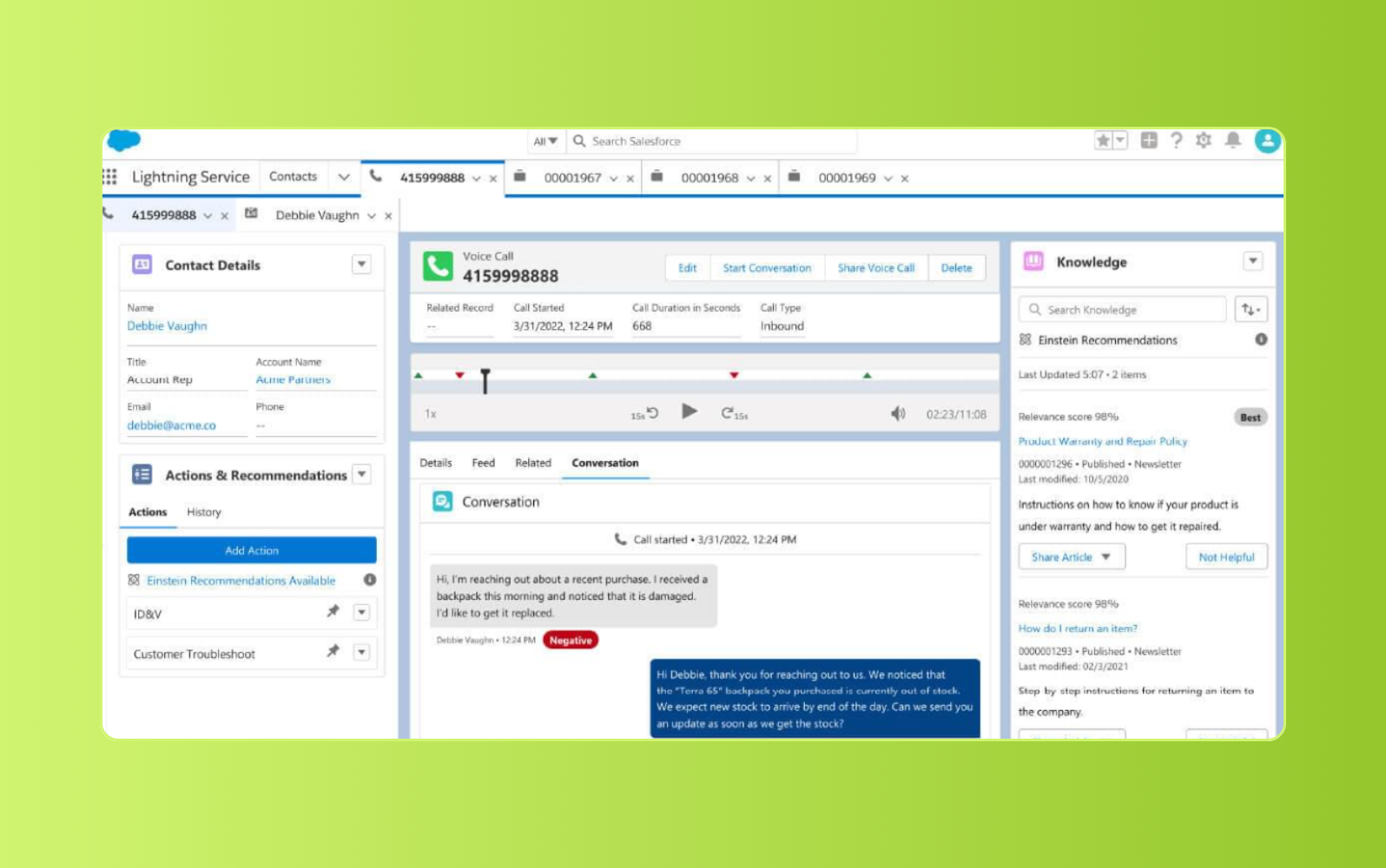
Designed for teams already using Salesforce, Agentforce Service gives agents an omnichannel workspace for managing customer support. Agents view customer details, previous interactions, purchase history, and other case context from one place. Its Swarming feature also allows teams to collaborate on cases by adding specialists to a dedicated Slack channel.
Agentforce Service supports custom workflows, automated case routing, pre-built dashboards, and performance reporting across channels. Teams can connect it with other Salesforce products to align service activity with sales and customer relationship management. Because Salesforce spans many business functions, teams may need more setup and training to tailor it for customer service operations.
| Pros | Cons |
|---|---|
|
|
What people are saying:
- "An efficient and scalable customer service solution." - Verified user, G2.
- "Streamlined and Efficient Customer Service Management." - Verified user, G2.
- "It's an option." - Verified user, G2.
Learn more: Compare Zendesk vs. Salesforce.
4. Front
Best for: Shared inbox management
G2 rating: 4.7/5
| Starting price | Free trial | Key features |
|---|---|---|
| From $25/user/month | 14 days |
|
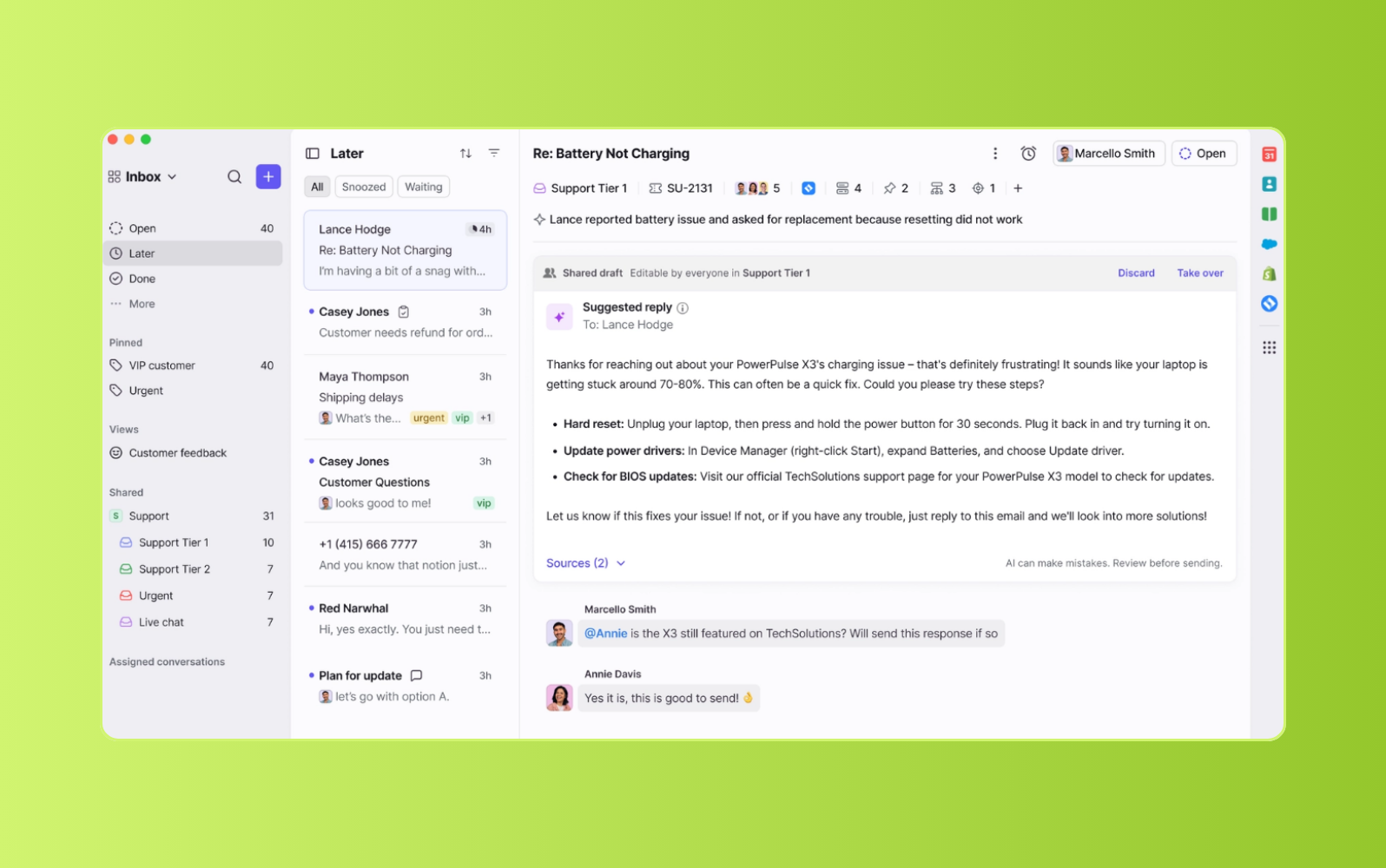
For teams that manage support through shared inboxes, Front centralizes customer inquiries across channels and routes messages to the right agent. Its workspace logs customer interactions, giving agents access to past conversations and account history when they respond to future requests.
Front also includes collaboration features that let teams communicate internally on customer issues without leaving the ticket. Reporting tools provide visibility into team performance and customer satisfaction. Businesses can build a help center, manage article permissions, and connect content with live chat, though chatbot access is not included in the basic plan.
| Pros | Cons |
|---|---|
|
|
What people are saying:
- "A sleek, powerful, and simple way of doing email." - Verified user, G2.
- "Many possibilities on a messaging platform." - Verified user, G2.
- "Good tools, but evolutions needed." - Verified user, G2.
Learn more: Compare Zendesk vs. Front.
5. Tidio
Best for: Small businesses
G2 rating: 4.6/5
| Starting price | Free trial | Key features |
|---|---|---|
| $29 per month (billed annually) | 7 days |
|
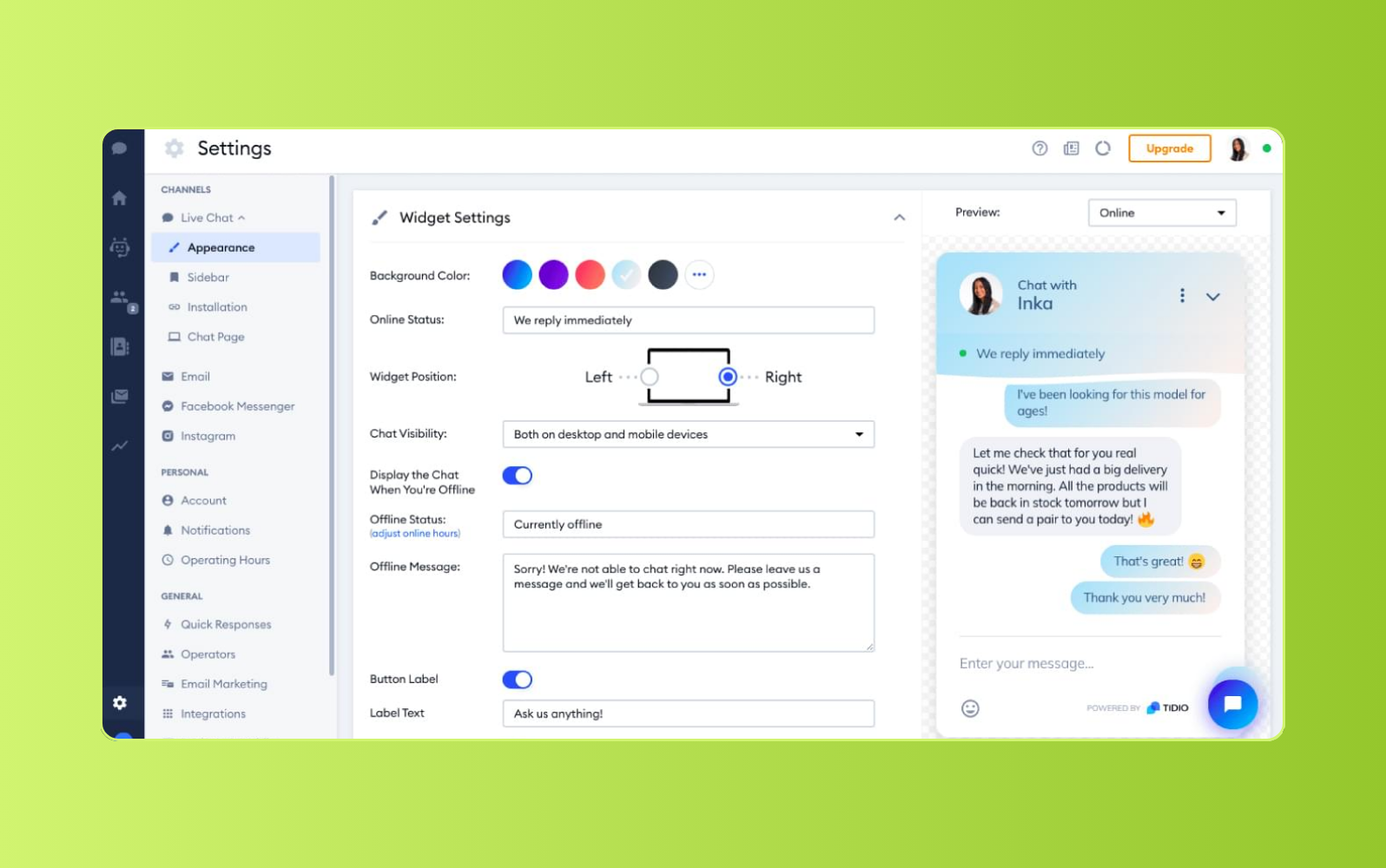
Small and midsize businesses use Tidio to manage customer conversations across live chat, email, and social media. Its help desk ticketing system turns messages into tickets and routes them to a shared team inbox. Teams can also add notes, create custom tags, assign tickets, and send satisfaction surveys after interactions end.
Tidio includes live chat features for real-time support, such as prewritten responses and a typing preview that shows what customers are entering before they send a message. Its conversational AI chatbot, Lyro, answers common questions and provides automated support for repetitive inquiries, though AI chatbot usage is more limited outside the highest-tiered plan.
| Pros | Cons |
|---|---|
|
|
What people are saying:
- "I [have been] using Tidio for a bit now, and their app interface is very easy to follow and user-friendly." - Verified user, G2.
- "Great tool for handling customer chats." - Verified user, G2.
- "Honest Review - There are better options out there!" - Verified user, G2.
6. Bitrix24
Best for: Unified business management
G2 rating: 4.1/5
| Starting price | Free trial | Key features |
|---|---|---|
| $49 per organization/month (billed annually) | 15 days |
|
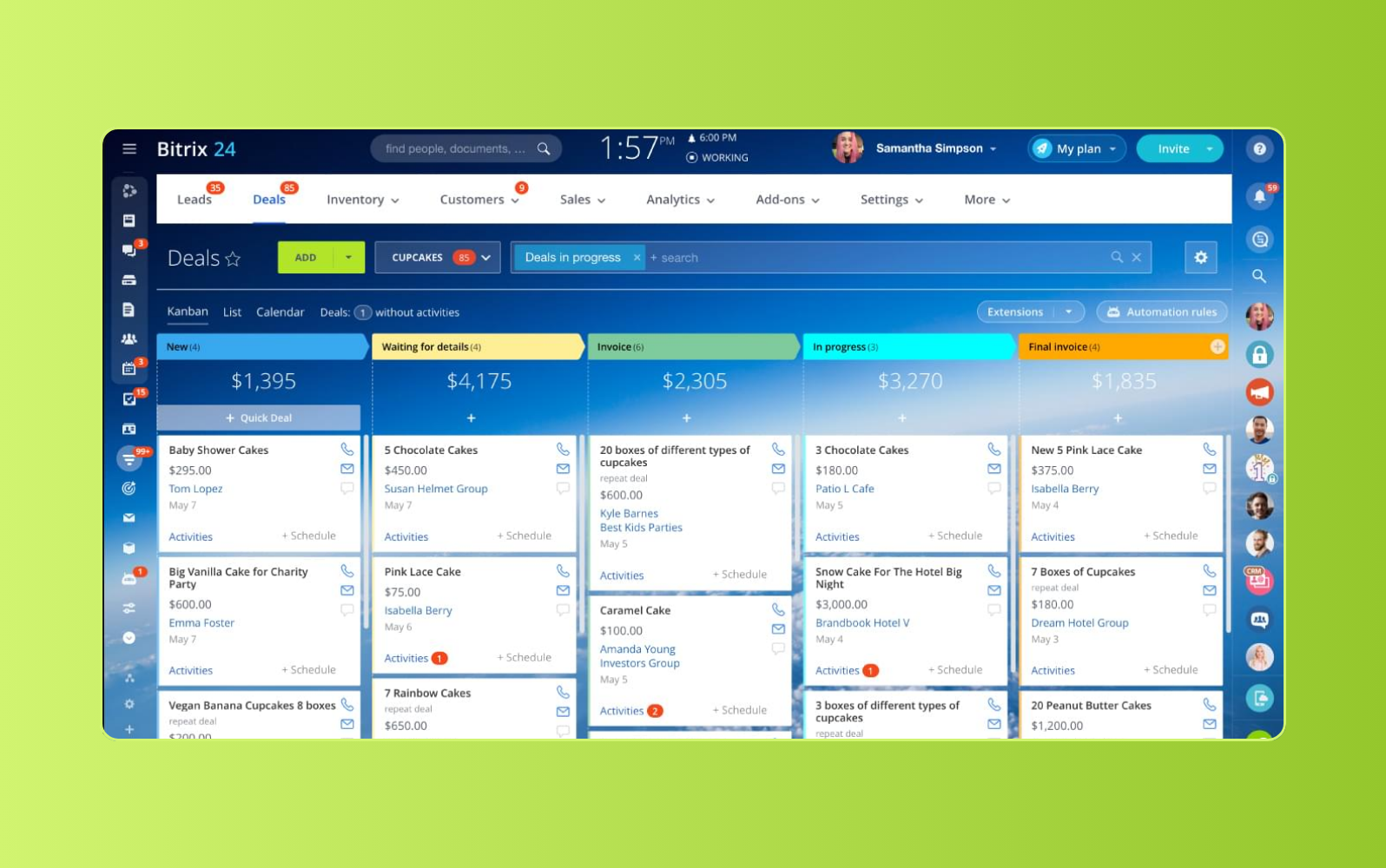
With customer support, CRM, collaboration, and communication tools in one platform, Bitrix24 gives teams a broad system for managing customer interactions. Support teams handle requests from multiple channels in a unified workspace, create prewritten responses, and configure wait-time rules.
Bitrix24 logs customer interactions in its CRM and creates a new lead when a customer does not already have a profile. The platform also includes activity reporting, video calling, screen sharing, and recording. These capabilities allow agents to walk customers through issues and collaborate with teammates, though lower-tier plans include limited storage.
| Pros | Cons |
|---|---|
|
|
What people are saying:
- "It's a really good platform for small businesses." - Verified user, G2.
- "Very good experience" - Verified user, G2.
- "Useful but with many glitches and limitations." - Verified user, G2.
7. HappyFox
Best for: Scheduling
G2 rating: 4.4/5
| Starting price | Free trial | Key features |
|---|---|---|
| $24 per agent/month (billed annually) | 14 days |
|
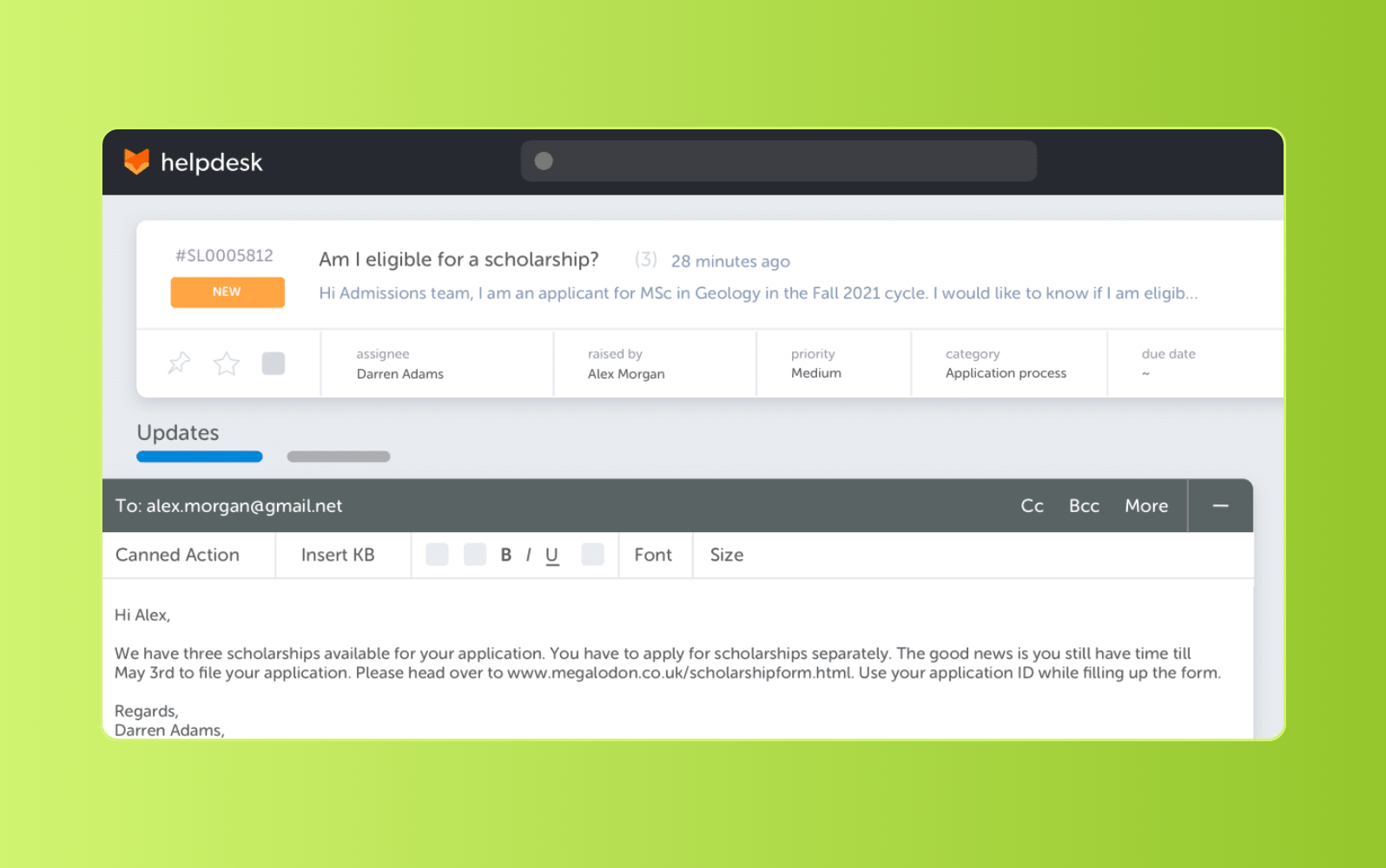
Support teams use HappyFox to manage customer requests through a help desk ticketing system and omnichannel customer view. The platform includes automation, customizable workflows, and AI-powered chatbots to reduce repetitive work and keep support queues organized.
HappyFox also offers scheduling tools for managers. Teams define work hours, configure schedules around service level agreements, and account for non-working hours when calculating time-based rules. For self-service, businesses can create a knowledge base, customer portal, community forum, and FAQ experience, though multi-branding is not available in the basic plan.
| Pros | Cons |
|---|---|
|
|
What people are saying:
- "Good mix of tools, capabilities, and customization." - Verified user, G2.
- "Versatile help desk and customer support platform." - Verified user, G2.
- "The dashboard view can be improved.” - Verified user, G2.
8. Zoho Desk
Best for: Zoho ecosystem users
G2 rating: 4.4/5
| Starting price | Free trial | Key features |
|---|---|---|
| $7 per user/month (billed annually) | 15 days |
|
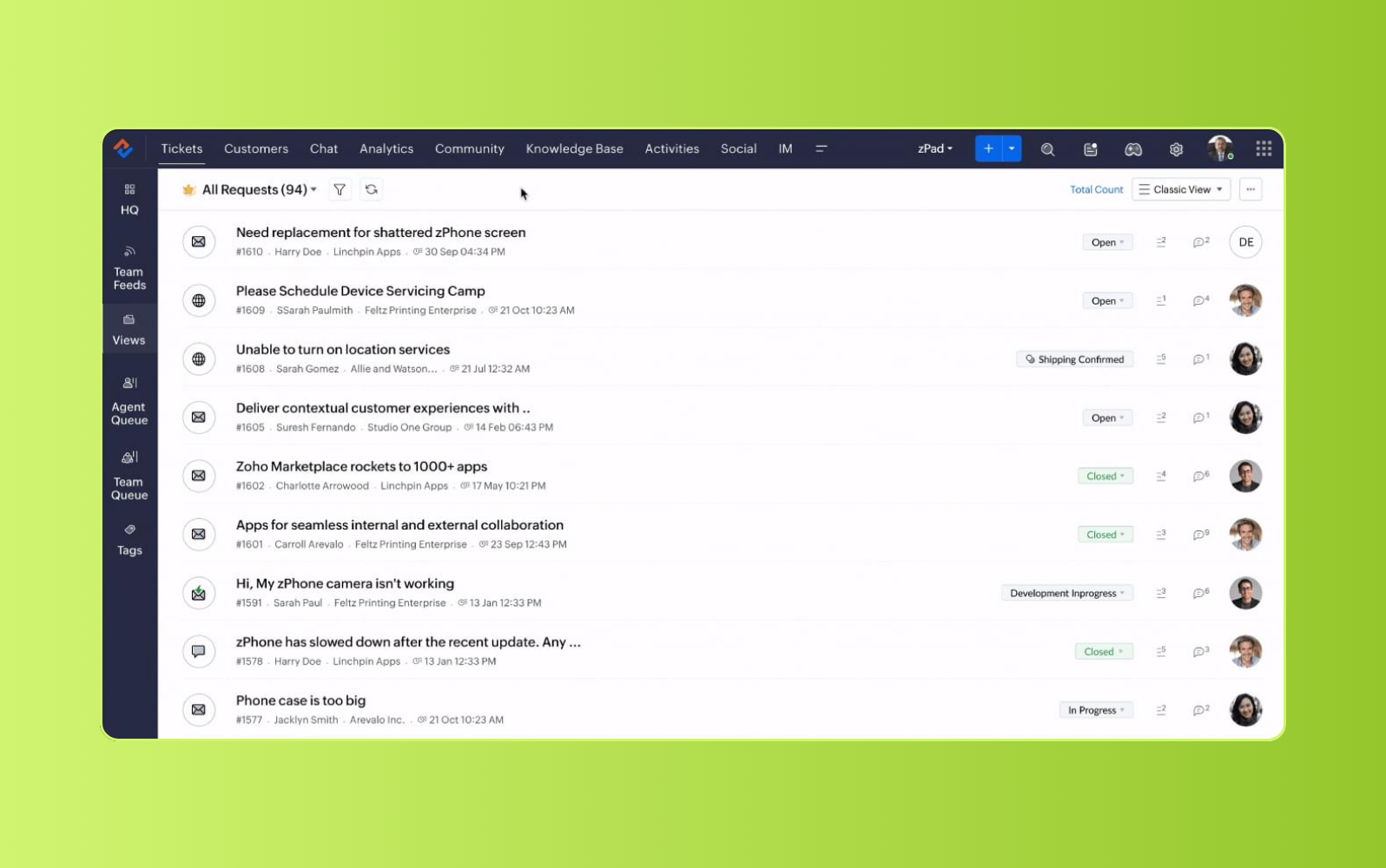
For organizations already using Zoho tools, Zoho Desk provides customer support software with omnichannel ticketing, workflow automation, and reporting. Agents manage customer issues from a single-view dashboard and organize tickets by status, due date, and priority.
Zoho Desk also includes self-service resources, service level agreements, analytics, and an advanced response editor. Users create dashboards to monitor ticket metrics and connect Zoho Desk with other Zoho products. Its AI assistant, Zia, is able to analyze customer sentiment, auto-tag tickets, identify unusual ticket activity, and route requests, though multilingual support is limited to higher-tiered plans.
| Pros | Cons |
|---|---|
|
|
What people are saying:
- "Decent Knowledge base platform" - Verified user, G2.
- "The features you get for the price are great value" - Verified user, G2.
- "Half-baked features, avoid ZOHO!" - Verified user, G2.
Learn more: Compare Zendesk vs. Zoho.
9. ServiceNow
Best for: Teams with IT needs
G2 rating: 4.3/5
| Starting price | Free trial | Key features |
|---|---|---|
| Contact ServiceNow | Contact sales |
|
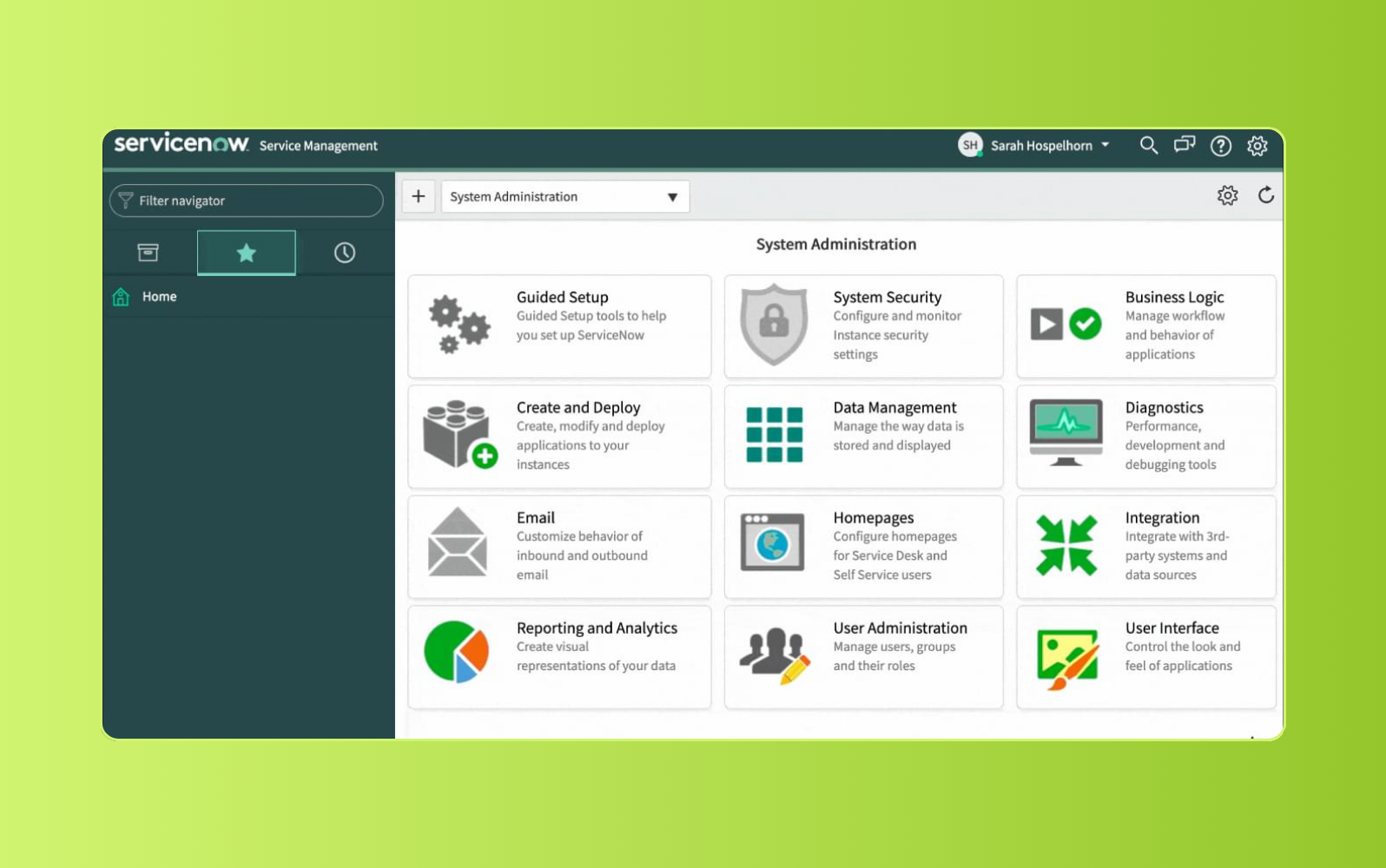
Enterprise teams with IT-heavy operations use ServiceNow to manage customer service, service requests, and cross-functional workflows. Its self-service portal lets customers submit requests, search help center articles, and participate in community forums without contacting an agent.
ServiceNow also supports workflow automation for repetitive tasks across service and IT teams. Users can design processes to identify, log, resolve, and close incidents while reducing duplicate data entry. Its customer service tools include generative AI capabilities through Now Assist, though some capabilities may require developer support to set up and maintain.
| Pros | Cons |
|---|---|
|
|
What people are saying:
- "Best tool for tracking the issue." - Verified user, G2.
- "Not very intuitive, complicated to execute and triage." - Verified user, G2.
- "Good ticket tracking tool." - Verified user, G2.
Learn more: Compare Zendesk vs. ServiceNow.
10. LiveAgent
Best for: Live chat
G2 rating: 4.5/5
| Starting price | Free trial | Key features |
|---|---|---|
| $15 per agent/month (billed annually) | 30 days |
|
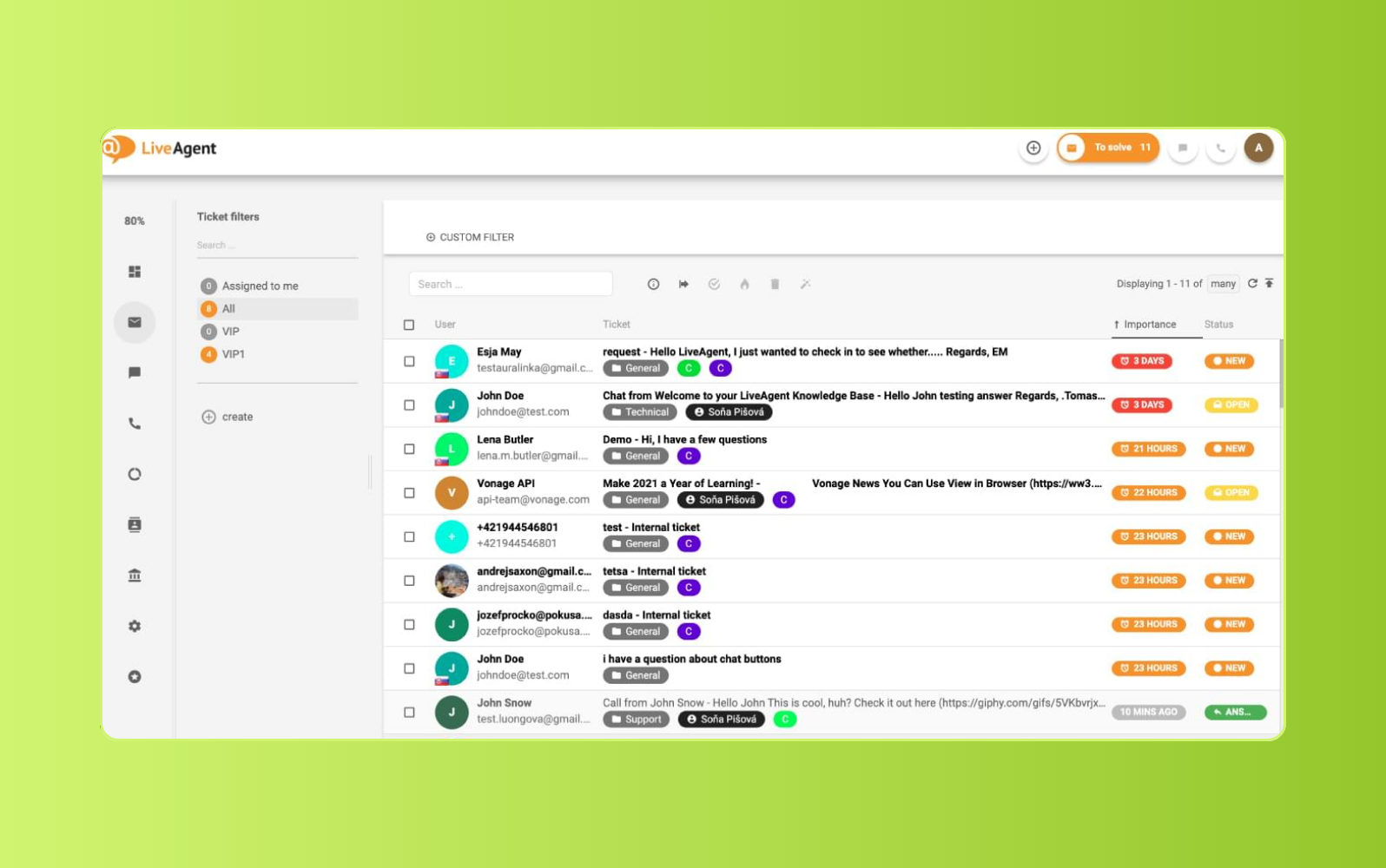
Live chat sits at the center of LiveAgent, which offers tools for real-time customer conversations, proactive chat invitations, and website monitoring. Its universal inbox collects support requests and routes them to agents, giving teams one place to manage incoming customer issues.
Beyond chat, LiveAgent includes help desk ticketing, call center software, a knowledge base, and reporting tools. Teams record calls, create interactive voice response flows, and monitor support activity in real time. Customers request callbacks instead of waiting on hold, while Rules automate routing, tagging, and ticket resolution workflows. However, service level agreements are not available in the basic plan.
| Pros | Cons |
|---|---|
|
|
What people are saying:
- "Enabled us to have more effective response tools to achieve customer satisfaction." - Verified user, G2.
- "Budgeted and Easy to use." - Verified user, G2.
- "It was ok, but you cannot attach help articles to chats." - Verified user, G2.
Learn more: Discover how Zendesk vs. LiveAgent compare.
11. Freshdesk
Best for: Freshworks ecosystem users
G2 rating: 4.4/5
| Starting price | Free trial | Key features |
|---|---|---|
| $19/agent/month | 14 days |
|
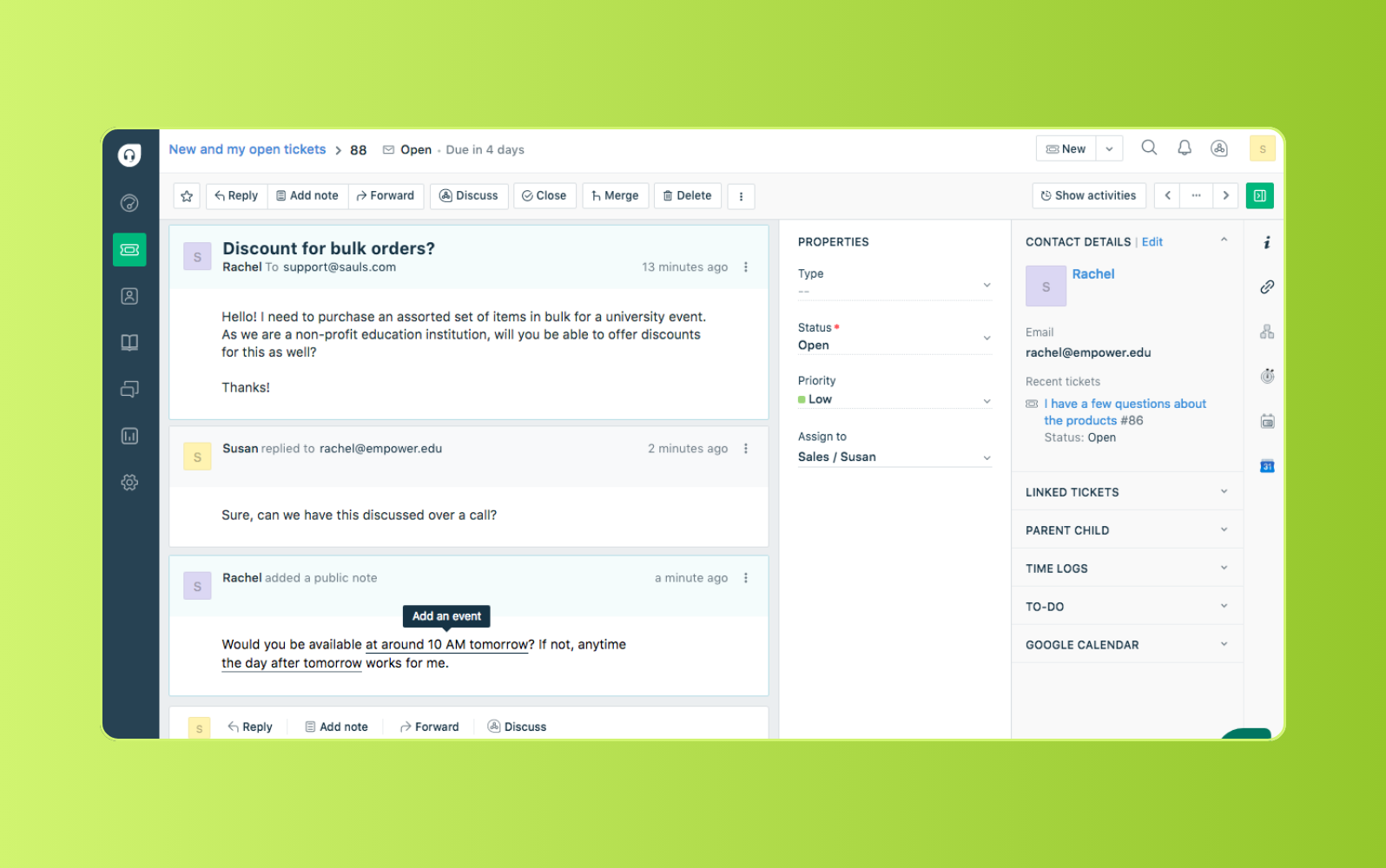
Built for teams that need ticketing, automation, and multichannel support, Freshdesk provides tools for managing customer requests from a central workspace. Support teams use it to organize tickets, collaborate on customer issues, and manage conversations across channels.
Freshdesk also includes Freddy AI capabilities for agent assistance, AI agents, insights, and automated workflows. Teams use these tools to summarize tickets, suggest replies, route work, and surface operational insights. Freshdesk also supports self-service through knowledge base content, though some Freddy AI capabilities may require add-ons.
| Pros | Cons |
|---|---|
|
|
What people are saying:
- "Best tool for tracking the issue." - Verified user, G2.
- "Not very intuitive, complicated to execute and triage." - Verified user, G2.
- "Good ticket tracking tool." - Verified user, G2.
Learn more: Compare Zendesk vs. Freshdesk.
12. RingCentral RingCX
Best for: Omnichannel contact center
G2 rating: 4.4/5
| Starting price | Free trial | Key features |
|---|---|---|
| Starts at $65 per user/month, billed annually | Contact sales |
|
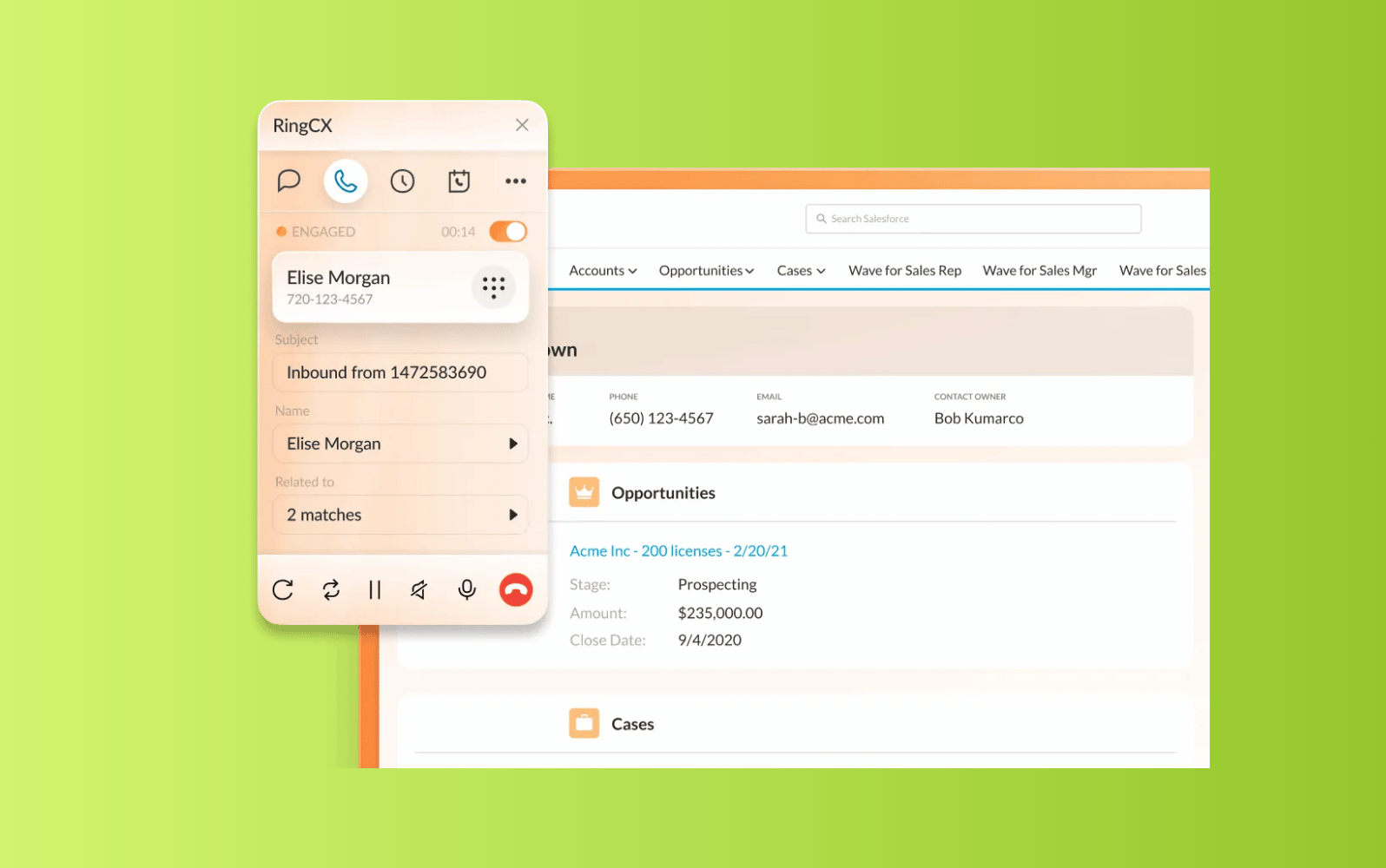
RingCentral RingCX is an AI-powered contact center platform for teams that need to manage voice and digital support in one workspace. It supports phone, email, website, and digital channel interactions, with routing, reporting, recordings, and AI features for agents and supervisors.
RingCX may fit teams already using RingCentral for business communications because RingCX and RingEX work together in the RingCentral app. The platform also offers live dashboards, 250+ prebuilt reports, custom dashboards, call recordings, chat transcripts, screen recordings, and integrations with CRMs and other business tools.
| Pros | Cons |
|---|---|
|
|
What people are saying:
- "I like that RingCX is easy to use, easy to set up, and easy to follow with a lot of instructional ways for setup." - Verified user, G2.
- "Building more complex branching logic in the IVR studio, like routing differently based on both account type and reason for calling at the same time, needed more trial and error than a simple drag-and-drop suggested it would be." - Verified user, G2.
- "The bring-your-own IVA setup for our existing virtual agent took more back and forth with support than I expected, was not quite the drop-in integration it was pitched as." - Verified user, G2.
13. Gladly
Best for: Continuous B2C conversations
G2 rating: 4.7/5
| Starting price | Free trial | Key features |
|---|---|---|
| Custom pricing | Contact sales |
|
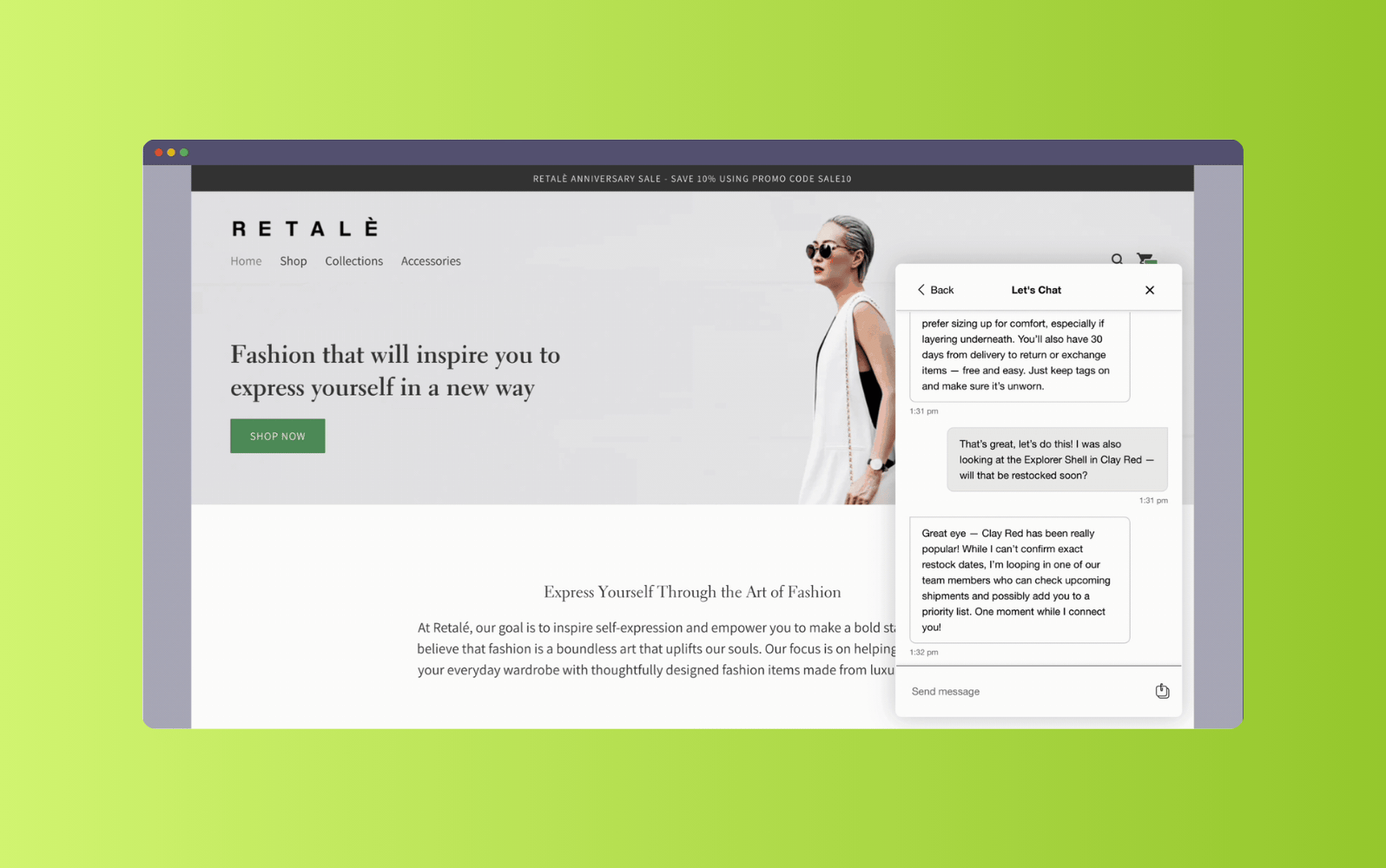
Gladly is a customer service platform built around people-centered conversations rather than traditional tickets. It unifies voice, chat, SMS, email, and social interactions into a single customer thread, giving agents a continuous view of each customer’s history.
Gladly is often a strong fit for B2C brands that want a personalized service experience across channels. Its AI capabilities can resolve common requests, detect intent and sentiment, assist agents, and escalate to human support when needed.
| Pros | Cons |
|---|---|
|
|
What people are saying:
- "What I like best about Gladly is that it keeps the entire customer conversation and history in one place." - Verified user, G2.
- "Gladly demands a detailed customization and setting up, something that calls for extra planning and finances." - Verified user, G2.
- "One area that could be improved is the learning curve when first getting familiar with all of Gladly’s features." - Verified user, G2.
Learn more: Compare Zendesk vs. Freshdesk.
14. HubSpot Service Hub
Best for: Marketing and sales teams
G2 rating: 4.4/5
| Starting price | Free trial | Key features |
|---|---|---|
| $20/seat/month | Available |
|
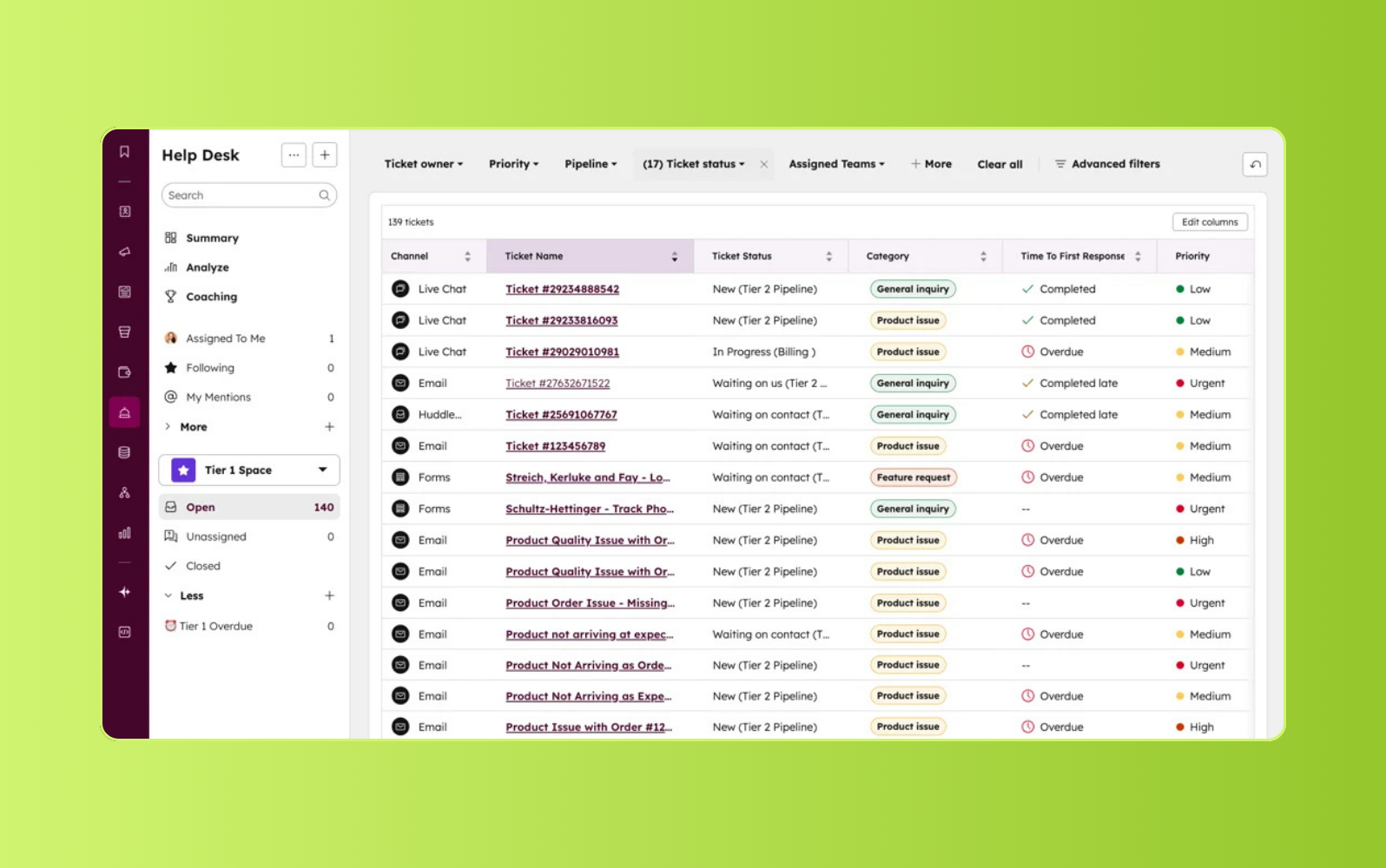
Teams already using HubSpot use Service Hub to connect support activity with customer relationship management, sales, and marketing workflows. Its shared inbox gives agents access to customer history, ticket details, and queue information, while the mobile inbox lets agents manage conversations away from their desks.
HubSpot Service Hub also includes customer portals, feedback surveys, knowledge base access, and reporting dashboards. Customers can use the portal to view, open, and reply to support tickets. Teams automate follow-up responses based on survey results and track metrics like rep productivity, response time, and support volume, though routing and IVR are only available in the most expensive plan.
| Pros | Cons |
|---|---|
|
|
What people are saying:
- "A perfect tool for startups, but there's room for improvement." - Verified user, G2.
- "Good product but can be improved." - Verified user, G2.
- "HubSpot was great prior to the latest update." - Verified user, G2.
Learn more: Compare Zendesk vs. HubSpot.
15. Help Scout
Best for: Collision detection
G2 rating: 4.4/5
| Starting price | Free trial | Key features |
|---|---|---|
| $25/user/month | Available |
|
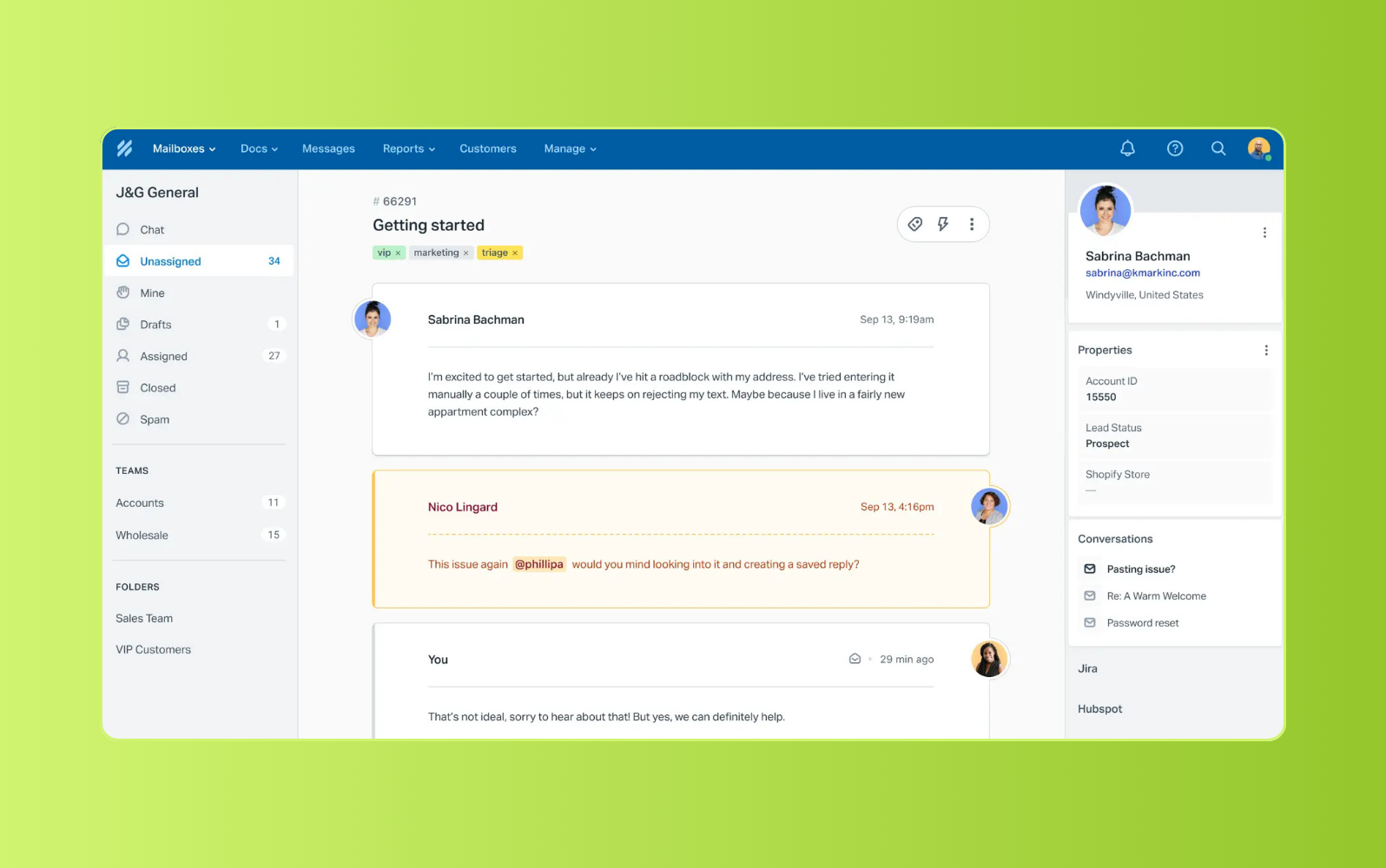
Shared inbox workflows are central to Help Scout, which consolidates customer conversations, customer data, and interaction history in one workspace. Agents use private notes for internal collaboration, while collision detection reduces the risk of two agents responding to the same issue at once.
Help Scout also includes AI tools for summarizing long email threads and assisting with agent replies. AI Assist suggests generated text, adjusts tone, improves content, and translates messages. Businesses can collect customer satisfaction ratings through short surveys and extend the platform with apps across support, marketing, e-commerce, communication, CRM, and analytics, though lower-tier plans include fewer integration capabilities.
| Pros | Cons |
|---|---|
|
|
What people are saying:
- "Down-to-earth product that works." - Verified user, G2.
- "Probably good for some, but not our team." - Verified user, G2.
- "Entry-level customer care platform." - Verified user, G2.
Learn more: Compare Zendesk vs. Help Scout.
16. Gorgias
Best for: E-commerce websites
G2 rating: 4.6/5
| Starting price | Free trial | Key features |
|---|---|---|
| $10/month | 7 days |
|
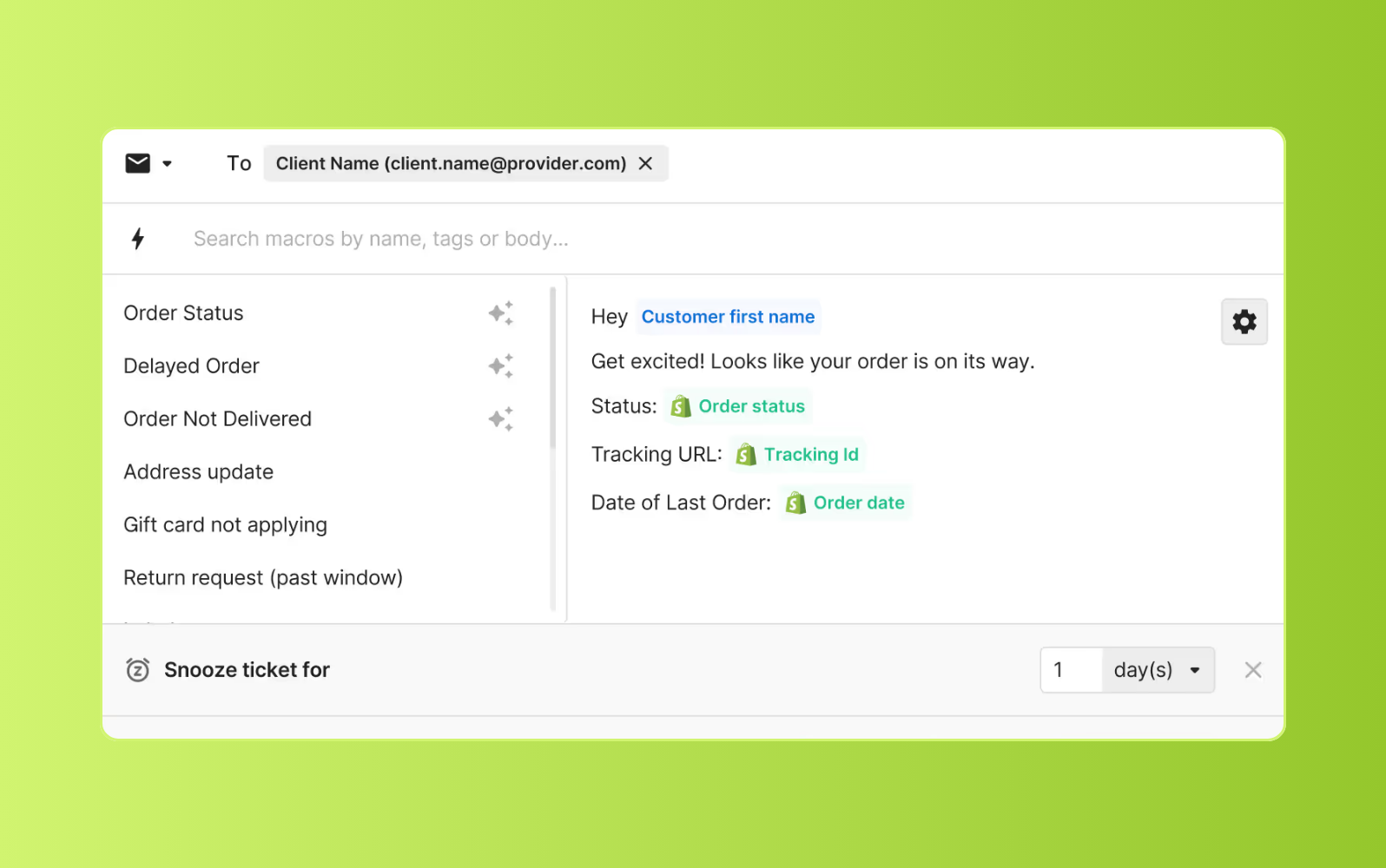
E-commerce teams use Gorgias to manage customer support through a shared inbox and help desk experience. The platform integrates with e-commerce systems like Shopify, giving agents access to customer data, order information, and purchase history while they handle requests.
Gorgias also offers automation features for repetitive inquiries, including AI-powered responses, templates, and prewritten answers for common questions. AI scans incoming tickets, identifies intent, closes spam messages, and answers requests like order status updates. Teams can customize workflows to assign, tag, and close tickets automatically, though voice and SMS capabilities are only available as add-ons.
| Pros | Cons |
|---|---|
|
|
What people are saying:
- "One of the features I appreciate most is the centralized inbox." - Verified user, G2.
- "Solid Helpdesk, could use more BigCommerce integration." - Verified user, G2.
- "Gorgias lacks urgency and features for businesses that want to provide more immediate support." - Verified user, G2.
Learn more: Compare Zendesk vs. Gorgias.
17. Kustomer
Best for: Social media integration
G2 rating: 4.4/5
| Starting price | Free trial | Key features |
|---|---|---|
| $89/user/month | Contact sales |
|
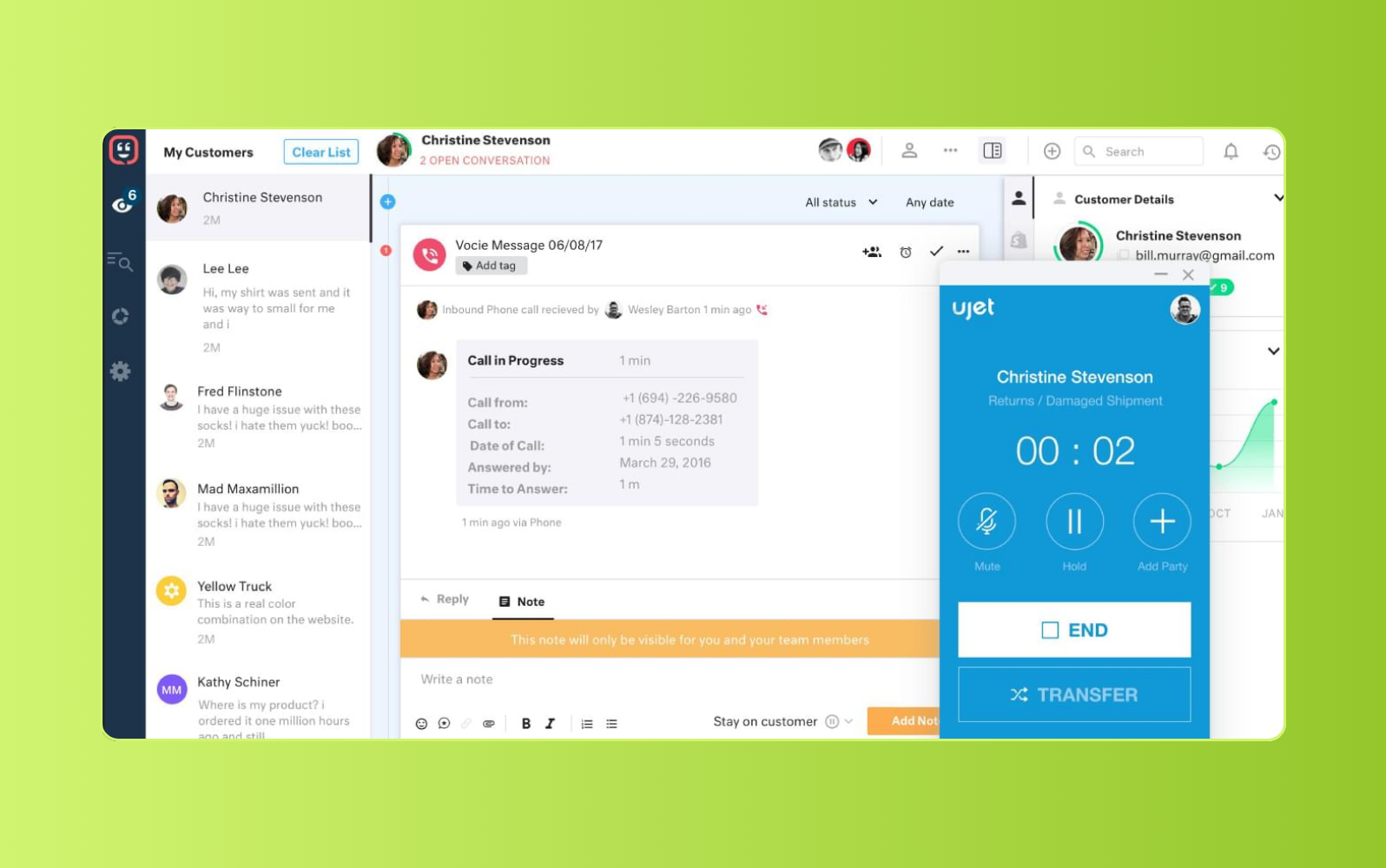
Customer timelines sit at the center of Kustomer, giving agents a chronological view of customer history, preferences, and interactions. The platform can pull customer data from sources like CRMs and social channels, then surface that context in one conversation thread.
Kustomer also includes AI tools that use natural language processing to detect intent and analyze customer sentiment. Support teams can use these insights to classify and route conversations based on customer history and context. The platform provides live reporting dashboards with real-time service metrics, along with one-time and scheduled data export options, though multilingual capabilities are not available in the basic plan.
| Pros | Cons |
|---|---|
|
|
What people are saying:
- "I'd like to have AI agents integrated within the workflows" - Verified user, G2.
- "Average CRM." - Verified user, G2.
- "Not too user-friendly when it comes to reports." - Verified user, G2.
Learn more: Compare Zendesk vs. Kustomer.
18. Talkdesk
Best for: Enterprise CX automation
G2 rating: 4.4/5
| Starting price | Free trial | Key features |
|---|---|---|
| $85/user/month | Contact sales |
|
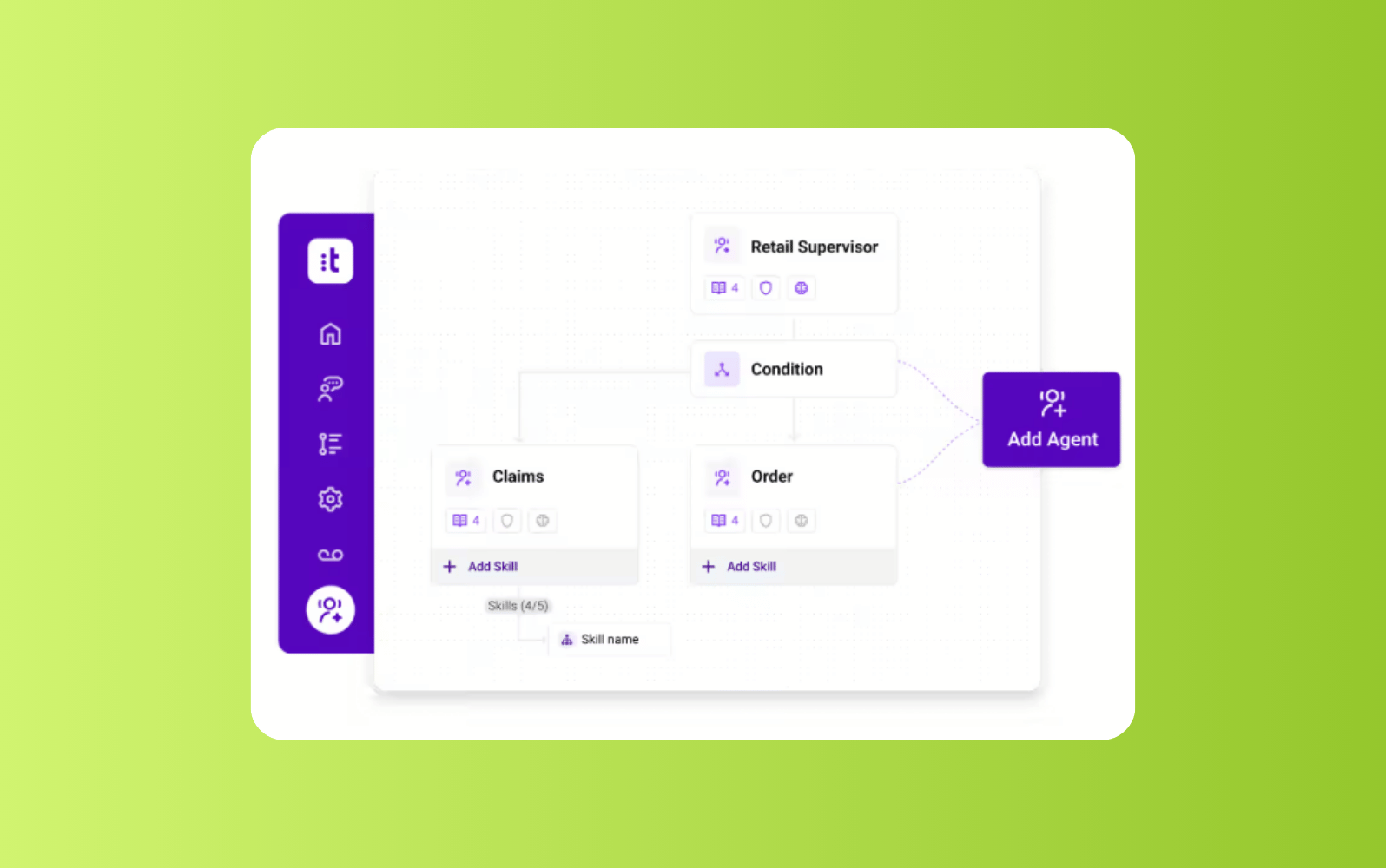
Talkdesk is a cloud contact center platform for enterprise teams that need AI-powered service across voice and digital channels. Its CX Cloud includes tools for customer self-service, omnichannel engagement, workforce engagement, employee collaboration, and customer experience analytics.
Talkdesk is a strong fit for larger service teams that want contact center automation, AI agent support, and deep CRM integrations. However, its pricing starts higher than many help desk tools, and advanced capabilities may require higher-tier plans.
| Pros | Cons |
|---|---|
|
|
What people are saying:
- "I love how many capabilities there are, I started out in Talkdesk as a front end user and there was a bit of an adjustment phase." - Verified user, G2.
- "One thing I dislike about Talkdesk is that it can occasionally be slow or lag when switching between conversations or loading customer information." - Verified user, G2.
- "I dislike that the reporting is all over the place." - Verified user, G2.
Learn more: Compare Zendesk vs. Gorgias.
19. Dixa
Best for: Mid-market ecommerce and consumer brands
G2 rating: 4.2/5
| Starting price | Free trial | Key features |
|---|---|---|
| €89/seat/month | Contact sales |
|
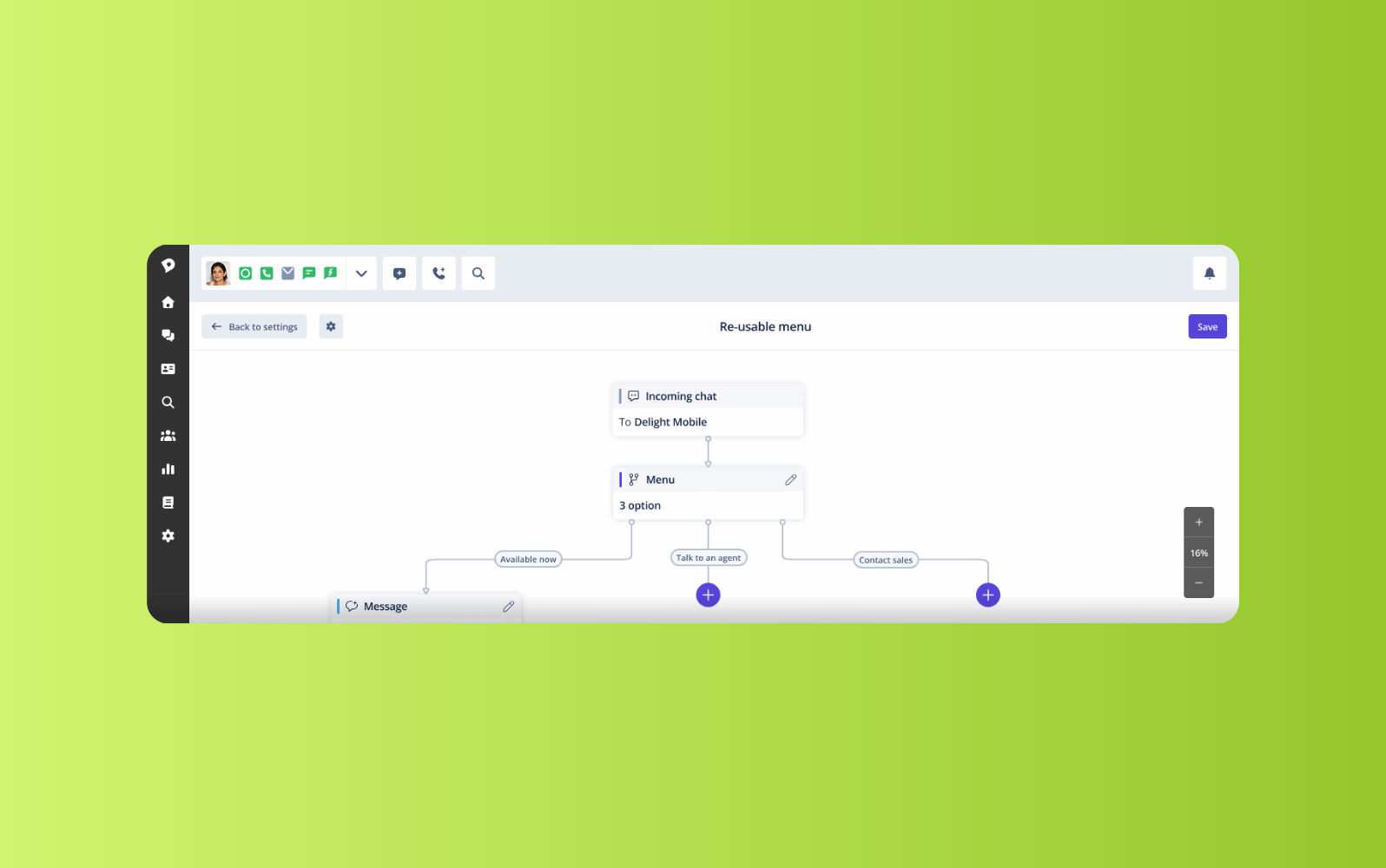
Dixa is an omnichannel customer service platform for teams that manage high-volume consumer conversations across digital and voice channels. It brings phone, email, live chat, WhatsApp, Instagram, Facebook Messenger, SMS, contact forms, and help center support into one platform.
Dixa can work well for ecommerce and consumer brands that want native omnichannel support with AI and routing capabilities. However, it doesn’t offer a self-serve trial, and teams may need to evaluate add-ons or higher-tier plans for advanced AI, analytics, and quality features.
| Pros | Cons |
|---|---|
|
|
What people are saying:
- "It's a great tool for handling customer conversations in one place, and has a lot of nice functionality." - Verified user, G2.
- "Reports are limited and it needs to have another integration where customers might have a limited access to it unless it will be shared with someone with access to it." - Verified user, G2.
- "Analytics can be overly complex but overall not much." - Verified user, G2.
20. Hiver
Best for: Google Workspace users
G2 rating: 4.6/5
| Starting price | Free trial | Key features |
|---|---|---|
| $25/user/month, billed annually | Available |
|
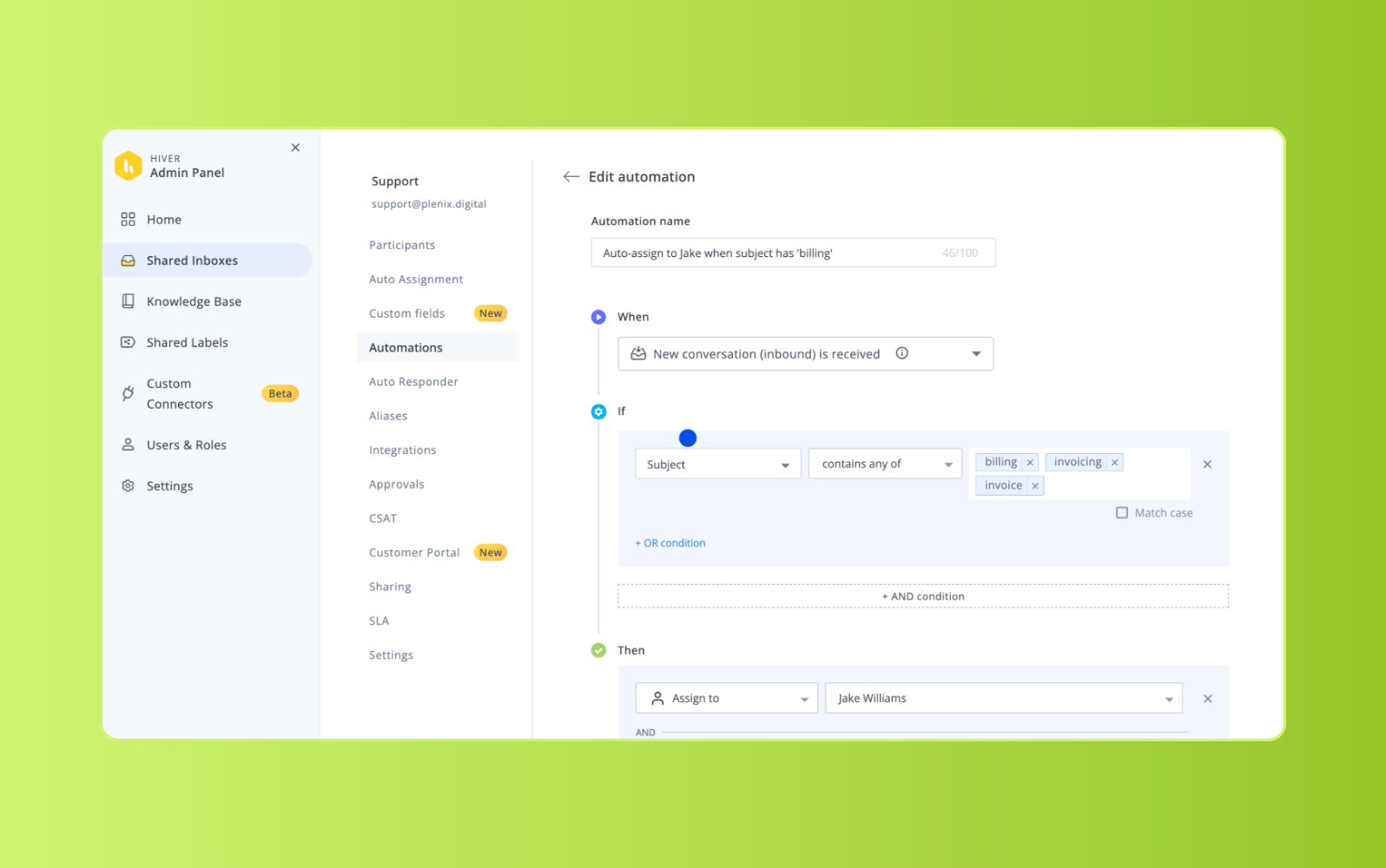
Built into Google Workspace, Hiver gives teams a way to manage customer support without moving into a separate help desk platform. It adds shared inboxes, analytics, service level agreements, and collaboration tools to existing Google workflows.
Hiver’s shared inbox includes customizable views, conversation filters, and Conversation ID tracking to help teams organize email threads. Notes and mentions allow agents to collaborate internally without forwarding emails or copying teammates into customer replies. Teams can also create a knowledge base with FAQs, instructions, and troubleshooting guides, though chatbots and advanced routing are only available in the most expensive plans.
| Pros | Cons |
|---|---|
|
|
What people are saying:
- "Overall, Hiver has helped us organize our inbox and ensure emails are assigned appropriately." - Verified user, G2.
- "Not intuitive for scalability. Cancellation process is not easy." - Verified user, G2.
- "It could broaden its integration options further" - Verified user, G2.
21. ProProfs Help Desk
Best for: Startups
G2 rating: 4.7/5
| Starting price | Free trial | Key features |
|---|---|---|
| $19.99 per user/month (billed annually) | Available |
|
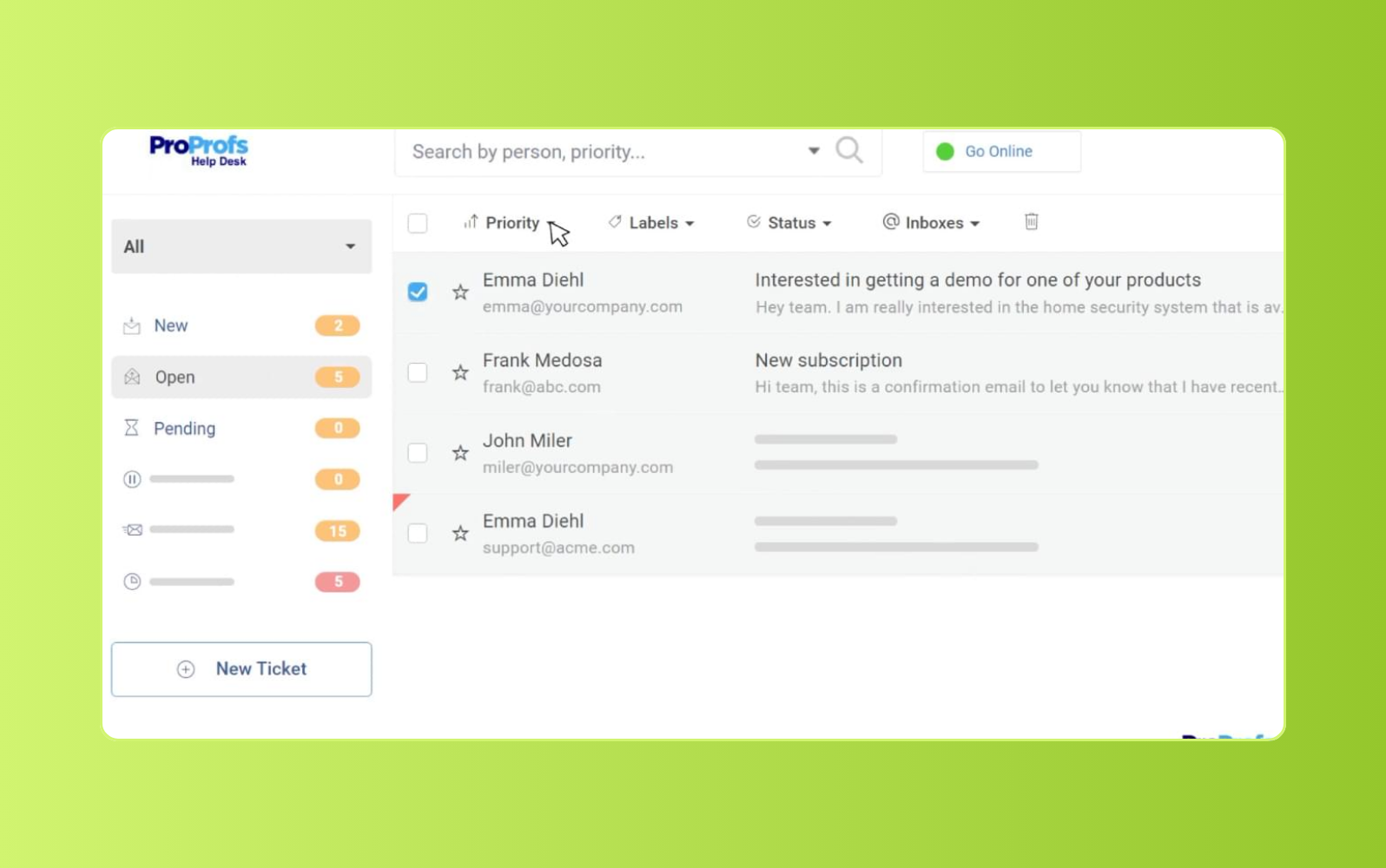
Startups and growing teams use ProProfs Help Desk to manage, track, and close customer support tickets. Its shared inbox gives agents a centralized place to view conversations, prioritize issues, automate tasks, and tag teammates for collaboration.
ProProfs also includes customer history, private notes, PDF conversation exports, and collision detection to prevent multiple agents from working on the same ticket. For self-service, businesses can create a knowledge base with FAQs and articles. Live chat software adds real-time support through a web widget, while survey tools allow teams to collect feedback and track customer satisfaction. However, reporting options are limited.
| Pros | Cons |
|---|---|
|
|
What people are saying:
- "Loaded with robust ticketing features." - Verified user, G2.
- "This tool is not a full-fledged ITSM tool. However, you can manage your basic IT ticketing needs with ease." - Verified user, G2.
- "The tool is quite user-friendly." - Verified user, G2.
Learn more: Learn how ProProfs integrates with Zendesk.
Features of customer service tools
Here are a few of the top features to look for in customer service tools.
AI agents and automation
Modern customer service programs use AI, automation, and automated ticketing systems to reduce manual work. AI can classify requests, detect intent and sentiment, route tickets, recommend next steps, and automate repetitive workflows.
AI agents resolve eligible customer requests from start to finish. They use connected knowledge, business policies, and backend systems to answer questions, take action, and complete multi-step processes without agent intervention.
AI agent assistance also improves human-led support. When a request needs an agent, AI can summarize the issue, surface relevant knowledge, suggest replies, and recommend next actions. Intelligent triage routes requests based on intent, priority, language, sentiment, skills, and availability.
AI-powered help centers strengthen automation by giving agents and AI agents accurate, governed content. These tools can identify content gaps, recommend article updates, improve search, and support knowledge creation.
AI-powered customer service tools can also support workforce engagement management (WEM), workforce management (WFM), and quality assurance (QA). WFM forecasts staffing needs and optimizes schedules, while QA reviews conversations to surface performance trends, coaching opportunities, and quality issues.
Omnichannel ticketing system
An AI-powered ticketing system acts as a central hub for all your customer questions, requests, and concerns. It aggregates customer communication from different mediums like email, messaging, social, and AI agents to give support teams a complete picture of each customer.
When a support agent is actively helping a customer, they review all customer information like order history, loyalty status, and web activity, to provide faster, more personalized service.
Voice system
Voice systems help businesses integrate customer phone calls with all other communication channels. Teams use this technology to direct and route calls within the same workflow to help support agents maintain a comprehensive view of the customer. Advanced platforms like Zendesk use AI agents to resolve or route inbound calls, while related AI and QA capabilities can summarize conversations and surface churn risks or unusual patterns.
Custom reporting and analytics
Customer tracking software and reporting tools measure service performance across key customer service metrics like ticket volume, open tickets, resolution time, first response time, CSAT, and ROI. These insights show where demand is rising, how efficiently agents resolve requests, which issues affect satisfaction, and whether service investments are reducing costs or improving customer outcomes.
Integrations
The right integrations can help your team complete tasks faster and streamline internal and external communication. Consider customer service solutions that offer no-code integrations, like Slack, Zoom, and WhatsApp, as well as third-party integrations to supercharge your software. For example, Zendesk Marketplace offers 1,800+ apps and integrations that connect customer data across tools.
Benefits of customer support software
Customer service platforms benefit companies of all sizes and types. From global enterprises to small businesses, customer support software improves service speed, consistency, visibility, and efficiency. Here are a few benefits to consider.
Customer service platforms benefit companies of all sizes and types. From global enterprises to small businesses, customer support software improves service speed, consistency, visibility, and efficiency. Here are a few benefits to consider.
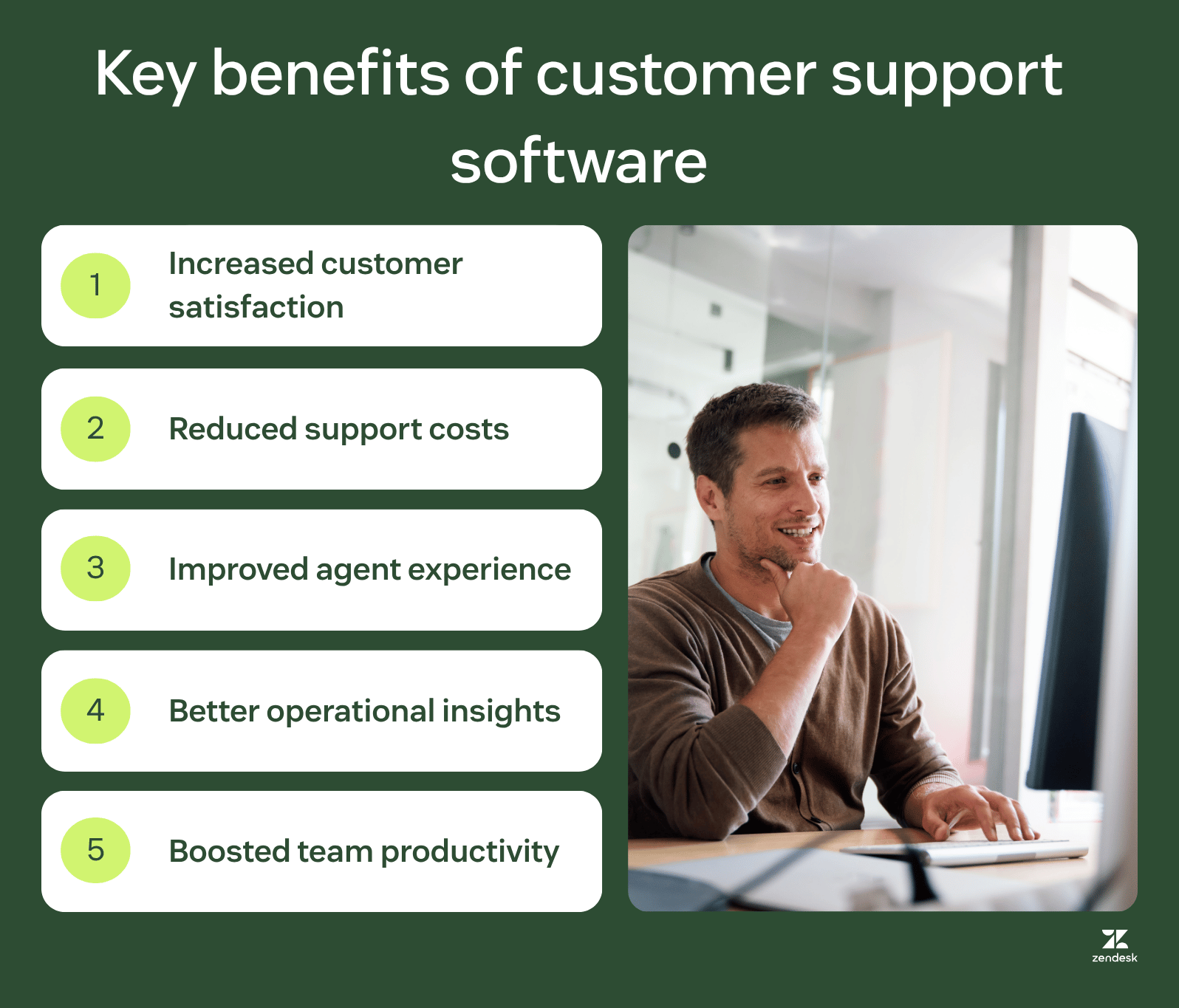
Faster, more consistent resolutions
Customer support software connects customer context, AI, routing, automation, and knowledge so teams can resolve issues faster and more consistently. Instead of relying on disconnected tools, agents and AI can access the information, workflows, and customer history needed to move requests from first contact to final resolution.
AI agents can also automate more than front-end conversations. When connected to business systems, policies, and workflows, they can take action across middle and back-office processes, such as updating orders, checking account details, or completing service steps. This reduces handoffs, improves first-contact resolution, and gives customers more consistent answers across channels.
Increased customer satisfaction, retention, and loyalty
Customer service agents and tools are designed to help teams personalize support, manage performance goals, and deliver more consistent customer experiences.
Customer service software that enables omnichannel support lets you interact with the customer on their preferred channel for fast and convenient support. Additionally, predictive analytics and issue tracking tools surface trends in ticket volume and customer behavior, giving teams a chance to address issues before they increase churn risk.
Reduced costs
Self-service, AI, and automation reduce costs by resolving repetitive requests and streamlining manual workflows. Businesses manage higher inquiry volumes by streamlining workflows, automating tasks, and giving customers self-service options before they need an agent.
Improved agent well-being and employee experience
Simplified and streamlined workflows, automated routine tasks, and intuitive workspaces create an environment that helps agents thrive. Better tools support agent retention by reducing friction, improving workflows, and giving teams more time for complex customer issues.
Better insights for informed decision-making
Customer service programs with reporting, analytics, and feedback tools give leaders visibility into performance, customer needs, and operational bottlenecks. With real-time reporting dashboards and omnichannel analytics, management teams gain visibility into ticket queues, team bandwidth, and performance.
Boosted productivity and efficiency
AI-powered knowledge tools streamline content management by identifying knowledge gaps, creating and editing articles, translating content, and recommending updates. Agent copilot gives agents real-time guidance, suggested replies, and automated actions. AI also classifies incoming requests by topic, sentiment, language, and other details to support precise routing, automation, and more efficient workflows.
Different types of software for customer support
Customer support software comes in many forms, but strong solutions connect key support channels and tools in a shared workspace. Here are some primary resources businesses use to connect with and assist customers.
1. Help desk and ticketing software
Help desk and ticketing software tracks customer requests across channels like email, forms, messaging, and live chat. Each request becomes a ticket that teams can assign, prioritize, update, and resolve from a shared workspace.
Ticketing systems also preserve conversation history, customer context, internal notes, and status updates. This gives agents a clear view of each issue, reduces duplicate work, and keeps requests moving until they’re resolved.
2. Phone (voice) support
Voice software streamlines and enhances voice-based customer interactions. It typically includes intelligent call routing, call recording and transcription, caller ID and customer history display, and IVR. Phone support software reduces manual work and gives agents real-time customer context, which may lead to faster call handling and more consistent service.
The Salvation Army connected its phone and ticketing system so every incoming call automatically creates a new ticket. This allows agents to focus on serving the customer and avoids mistakes in the ticket creation process.
3. Live chat
Live chat software provides a real-time chat interface for customer support interactions directly on business websites or mobile apps. It empowers agents to handle multiple chats simultaneously, reducing wait times. Live chat gives customers a fast, convenient way to get answers while they browse a website or mobile app.
Upwork integrates its live chat with AI agents to deflect incoming requests to self-service resources. Now, only 42 percent of chat interactions require support team involvement.
4. Social media messaging
Social messaging software allows agents to interact with customers directly on social media platforms like Facebook, X, and Instagram. Agents can manage conversations, respond to messages, and resolve issues directly within the familiar social media environment. This type of software helps support teams meet customers where they already are, offering personalized and convenient support.
BoxyCharm uses social media messaging to gain an omnichannel view of its customers within its broader customer service system. Doing this has helped the team improve their response time and ensure all private social media tickets get resolved.
5. Email management
Email management software tackles the often overwhelming task of handling customer email inquiries. It offers features like automated ticket creation and routing, team collaboration tools, and prewritten responses.
The Georgia Housing Voucher Program (GHVP) used to manage emails with shared inboxes which made it difficult to take ownership of tickets and maintain accountability. Switching to an email management system allowed the GHVP to gain full visibility of its workflows. Staff can take control of email requests and communicate with coworkers when collaboration is required.
6. Text (SMS) messaging
Text messaging software enables businesses to interact with customers directly through text messages. This convenient and fast channel allows agents to send proactive updates on orders and appointments, answer quick questions, and offer support in bite-sized pieces.
Moving company Storage Scholars uses texting to deliver a more personal touch to customer interactions. While bots help deflect basic questions, knowing a human agent is available on the other end prompts customers to trust the company with their belongings.
7. Mobile SDK
Mobile SDKs (software development kits) are like tiny toolboxes for developers building customer service features directly into mobile apps. Customers and agents can search FAQs, articles, and video tutorials to find answers independently, which reduces repetitive support requests.
Big Fish Games uses the Zendesk mobile SDK to embed its help center into game apps. The players can conveniently access knowledge base articles without leaving the app, leading to a more immersive playing experience.
8. Knowledge base software
Knowledge base software serves as a centralized hub for self-help information. This online library contains answers to common questions, step-by-step guides, and troubleshooting tips. Customers and agents can search through FAQs, articles, and even video tutorials to find solutions independently, reducing pressure on your support team.
Online marketplace MyDeal uses its knowledge base to help onboard new users. The team monitors customer inquiries and service tickets to inform which content to update or add to the knowledge base.
9. Community forums
Community forum software establishes a space for peer-to-peer support. This software allows customers to learn from each other and find user-generated answers. Features often include discussion boards, topic categories, user profiles, and moderation tools.
Discord uses community forums to gauge user sentiment about possible service updates. Product teams quickly get customer feedback in a centralized place so they can prioritize which new features or fixes should come next.
10. Service desk software
Service desk software and request management software act as the backbone of IT support, designed specifically to manage internal requests from employees or more technical customer issues. It streamlines workflows and offers features like ticket tracking, automated routing, prioritization, knowledge base access, and reporting.
Before Nottingham Trent University used service desk software, the IT department struggled to track, manage, and close student requests efficiently. With Zendesk service desk software, the department improved ticket management and increased CSAT to 96 percent.
How to choose the right customer service management software
As you can see in the list above, there are many customer service management software out there, and most seem to offer a similar feature set. As a result, committing to just one can feel overwhelming.
Unless you have time to compare feature by feature, we recommend as a baseline to check the following questions:
- For ease of use: Does the platform connect core features, like AI agents, native QA, analytics, and integrations in one place?
- For scalability: Is the pricing structure transparent so you can accurately predict future costs?
- For trust: Which security and compliance features are included and do they align with your requirements? Does the company offer a free trial so you can test before you commit?
- For customization: Is the software designed to be customized in a way that will meet your support team’s needs now and in the future?
- For customer and agent satisfaction: Does the platform have omnichannel support with synced conversation history between channels?
We designed our platform with these questions in mind. In turn, we believe that all Zendesk customers, regardless of their company size, can confidently say “yes” to each one.
Frequently asked questions
A smarter way to run customer service at scale
Zendesk gives service teams the speed, context, and visibility to deliver more consistent support as they grow. Resolve requests faster, personalize service across channels, and give leaders the reporting tools to track improvements in CSAT, retention, and resolution time. Start a free trial to see how Zendesk can support your team today.
Mozhdeh Rastegar-Panah
Senior Director, Product Marketing
Mozhdeh Rastegar-Panah is a seasoned customer experience leader and the Senior Director of Product Marketing at Zendesk. With over 12 years at the forefront of customer service innovation, Mozhdeh specializes in translating complex AI and CX technologies into impactful, scalable solutions for global businesses. Her work focuses on elevating customer support through messaging, automation, and omnichannel strategies. She brings a unique blend of strategic vision and hands-on expertise to the future of customer service.
Related customer service software guides
Continue your journey through the world of customer service software with these information-packed resources.