AI tools to reduce support costs: Features and best practices
Cut cost per ticket without hurting customer or employee experience by using AI agents, copilot, and analytics with a practical rollout plan.



Candace Marshall
Vice President of Product, AI and Automation at Zendesk
最後更新: July 24, 2026
What are AI support tools?
Artificial intelligence (AI) in support refers to software that analyzes service data, understands customer intent, automates support tasks, and guides agents through customer and employee conversations. In customer service, AI tools analyze large datasets and mimic human logic to answer common questions, route tickets, summarize interactions, recommend replies, surface knowledge, and identify trends across support operations.
AI tools cut support costs by reducing the labor, time, and software spend required to resolve each request. AI agents handle repetitive issues, copilots shorten handle times, intelligent routing removes manual triage, and workforce tools reduce overstaffing and overtime. Together, these capabilities lower cost per resolution while protecting customer experience (CX) and employee experience (EX).
Cost per resolution matters more than deflection alone. A ticket that disappears from the queue but remains unresolved can create repeat contacts, escalations, and more agent work. The strongest AI tools reduce costs by resolving more issues completely with fewer human hours.
Ease of use also shapes the return on investment. A complex platform can raise costs through implementation, maintenance, integrations, and add-ons. Rather than the lowest advertised price, compare tools by the total cost of a successful resolution. Include licensing, usage charges, implementation, maintenance, agent time, repeat contacts, and quality monitoring.
This guide compares the AI tools that influence those costs most directly: AI agents, agent copilots, knowledge, routing, QA, and workforce management.
More in this guide:
- How we evaluated AI tools to reduce support costs
- Comparison chart of AI tools that reduce support costs
- 7 best AI tools that reduce support costs
- Key AI features that drive cost efficiency
- Best practices for implementing AI in support
- Measuring ROI and impact of AI on support costs
- Final thoughts
- Frequently asked questions
- Reduce support costs with Zendesk AI
How we evaluated AI tools to reduce support costs
We evaluated each AI tool based on its ability to lower the total cost of resolving support requests. This includes more than the advertised subscription price.
Our criteria included:
- Starting price: The lowest published plan price and whether billing is monthly, annual, per seat, or usage-based.
- Pricing model: Whether teams pay per agent, interaction, automated resolution, or custom contract.
- Cost per resolution: Whether the tool reduces the labor and software spend required to solve each issue.
- Automation depth: Whether AI answers simple questions or completes multistep requests across business systems.
- Agent productivity: Whether the platform reduces handle time, manual triage, research, and repetitive tasks.
- Resolution quality: Whether teams can monitor escalations, repeat contacts, customer satisfaction, and AI accuracy.
- Implementation costs: The technical work, integrations, training, and ongoing maintenance required.
- Platform coverage: Whether the tool replaces multiple products or adds another system to manage.
- Reporting and governance: Whether teams can measure savings, audit AI decisions, and improve performance.
We gave greater weight to tools that connect pricing to successful outcomes. We also took into account each platform's ease of use, feature capabilities, and pros and cons, based on our experience and real user reviews from G2.
Use the comparison chart below as a starting point. Then, calculate total cost of ownership using your ticket volume, staffing costs, implementation needs, and expected automation rate.
Comparison chart of AI tools that reduce support costs
AI support tools serve many different purposes. Some focus on AI agents, while others combine help desk software, ticketing, analytics, routing, automation, and agent assistance. Use this chart as a starting point, then evaluate each tool based on resolution quality, governance, reporting, integrations, and total cost of ownership.
|
Software |
Known for |
Starting price |
Free trial |
|
Zendesk |
Unified AI service |
$19 per agent/month (billed annually) |
14 days |
|
Ada |
Conversational AI support |
Custom pricing |
14 days |
|
Gorgias |
E-commerce support |
$10 per agent/month |
7 days |
|
Intercom (Fin AI Agent) |
Chat-based support |
$29 per seat/month |
14 days |
|
Supportbench |
Account-level context and dynamic SLAs |
$32 per agent/month |
14 days |
|
Help Scout |
Shared inbox support |
$25 per user/month |
15 days |
|
Comm100 AI |
Live chat teams |
$31 per agent/month (billed annually) |
30 days |
7 best AI tools that reduce support costs
The best AI tools reduce support costs by automating repetitive requests, reducing manual work, improving routing accuracy, and giving leaders clearer visibility into support performance. This list includes AI tools with capabilities like ticketing, automation, knowledge management, reporting, and agent assistance.
- Zendesk: Known for unified AI service
- Ada: Known for conversational AI support
- Gorgias: Known for e-commerce support
- Intercom (Fin AI Agent): Known for chat-based support
- Supportbench: Known for account-level context and dynamic SLAs
- Help Scout: Known for shared inbox support
- Comm100 AI: Known for live chat teams
1. Zendesk
Known for unified AI service
|
Starting price |
Free trial |
Key features |
|
$19 per agent/month billed annually Explore more Zendesk pricing plans. |
14 days |
|
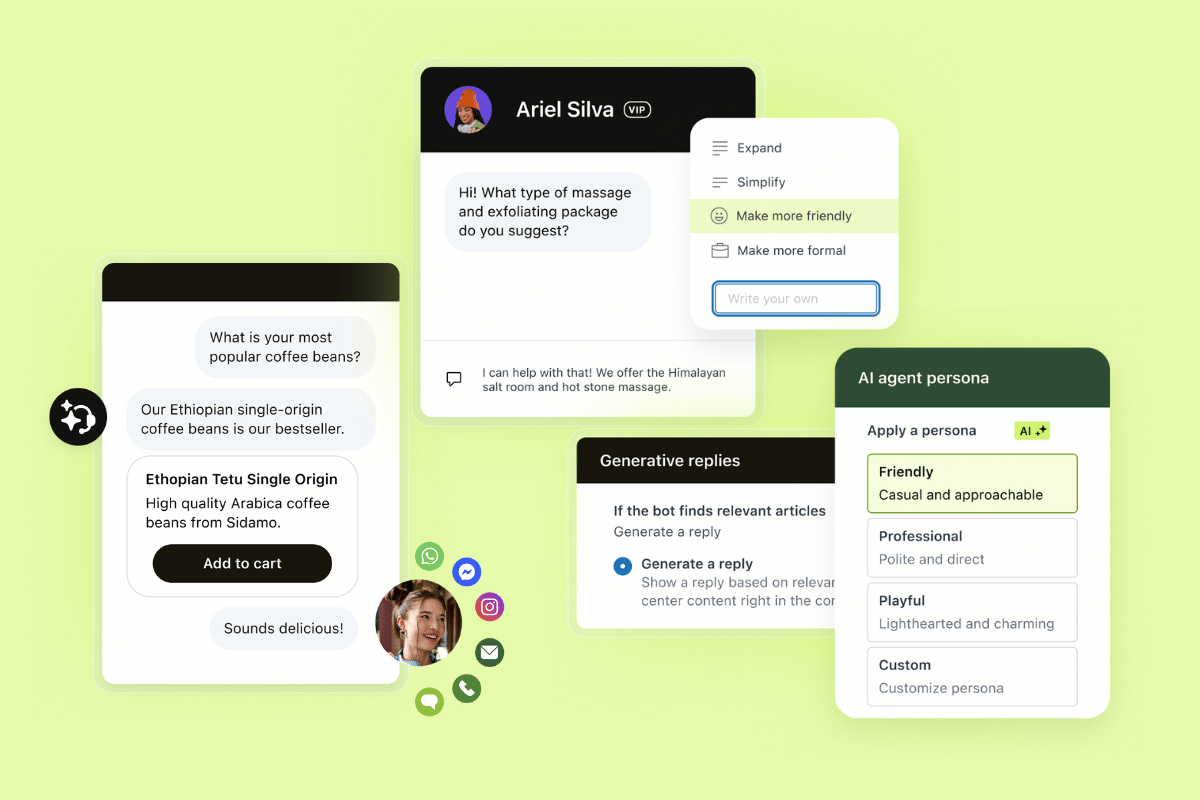
Zendesk brings autonomous AI agents, AI Copilot, ticketing, workflow automation, analytics dashboards, and knowledge base capabilities into one AI-powered service platform. Teams that start with lower tier plans have essential support features like email, ticketing, routing, prebuilt analytics dashboards, automations, triggers, pre-written responses, and customer context.
Zendesk AI agents automatically resolve customer and employee requests, while AI Copilot supports human agents with AI assistance. Workflow automation reduces repetitive steps, the ticketing system keeps conversations organized, analytics dashboards reveal support trends, and the knowledge base gives customers and agents access to trusted answers. Zendesk also uses outcome-based AI agent pricing, so teams pay for successful automated resolutions rather than every interaction.
On G2, reviewers frequently praise Zendesk’s centralized ticketing, AI-powered automation, and reporting platform, which allows multiple teams to collaborate in one place. Many users also highlight its flexible and fast setup. Combining depth, speed, and customization in one AI customer service software solution, Zendesk is the strongest AI tool to reduce support costs and enhance productivity.
|
Pros |
Cons |
|
|
|
53.7% faster implementation than legacy platforms |
90% customers deliver value in under eight weeks |
Up to 80% of interactions resolved autonomously across 80+ languages |
What people are saying:
- “The latest evolution of Zendesk’s AI Agents is a total game-changer, primarily because the bot has moved away from rigid, “if-this-then-that” scripts to a more fluid, Generative AI model.” - Verified user, G2 review.
- “I like how Zendesk is leaning heavily into AI-powered automation, especially with AI agents that can resolve common support queries instantly while still handing off complex issues smoothly to human agents.” - Verified user, G2 review.
- “I also enjoy the fact that Zendesk AI is able to propose answers to agents on similar tickets that have been previously dealt with.” - Verified user, G2 review.
2. Ada
Known for conversational AI support
|
Starting price |
Free trial |
Key features |
|
Custom pricing |
Contact sales |
|
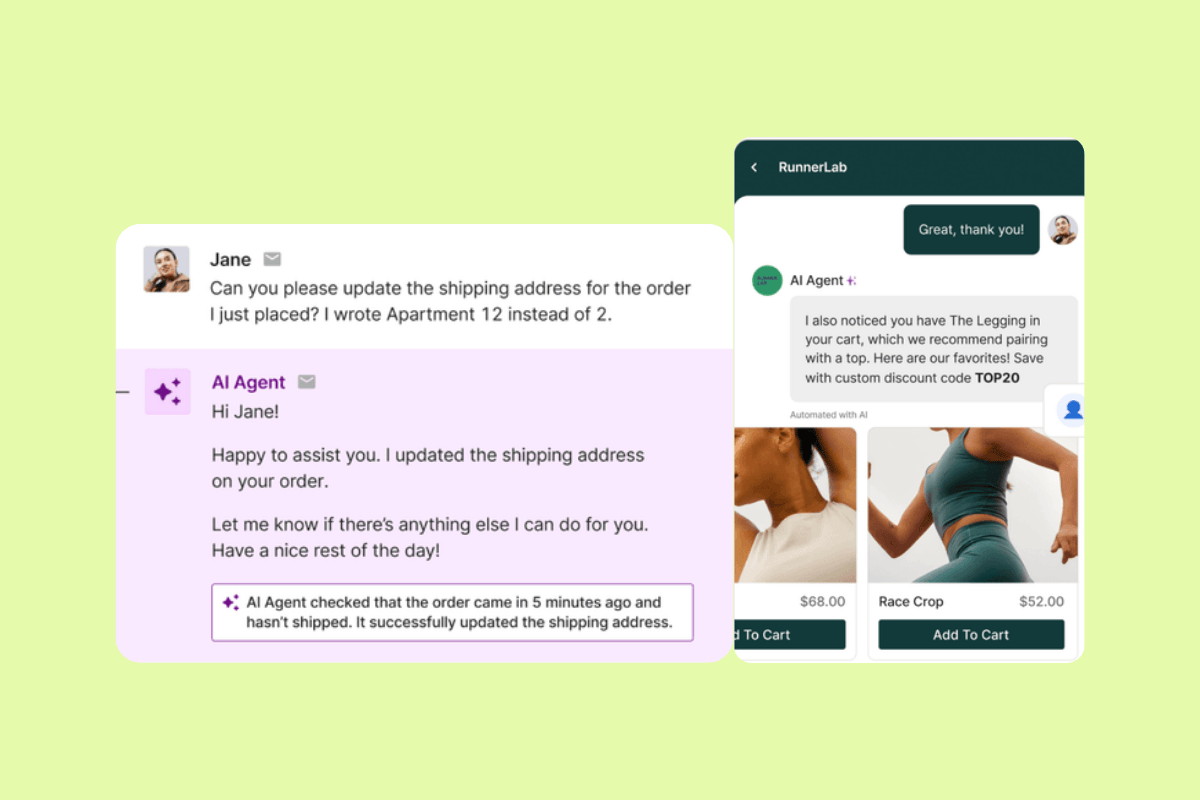
Ada is an omnichannel AI platform for building, deploying, and optimizing AI customer service agents across chat, voice, email, and social channels. Known for conversational AI support, Ada focuses on conversational AI experiences that answer customer questions and automate common support interactions.
Its feature set includes AI agents, knowledge-based responses, omnichannel support, automation workflows, performance analytics, and integrations. G2 reviewers often praise its ease of use and flexibility, but some note a learning curve for new administrators and reporting limitations.
|
Pros |
Cons |
|
|
What people are saying:
- “The product is easy to use and delivers rapid results, enhancing our operational efficiency.” - Verified user, G2 review.
- “While Ada’s platform is powerful and user-friendly, it can feel a bit limited when it comes to building more dynamic workflows or adapting the conversation logic automatically based on user intent.” - Verified user, G2 review.
- “The setup process for flows sometimes requires more manual work and testing than expected, especially when compared to platforms that offer stronger built-in discovery features or self-optimizing flows.” - Verified user, G2 review.
Learn more: Discover how Ada integrates with Zendesk.
3. Gorgias
Known for e-commerce support
|
Starting price |
Free trial |
Key features |
|
$10 per agent/month |
7 days |
|
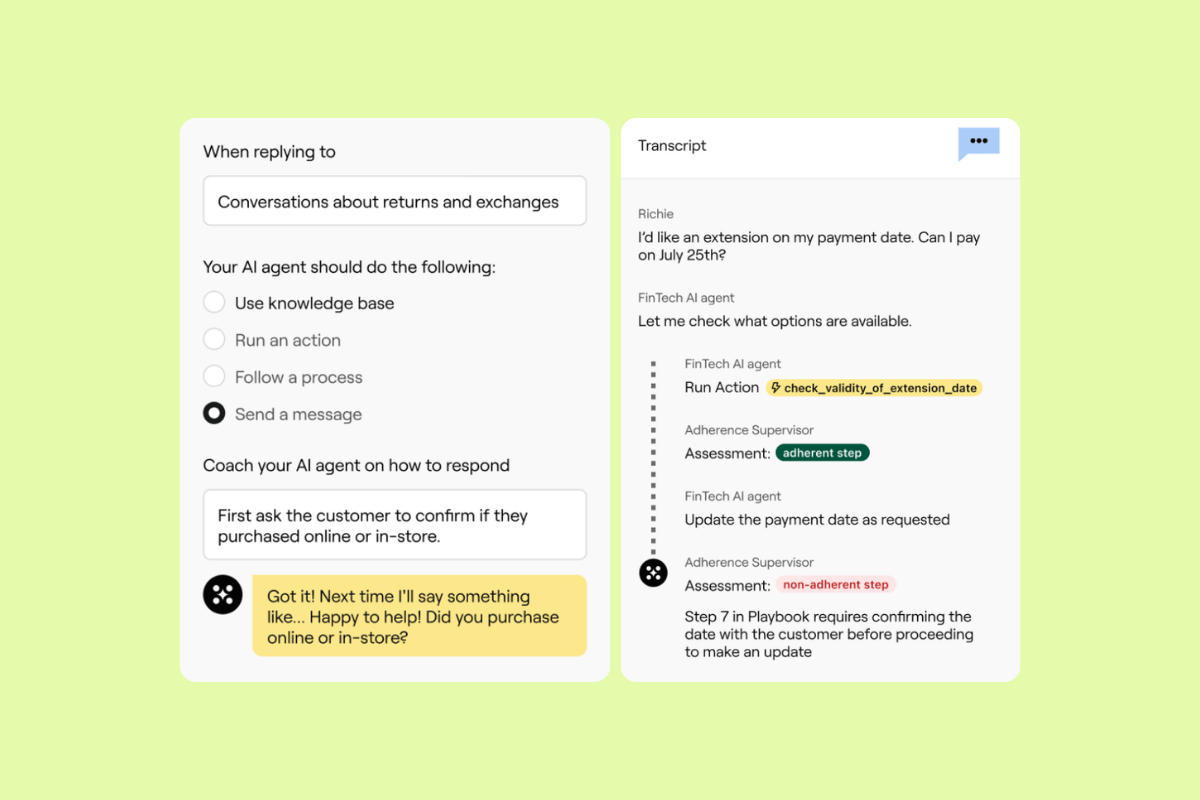
Gorgias is an AI-powered helpdesk and conversational AI platform built for ecommerce brands. Gorgias positions itself around support and sales, with tools that help teams manage customer conversations, automate repetitive inquiries, and work from one unified view across channels. It also emphasizes deep ecommerce integrations, especially for Shopify-based workflows.
Its features include an AI agent, help desk, automation rules, macros, reporting, and ecommerce integrations. Users often praise its ease of use and Shopify integration, while common drawbacks include limited reporting and some fine-tuning for advanced features. This makes Gorgias the best fit for teams looking for ecommerce support with store-connected automation.
|
Pros |
Cons |
|
|
What people are saying:
- “The platform itself is clear and easy to use [...].” - Verified user, G2 review.
- “The reporting suite is super limited. It'd be good to be able to make custom queries.” - Verified user, G2 review.
- “[...] some of the more advanced automation and reporting features can take a bit of fine-tuning to get exactly right [...].” - Verified user, G2 review.
Learn more: Discover how Gorgias integrates with Zendesk and how Zendesk vs. Gorgias compare.
4. Intercom (Fin AI Agent)
Known for chat-based support
|
Starting price |
Free trial |
Key features |
|
$29 per seat/month |
14 days |
|
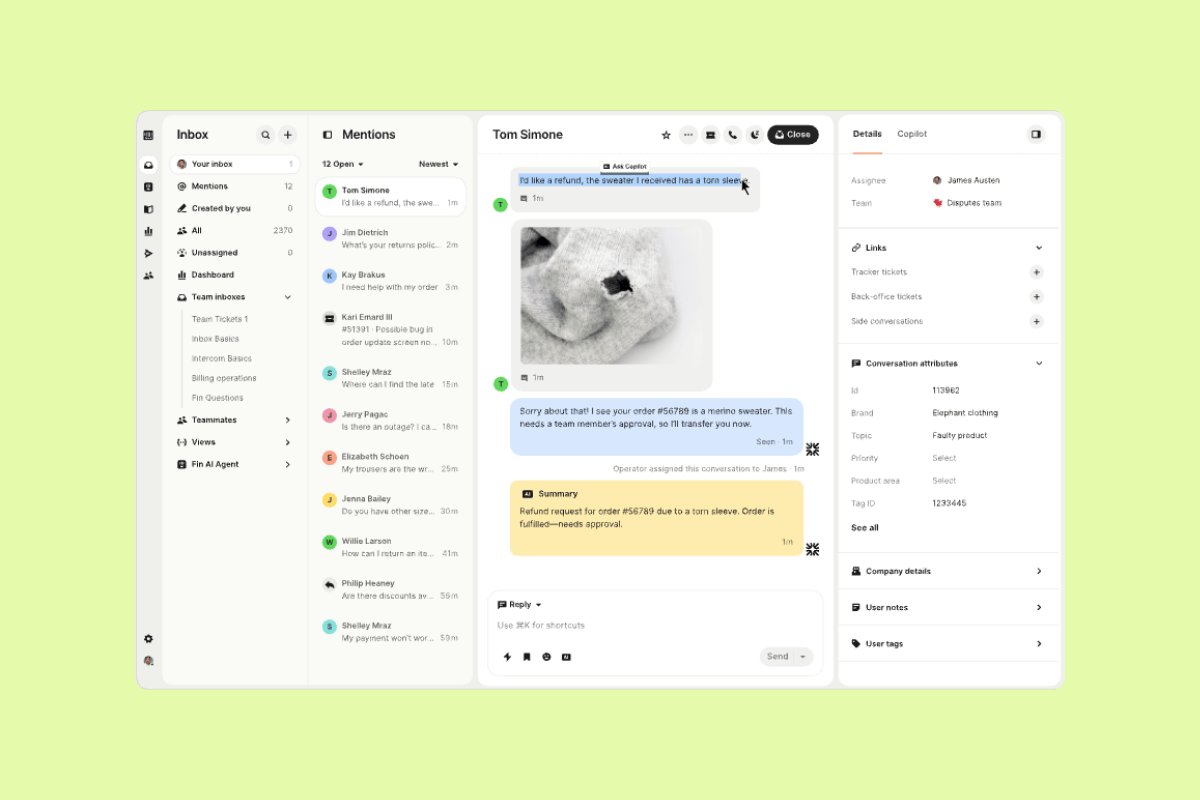
Intercom is a customer service platform centered on its Fin AI agent and next-generation help desk. It focuses on AI-led support, agent assistance, and messaging-first service, with features such as ticketing, Copilot, and reporting. The platform can work well for teams that want a chat-centric support setup with strong AI capabilities.
Still, businesses that need deeper customization, broader operational tooling, or a more complete service platform may need additional solutions. Users on G2 reviews often praise Intercom's efficiency and knowledge-base integration, while common drawbacks include pricing, a steep learning curve, and limitations on complex queries. All this makes Intercom a good fit for teams prioritizing chat-based support.
It's worth noting that an agreement for Salesforce to acquire Fin has been signed. The deal is expected to close in the fourth quarter of Salesforce’s fiscal year 2027. So, businesses considering this solution should expect potential changes in features and pricing.
|
Pros |
Cons |
|
|
What people are saying:
- “The ease of tailoring the platform to our needs makes it possible to handle repetitive questions efficiently, which frees up time for our small team.” - Verified user, G2 review.
- “While Fin performs well, the pay-per-resolution approach makes costs hard to predict at higher volumes and can become expensive as AI adoption and resolution rates increase.” - Verified user, G2 review.
- “[...] I've managed workflows since then and I find the process to be a little bit confusing.” - Verified user, G2 review.
Learn more: Discover how Intercom integrates with Zendesk and how Zendesk vs. Intercom compare.
5. Supportbench
Known for account-level context and dynamic SLAs
|
Starting price |
Free trial |
Key features |
|
$32 per agent/month |
14 days |
|
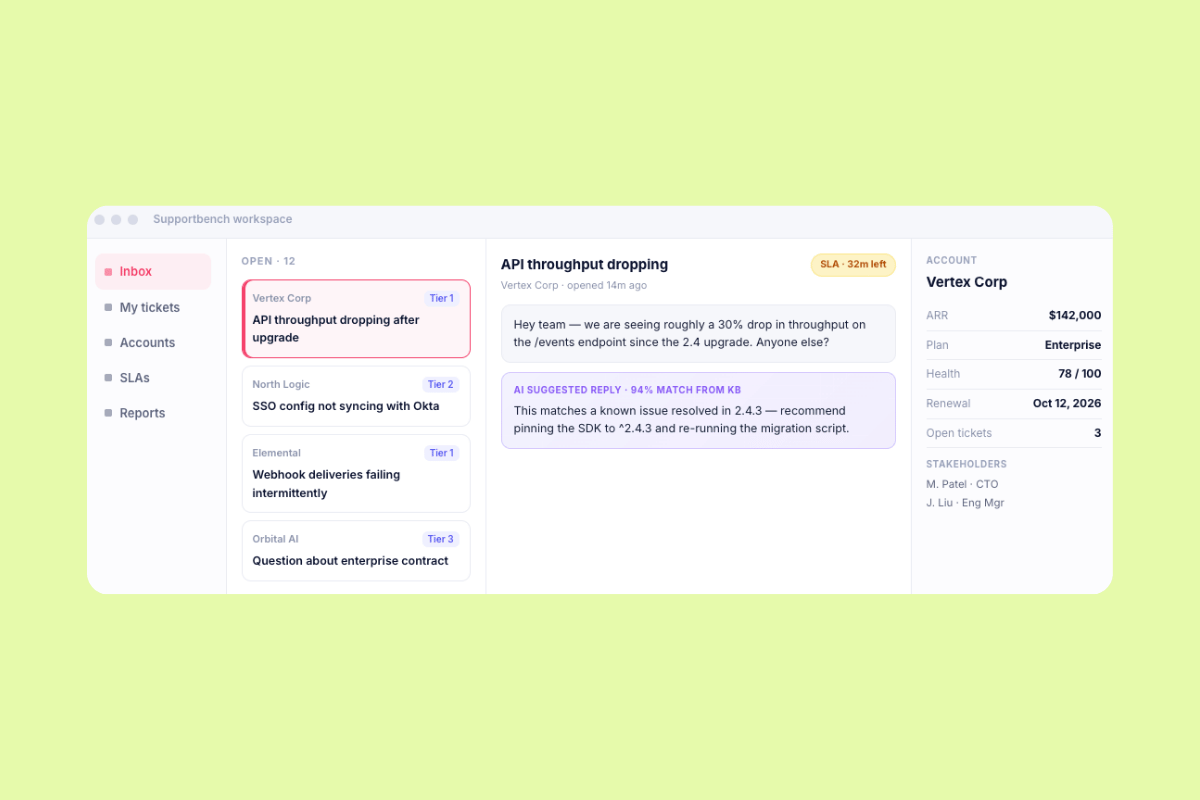
Supportbench is built for B2B teams that manage support around customer accounts. It’s a customer support platform with account-level context, dynamic SLAs, escalations, AI assistance, self-service, and reporting.
Users praise Supportbench's high visibility for case management and team accountability. Other users find its chat customizations somewhat limited and experienced a learning curve. Still, Supportbench is a great fit for B2B teams that want more account-level structure, though teams should evaluate whether its more specialized scope matches broader service needs.
|
Pros |
Cons |
|
|
What people are saying:
- “Supportbench is extremely helpful in case management, with a customizable ticketing plan.” - Verified user, G2.
- “The chat tool is a bit basic. Gets the job done but not super customizable yet.” - Verified user, G2.
- “There was a learning curve, but the benefits we've seen have made the transition worth it.” - Verified user, G2.
6. Help Scout
Known for shared inbox support
|
Starting price |
Free trial |
Key features |
|
$25 per user/month |
15 days |
|
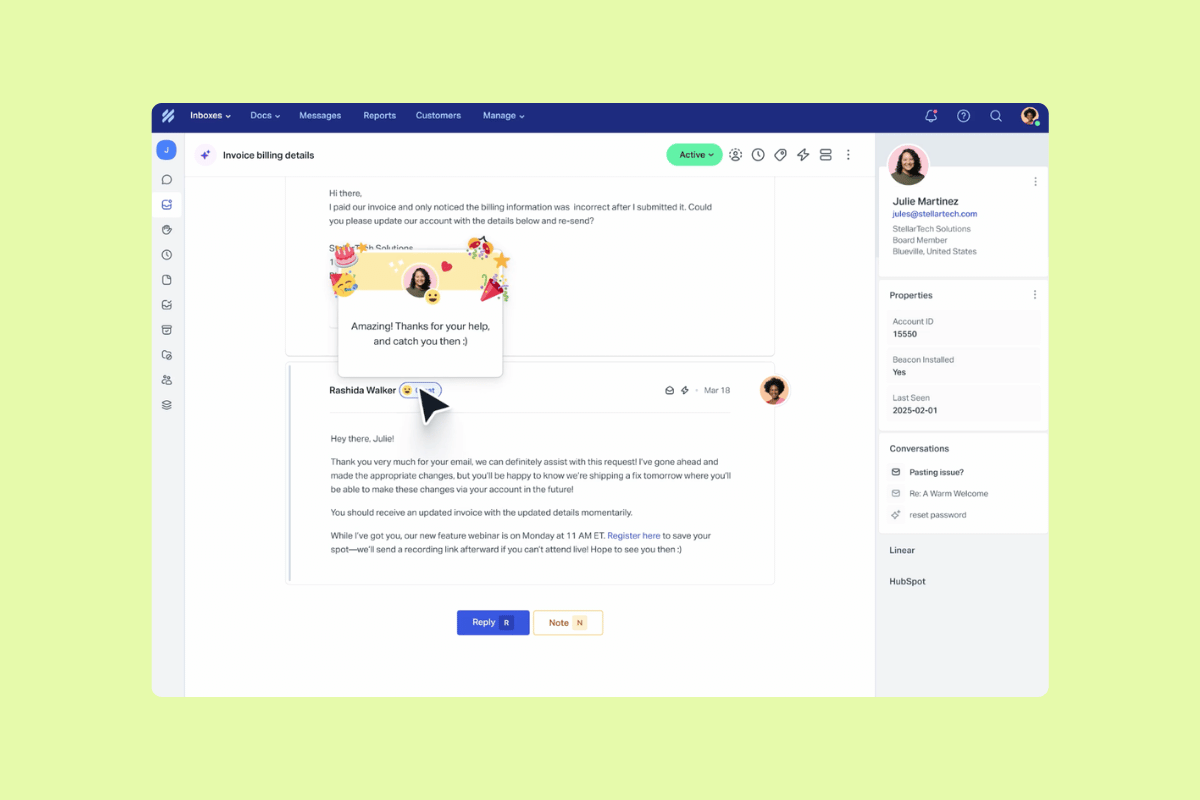
Help Scout is known for shared inbox support because its workspace centers on managing customer conversations in a simple, email-like environment. Teams can use shared inboxes to organize requests, live chat to support customers in real time, and a knowledge base to give customers self-service answers.
Help Scout also includes workflows, saved replies, and AI drafts, which can reduce repetitive writing and speed up everyday support tasks. G2 reviewers often praise Help Scout’s ease of use and clean interface. Some reviewers say its reporting, customization, integrations, and advanced feature depth are limited, so teams with more complex support operations may need to evaluate those areas closely.
|
Pros |
Cons |
|
|
What people are saying:
- "More flexibility and customization options would be really valuable." - Verified user, G2.
- "Limited capability for a broader ecosystem, for example for calls and chat." - Verified user, G2.
- "What I like best about Help Scout is its clean, intuitive interface and the way it keeps customer conversations personal and organized." - Verified user, G2.
Learn more: Discover how Help Scout integrates with Zendesk and/or how Zendesk vs. Help Scout compare.
7. Comm100 AI
Known for live chat teams
|
Starting price |
Free trial |
Key features |
|
$31 per agent/month (billed annually) |
30 days |
|
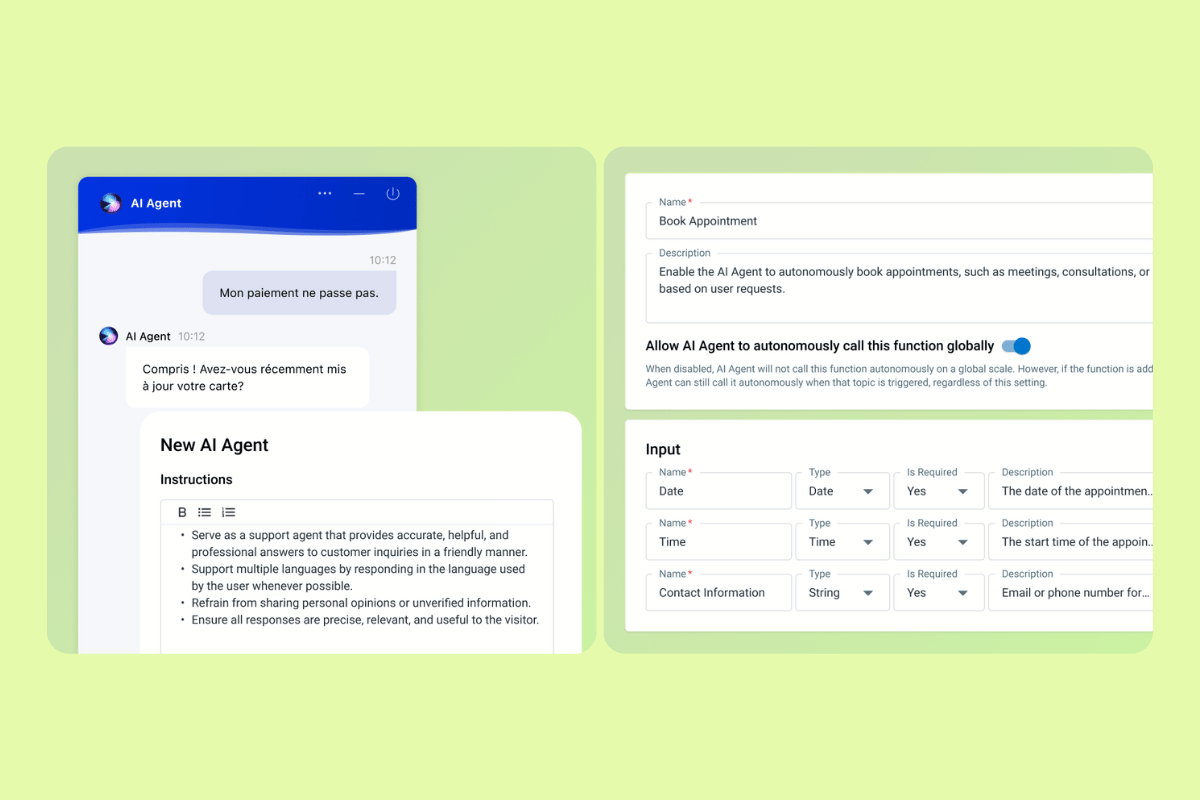
Comm100 AI automates inbound support queries across digital conversations while keeping live agents available for complex issues. Its AI Agent can launch across channels like live chat, SMS, and instant messaging, learn from website content, uploaded files, or connected cloud directories, and deliver on-brand responses grounded in business knowledge.
Comm100 AI's core features include AI agent automation, live chat, ticketing and messaging, knowledge-based responses, workflow automation, and reporting. G2 reviewers often mention Comm100 AI’s ease of use while others report chatbot issue-resolution gaps, integration limitations, and update requests. All this makes Comm100 AI a good fit for live chat teams.
|
Pros |
Cons |
|
|
What people are saying:
- “Comm100 has been easy to use overall [...].” - Verified user, G2.
- “The lack of being able to integrate our third party agent with those same AI tools.” - Verified user, G2.
- “However, when agents aren’t available, the AI chatbot sometimes seems to struggle to resolve members’ issues.” - Verified user, G2.
Key AI features that drive cost efficiency
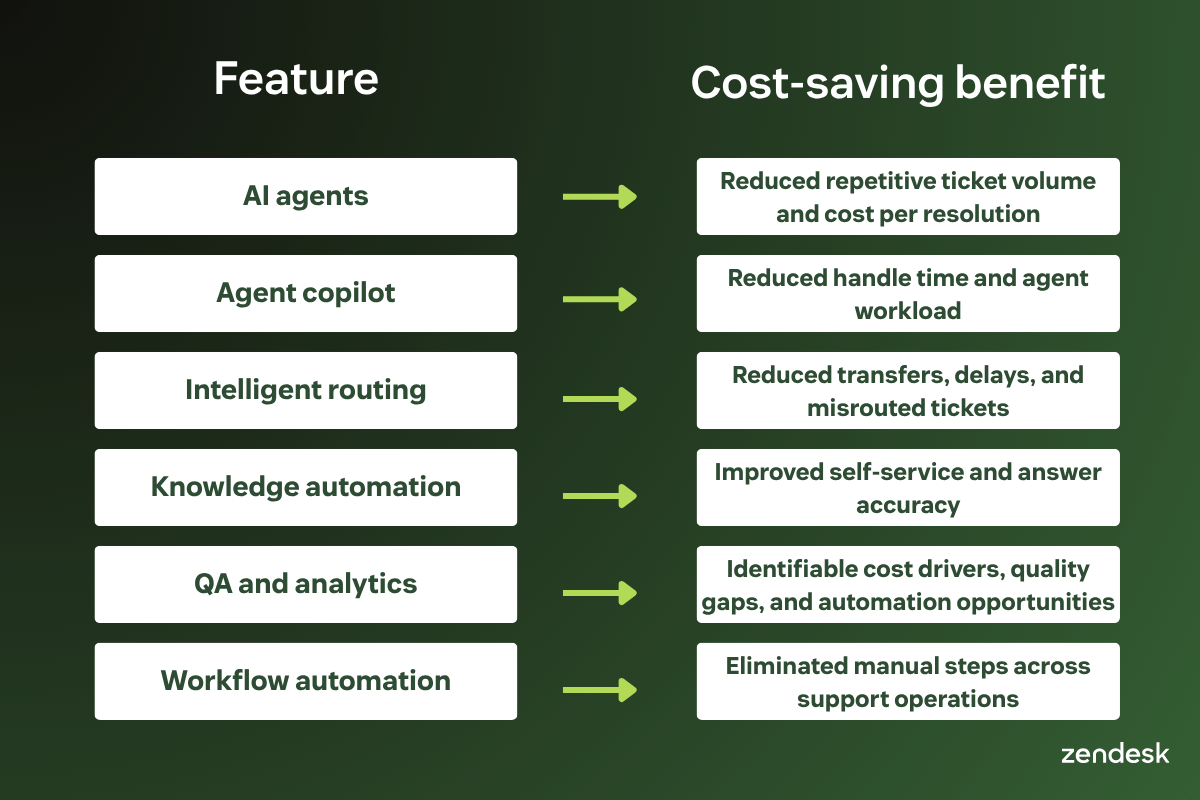
Not every AI feature reduces support costs equally. The strongest cost-saving capabilities lower ticket volume, shorten handle time, improve routing, increase self-service and automated resolutions, and give leaders clearer insight into staffing and workflow decisions. Here are some practical examples of how key AI features drive cost efficiency.
AI chatbots and virtual agents reduce repetitive support volume
AI agents and customer service chatbots automate repetitive requests like FAQs, order tracking, password resets, subscription changes, returns, and troubleshooting. This lowers the number of tickets that reach human agents, allowing them to focus on more complex conversations while reducing cost per resolution.
AI-powered routing and triage improve operational efficiency
Routing errors increase costs because they create transfers, delays, and duplicate work. AI-powered routing classifies, prioritizes, and directs tickets to the right team or agent based on topic, sentiment, language, and context.
Agent assist tools help support teams work faster
Copilots and agent assist tools like Zendesk Copilot reduce manual effort by summarizing conversations, recommending replies, surfacing knowledge, and guiding agents through next steps. This reduces average handle time and gives agents more bandwidth for complex work.
Generative AI personalizes support while lowering costs
More than simply retrieving information, generative AI creates new content. Based on context, it generates summaries, responses, recommendations, and knowledge updates. In support, generative AI makes automated and agent-assisted interactions more relevant without requiring agents to manually rewrite every response.
The cost benefit comes from scale. Teams deliver more consistent, personalized responses across channels while reducing manual writing, searching, and summarizing.
AI analytics and automation support smarter decision-making
AI analytics can detect trends, surface anomalies, identify ticket drivers, and reveal workflow issues before they become expensive. Automation then turns those insights into actions, such as routing updates, workflow changes, staffing adjustments, or self-service improvements.
|
Feature |
Cost-saving benefit |
|
AI agents |
Reduced repetitive ticket volume and cost per resolution |
|
Agent copilot |
Reduced handle time and agent workload |
|
Intelligent routing |
Reduced transfers, delays, and misrouted tickets |
|
Knowledge automation |
Improved self-service and answer accuracy |
|
QA and analytics |
Identifiable cost drivers, quality gaps, and automation opportunities |
|
Workflow automation |
Eliminated manual steps across support operations |
Best practices for implementing AI in support
Successful AI adoption depends on strategy, governance, and workflow design. Teams see stronger results when AI is introduced gradually, measured carefully, and designed to support both customers and employees. When implementing AI in support, follow the best practices below.
Start AI automation with high-volume support tasks
Begin AI automation with repetitive, measurable requests. Good starting points include order status, software access requests, password resets, billing questions, account updates, return requests, and knowledge-based FAQs. This approach reduces risk because teams can measure automation rate, escalation rate, CSAT, and cost per ticket before expanding AI into more complex workflows.
Build human-centered AI workflows with governance and escalation paths
AI shouldn’t remove human control from support. It should reduce repetitive work while keeping agents available for complex, sensitive, or high-value interactions. Build workflows with clear escalation paths, fallback rules, approval steps, and QA review.
Prepare support teams and systems for AI adoption
Before launch, audit your historical tickets, macros, knowledge base, and routing rules. Identify the highest-volume issues, recurring bottlenecks, and tasks that agents repeat every day.
A practical AI implementation to-do list should include:
- Audit common ticket categories
- Identify high-volume automation opportunities
- Review knowledge quality and content gaps
- Define escalation paths
- Set QA and governance rules
- Train agents on AI-assisted workflows
- Monitor AI-generated outputs
- Track ROI and satisfaction metrics together
Measuring ROI and impact of AI on support costs
AI success should include financial outcomes and service quality. Cost savings matter, but automation that frustrates customers and employees or overwhelms agents can damage loyalty and increase downstream costs. Organizations need a balanced approach that tracks operational efficiency, customer experience, and employee productivity, not just cost reduction alone.
Track cost savings and operational efficiency metrics
Before-and-after comparisons help quantify ROI and identify efficiency gains over time. Use them to measure AI’s impact. The most important operational KPIs for measuring AI are:
- Cost per ticket
- Cost per resolution
- Ticket deflection rate
- AI resolution rate
- Average handle time
- First reply time
- Ticket backlog
- Escalation rate
- Agent productivity
Additionally, a strong ROI model should answer:
- Which ticket types did AI automate?
- How many tickets did AI resolve without escalation?
- How much agent time did AI return?
- Did CSAT, QA scores, or escalation rates change?
- Which workflows still require human review?
- Which knowledge gaps created failed resolutions?
Measure resolution quality
Resolution quality measures whether the interaction solves the customer or employee's issue quickly, accurately, and consistently. AI may lower costs, but teams still need to monitor employee and customer satisfaction, escalation patterns, churn risk, and resolution consistency.
To measure customer and employee experience and resolution quality, track the following KPIs:
- CSAT
- Net Promoter Score℠ (NPS®)
- First-contact resolution
- Reopen rate
- Escalation rate
- Sentiment
- Quality assurance scores
It's worth noting that Zendesk QA analyzes 100 percent of interactions across human and AI agents, channels, BPOs, and languages.
Final thoughts
Most AI support tools promise lower costs through automation, faster service, and higher agent productivity. The real test is whether they reduce the total cost of resolving an issue without creating more escalations, repeat contacts, or maintenance work.
To find the best solution for your team, ask these questions:
- For pricing: Does the model charge for seats, interactions, or successful resolutions?
- For cost control: Does the platform reduce cost per resolution after implementation, integrations, usage fees, and maintenance?
- For automation: Can AI complete requests across business systems, or does it stop at simple answers?
- For agent productivity: Can it reduce handle time, triage, research, and repetitive work?
- For quality: Can teams monitor AI and human interactions, identify failed resolutions, and prevent repeat contacts?
- For scalability: Can the platform support more volume without proportional headcount growth?
- For reporting: Can leaders measure savings, resolution quality, and return on investment in one place?
Zendesk connects AI agents, copilot, knowledge, routing, quality assurance, analytics, and workforce management in one service platform. Such a unified approach reduces tool sprawl and gives teams more control over both service quality and support costs.
Our final take: the lowest price doesn’t always produce the lowest support cost. Focus on the total cost of a successful resolution.
Frequently asked questions
Reduce support costs with Zendesk AI
Zendesk AI gives service teams a unified approach to lowering cost per resolution while protecting CX and employee service. AI agents resolve repetitive and complex requests, agent copilot speeds up human support, analytics reveal cost drivers, and workflows keep people in control. The result is faster, more consistent service for customers and employees and less repetitive work for agents and support operations teams.
Candace Marshall
Vice President of Product, AI and Automation at Zendesk
Candace Marshall is a product marketing leader at Zendesk, where she heads AI product marketing across AI Agents, Copilot, and core service offerings. She is passionate about transforming customer insights into strategies that create real business impact, and her team delivers end-to-end go-to-market programs that bring Zendesk’s AI vision to life. Before Zendesk, Candace spent nearly a decade at LinkedIn, building and leading product marketing for its rapidly scaling Marketing Solutions division.
tierThree:share_the_story
Related AI tools to reduce support costs guides
Explore related guides on AI tools, automation strategies, and best practices for reducing support costs while improving service efficiency and customer experience.