Knowledge management system examples: Types and use cases
Here are our favorite knowledge management system examples and perhaps the type of knowledge management system your company will want to develop.
Hannah Wren
Redactor de personal
最後更新 2026年4月9日
What is a knowledge management system?
A knowledge management system helps organizations capture, organize, and deliver information so employees and customers can quickly find the answers they need. It includes both the processes for managing knowledge and the tools that make it accessible. When done well, it improves self-service, speeds up resolutions, and keeps teams aligned.
Customers and employees expect accurate answers instantly. But when knowledge is scattered across tools, documents, and teams, finding the right information becomes slow, inconsistent, and frustrating.
That’s where a strong knowledge management system makes a difference. It connects information across your organization and surfaces the right answers in the moment—whether through a help center, internal tools, or AI-powered search.
In this guide, we’ll explore real knowledge management system examples, the different types you can implement, and how to choose the right approach to improve both customer and employee experiences.
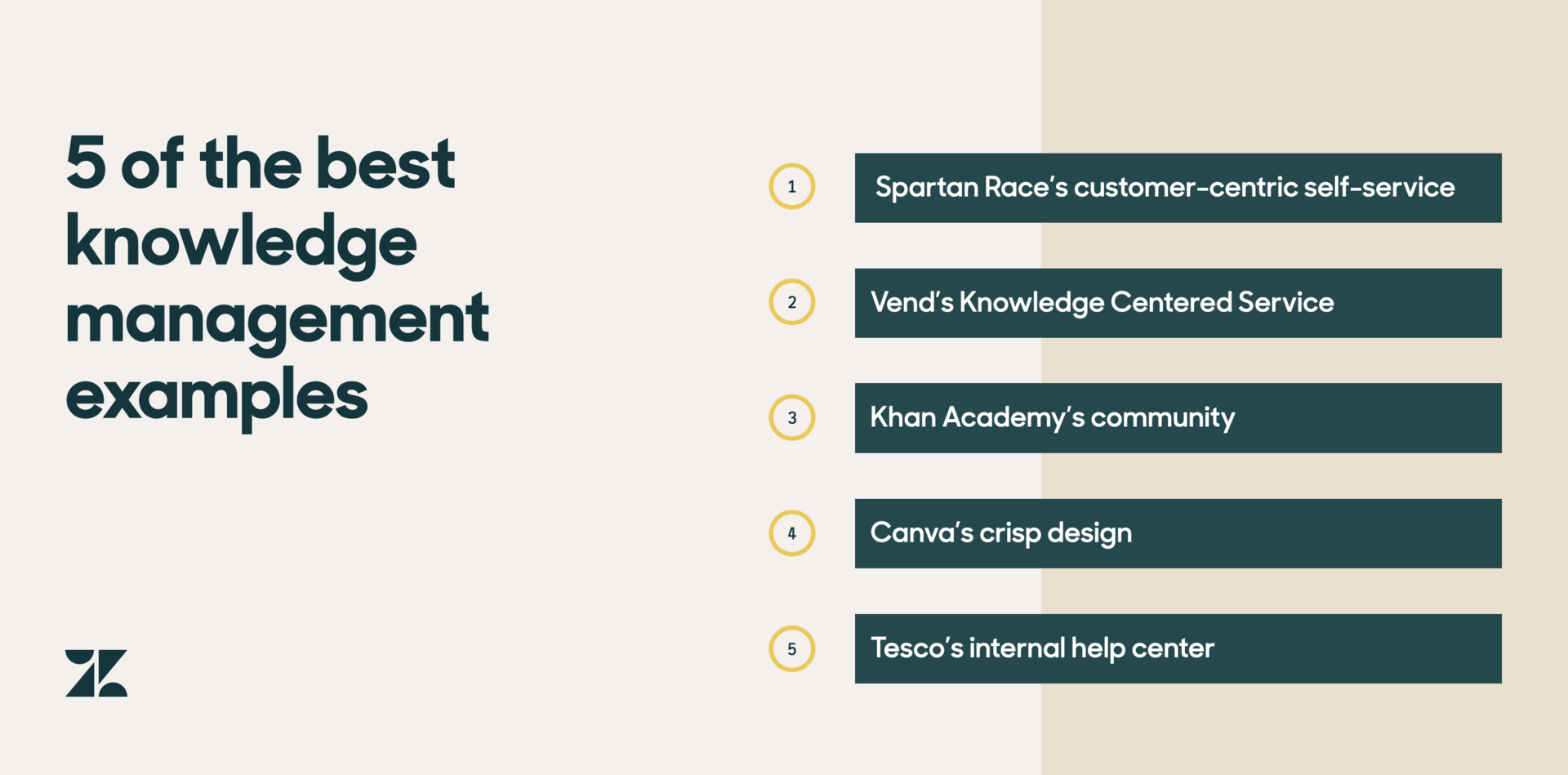
An example of a knowledge management system is Spartan Race’s knowledge base. Spartan Race, a global leader in obstacle races, is first on our knowledge management list for its customer-centric self-service strategy. Spartan Race understands that its customers’ relationship with the brand isn’t one-size-fits all, and that presenting knowledge aligned with a customer’s unique needs is vital to its knowledge management success.
First and foremost, Spartan Race has 40 help centers customized by country. Customer questions often vary depending on what part of the world someone is in, like around events specific to their region.
Then, within each help center, knowledge is catered to different user groups, for example, if someone is a racer or a volunteer. Using content organization best practices such as labels allows for Spartan Race to ensure users can easily find the right content for their specific needs.
Not only that, Spartan Race uses AI to put its knowledge to use, before a customer navigates to its help center.
After receiving a high volume of frequently asked questions over chat, Spartan Race integrated Answer Bot in the Web Widget to offer self-service alongside live support options, such as on the homepage of its website.
AI allows the organization to deliver knowledge that is tailored to each user and their context, enabling customers to get help from where they already are.
And, Spartan Race uses data from how customers are interacting with Answer Bot to continuously improve help center articles, keeping customers at the core of content upkeep.
As a small team, Spartan Race has found Answer Bot particularly helpful for when customer requests spike during races, allowing customers to get quick answers in real-time—races are harder to staff for because they typically occur on weekends.
Overall, it also creates a more engaging agent experience as agents can deflect repetitive questions and improves productivity. Since deploying Answer Bot, Spartan Race has seen a 9.5 percent decrease in chat volume and was able to extend its support team’s live chat availability by 3 hours every day from time savings.
2. Vend
Vend’s help center makes it easy to access the basic insights on getting started, or when something isn’t working.
This beautifully simple knowledge base that we see on the front end is supported by a sophisticated knowledge management program happening behind the display of information—Knowledge Centered Service (KCS® methodology). KCS is a knowledge management strategy that enables a support team to be agile and improve its help center over time by empowering agents to participate in knowledge sharing, creation, and upkeep.
At Vend, this means every agent is a knowledge manager, having the power to create content.
“When a ticket comes in, the agent searches for the answer and either applies it to the ticket and solves it, or if the article doesn’t exist, they write the answer as an article to be published to our help center.” Talei Wood, Vice President of Support at Vend
Since implementing KCS, Vend has seen a 650 percent increase in help center articles, a 29 percent increase in customer satisfaction, and a 40 percent increase in one-touch solves.
By encouraging agents to update content based on customers’ needs, Vend gains a valuable opportunity to learn from its customers and improve its business process as a whole.
This requires its support team to have a knowledge management system that provides agents with the knowledge management tools they need for sharing and publishing content.
And it pays off—Zendesk data shows that High Performers are nearly three times more likely to use knowledge base software that allows agents to capture their knowledge and add to or update help articles.
3. Khan Academy
Khan Academy, a non-profit working to make free education available for anyone, anywhere, understands that customer interactions with its website is one of its biggest success factors, especially during busy periods of the school year, or most recently, when schools moved online due to COVID-19.
Its help center consists of an obvious search bar, crisp knowledge organization, and clean content categories centered around its main customer groups: parents, teachers, and learners.
However, Khan Academy’s knowledge management strategy also includes something unique—a thriving community prominently placed inside its help center.
Harnessing the power of peer-to-peer knowledge sharing is an essential part of the Khan Academy experience, and a great knowledge management example.
Members often have questions about the content they’re learning, like exponents, or need advice, like how to get a child who hates math to like it—questions best posed to other customers.
“Our community is gold. It’s hard to find a group of people like this on the internet, who are so sincere and eager to help.” Laurie LeDuc, Senior Community Support Manager at Khan Academy
4. Canva
As they say on Top Chef, plating and presentation is everything.
And, if anyone knows the importance of plating your knowledge as cleanly and as beautifully as possible, it’s Canva, a graphic design platform.
The best part? Canva’s knowledge management process and help center design strategies are utterly simple to implement, even for those who aren’t design savvy.
Canva’s help center comes with a thorough sidebar of information with simple category titles and well-designed organization methods, making it an easy process for self-sufficient customers to find answers.
Canva’s knowledge management also includes a clear “Contact us” section to ensure that customers can access support if and when they need to.
5. Tesco
Similar to how self-service improves the customer experience, it can also enable a better experience for your employees: your internal customers. And grocery giant, Tesco, made our knowledge management list for that exact reason.
With its technology department alone handling over 40,000 tickets per week, Tesco’s internal knowledge base plays a vital role in taking pressure off its help center managers, allowing them to deflect quick, repetitive questions. Its knowledge repository brings together the various service desk offerings within the entire organization into a single knowledge repository, providing a one-stop-shop for information for its 460,000 employees located across 9 countries.
Like the other companies on our knowledge management list, Tesco also understands that a seamless help center on the front end is only possible with the right strategies and processes happening behind the scenes.
As part of its internal knowledge management strategy, Tesco encourages its designated help center managers across the company to edit and contribute content, ensuring that articles are always up to date and best serve the needs of its internal customers.
What are the types of knowledge management systems?
There are three major types of knowledge management systems: A knowledge base, community forum, and AI-powered bots.
Knowledge base
A knowledge base like Zendesk’s own organizes frequently asked questions, product details, policies, and more, and empowers customers and agents with that information.
Robust reporting is key to a steller knowledge base because it enables teams to discover exisiting knowledge that’s working and net new knowledge to create.
With an AI-powered knowledge base, agents can draft new articles on the fly, quickly flag outdated content for improvements, and share article recommendations inside tickets.
Community forum
A community forum is a place where customers can interact and support each other. It’s also a great way for businesses to glean organic customer feedback.
To moderate and keep discussions on topic, support team members can jump in or businesses can appoint community managers.
AI-powered bots
AI-powered bots like Zendesk AI Agents enable support teams to put their knowledge to use outside of a help center and deliver self-service at scale. Self-service bots answer customer questions by serving up help center articles relevant to a customer’s specific needs.
What are examples of knowledge management tools?
Knowledge management tools are technology that helps teams gather, organize, and share information across a business and for its customers. Examples of knowledge management tools include knowledge bases, community forums, and self-service portals. If you’ve ever checked out a company’s FAQ or an online tutorial, then you’ve made use of knowledge management tools.
Frequently asked questions
Knowledge management approaches typically include explicit knowledge (documented information) and tacit knowledge (experience-based insights), along with systems like wikis, document management systems, help centers, AI-powered search, and community forums. Most organizations combine these to ensure knowledge is both captured and easily accessible. The goal is to deliver the right information in the right context.
The four core pillars of knowledge management are people, process, technology, and content governance. People contribute and use knowledge, processes ensure it stays accurate and up to date, technology makes it accessible, and governance maintains quality and consistency. Together, they ensure knowledge supports both customer and employee experiences effectively.
The 5 Cs of knowledge management—create, capture, curate, connect, and cultivate—describe how organizations manage knowledge end to end. Teams create and capture knowledge from interactions, curate it for accuracy, connect it across systems, and cultivate it over time through updates and feedback. This ensures knowledge stays relevant and useful at scale.
Build better service with shared knowledge
The best knowledge management systems deliver answers that are easy to find, accurate, and available instantly. When knowledge is accessible to both customers and employees, teams resolve issues faster and deliver more consistent experiences.
Zendesk helps you manage and deliver knowledge at scale, improving customer satisfaction, reducing agent effort, and accelerating onboarding.Start your free trial to see it in action.
See Zendesk knowledge in action
Explore how Zendesk helps teams create, manage, and deliver trusted answers for customers and employees.